


Below is an overview of the concepts of software installation and the different components used for the proper operation of Aranda Field Service AFLS.
The AFLS installation process should consider the following stages:
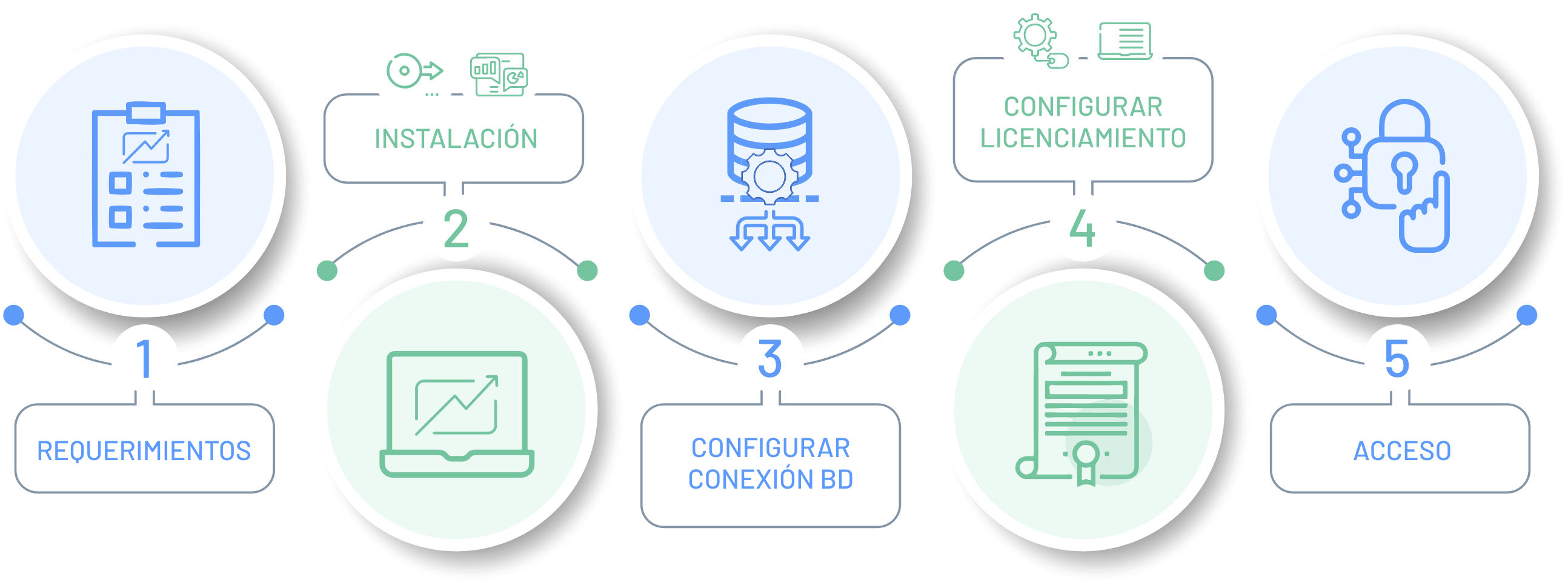
⚠ Important: The Aranda Field Service AFLS web console installation process is only for OnPremise Environments.
1. Requirements
Validate the minimum hardware and software requirements for the installation and operation of Aranda Field Service AFLS.
For more information, please visit: AFLS Installation Requirements.
2. AFLS Console Installation
In the installation process of the AFLS Web console, different components are defined for the operation and management of work orders.
For more information, see AFLS Web Console Installation .
3. Configuration of BD Connections
Configuration of the connection chains to the database of the sites and services, required for the operation of Aranda Field Service AFLS.
For more information, please visit: Configuring AFLS Services .
4. AFLS License Configuration
Upload the license required for the operation of Aranda Field Service AFLS.
For more information, please visit: AFLS Licensing .
5. AFLS Access
The authentication process to the AFLS web console will be executed according to the role defined by the organization to develop the different tasks of management, configuration and consultation of work orders.
Login or access to the AFLS web console must be done in accordance with the authentication and password process described in the Aranda Common Login module .