


User registration allows you to create a new account from the mobile app, entering basic information and login details, as long as the administrator has enabled this option from the BASDK console.
1. If you have the BASDK option configured in the BASDK console Enable User Registration, on the Aranda Helper login screen, the option Register, which allows you to register new users according to the configuration made in BASDK.
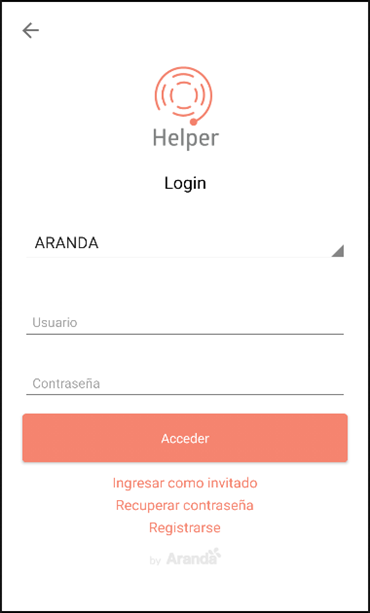
2. When selecting the Register In the application, the Registration where you can enter the user’s basic information and account access data, like this:
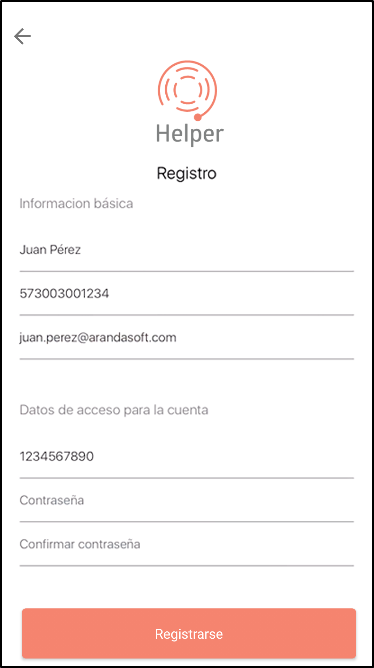
| Field | Field Details |
|---|---|
| Full name | Names and Surnames of the new user |
| Mobile Phone Number | Mobile number, add the country code without the + |
| Email address. | |
| User ID | User identification number. |
| Password | Password to access the application (minimum 6 characters). |
| Confirm password | Repeat the old password. |
3. When you select the Register, the user is registered and will be able to log in (The projects, services and types of cases related to the new user depend on a previous configuration made in the BASDK console).