


To update the Remote Support Viewer, consider the following steps:
1. Log in to Control Panel/Programs/Programs and FeaturesSelect Aranda ADM Utils and click Uninstall
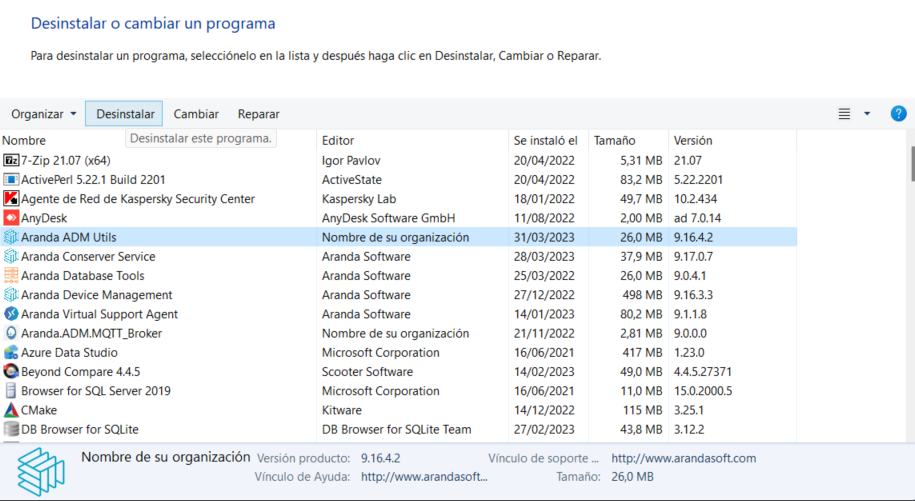
2. Uninstalling the previous version you can start the installation of the new version View Remote Support Viewer Installation