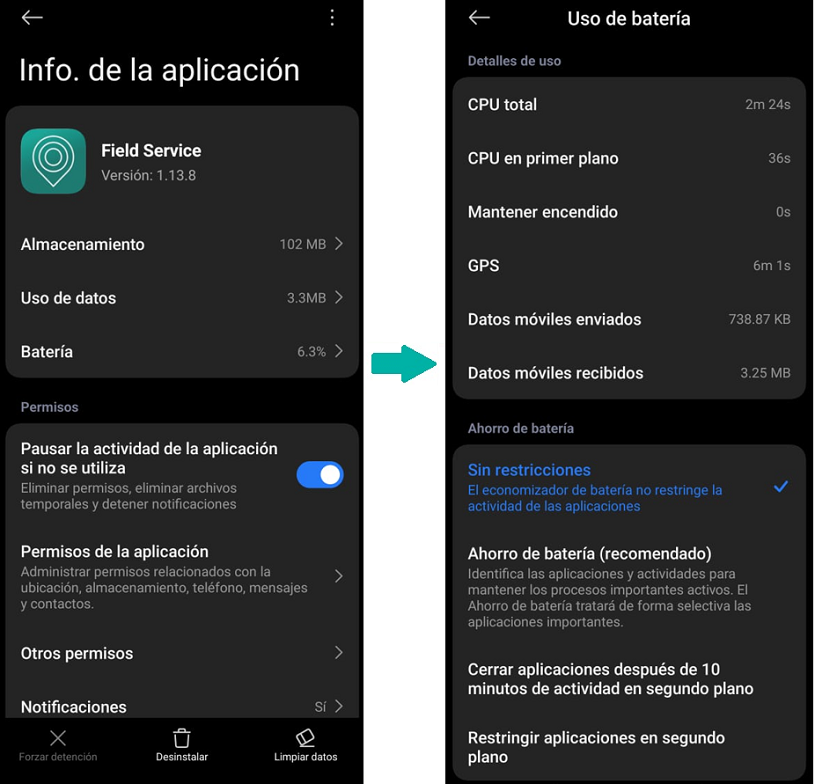
To ensure the correct functioning of the Aranda Field Service application, it is necessary to carry out the following configuration on each device where it is installed:
- Access your device’s settings.
- Go to “Apps” or “Manage Apps.”
- Search for and select the Aranda Field Service application.
- Enter the “Battery” option.
- Ensure that the app has no battery restrictions and allow it to run in the background.
This configuration is essential to avoid interruptions in the service and ensure the correct performance of the application.