To download the case attachments using the Aranda Service Management connector, consider the following steps:
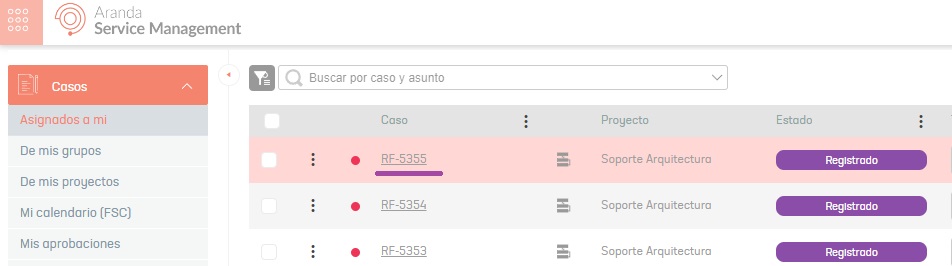
1. Get the Id By Project (enter the ASMS environment to get the case ID).
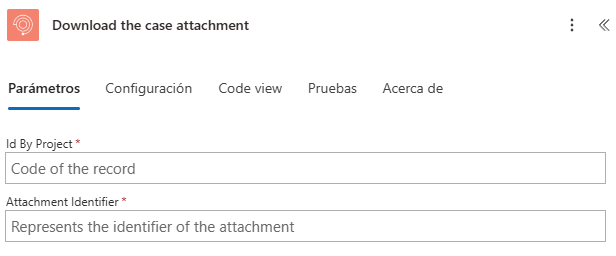
2. Select the function Download the case attachment.
3. Type or relate a field where you enter the case IDs Id By Project and the attachment ID Attachment Id.
Note: The file ID (
Attachment ID) is not required.
- If the case has more than one attachment and the file ID is not entered, it will download all the files in a zip format.
- If the case has only one attachment and the file ID is not entered, it will download that file.
4. The connector returns the following information.
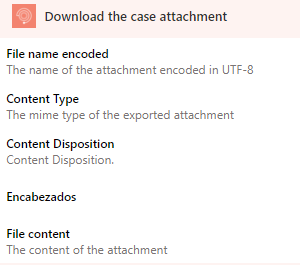
Where:
File name encoded: Name of the attachment encoded in UTF-8.Content Type: Informs the customer about the media type of the data returned.Content Disposition: Informs the client of a file layout (inline,attachment) and the file name.File content: Content of the attachment in base 64.
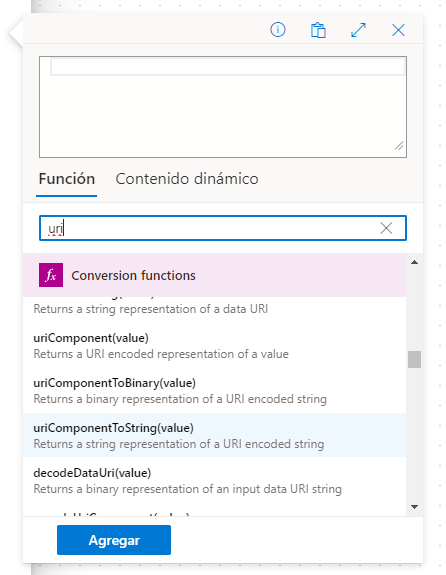
To decode the file name you can use the “uriComponentToString”, for more information you can visit the official documentation See more