


To create tasks associated with a case using the connector Aranda Service Management Consider the following steps:
1. Select the function Create task
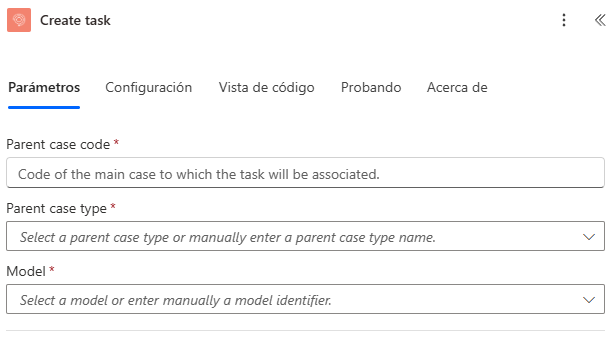
2. Type or select a value for the properties “Parent case code”, “Parent case type”, “Model”.
The properties associated with the task will be generated as shown in the following image:
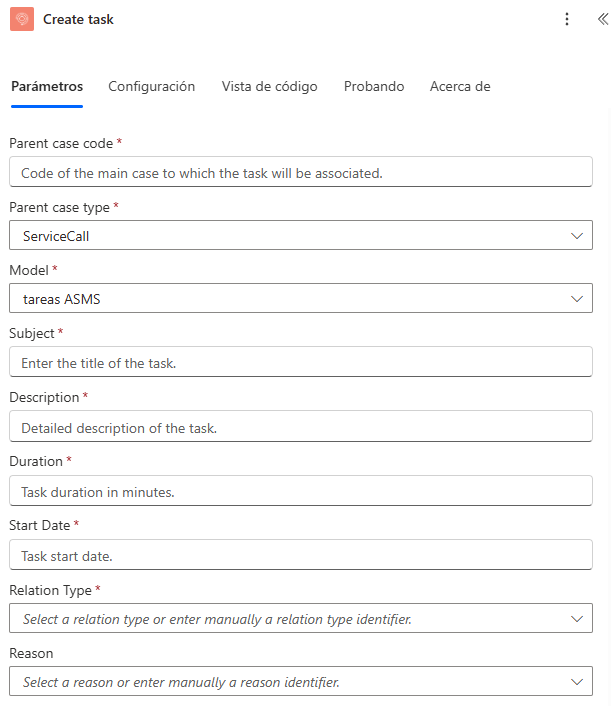
3. Type or relate a field for the task properties:
| Case Properties | |
|---|---|
| Parent case code | Group |
| Subject | Responsible |
| Duration | Reason |
| Start Date | Relation Type |
| Model | Additional fields |
| Description |
Campos adicionales
Additional fields are generated dynamically when selecting the model related to the task, the values can be assigned as shown in the following section: Additional fields
Note:
- The properties that are added by selecting from a drop-down list depend on each other; For example, the property
Model,Relation Typedepends on the propertyParent case type, because they are associated with a case.
4. Run the connector and verify the response:
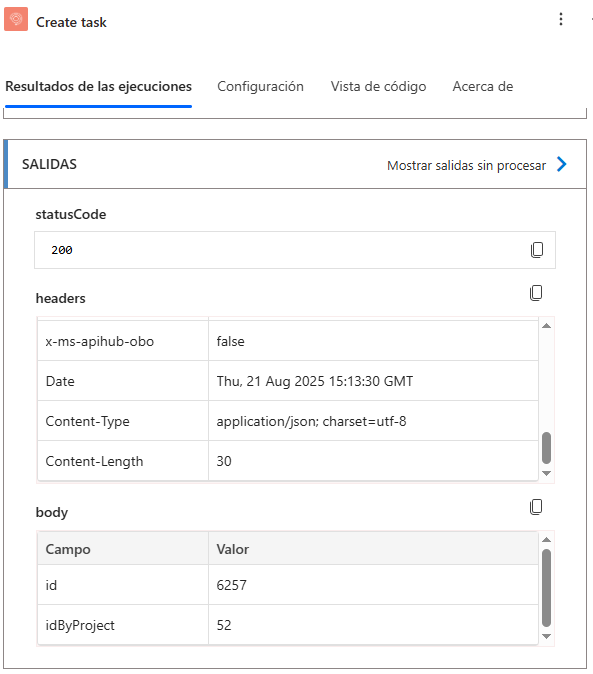
The connector will respond with a status of “200”.
5. Verify the case creation by logging into your environment.