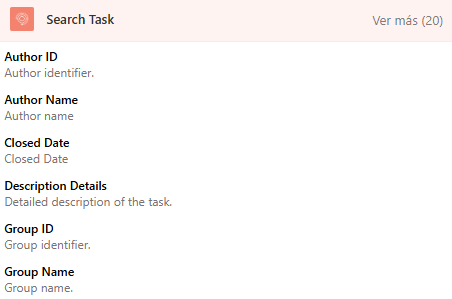
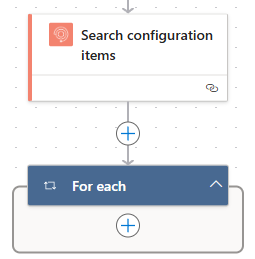
To find configuration items using the connector Aranda Service Management Consider the following steps:
1. Select the function Search Task.
2. In the connector, select the type of relationship that the search filters will have.
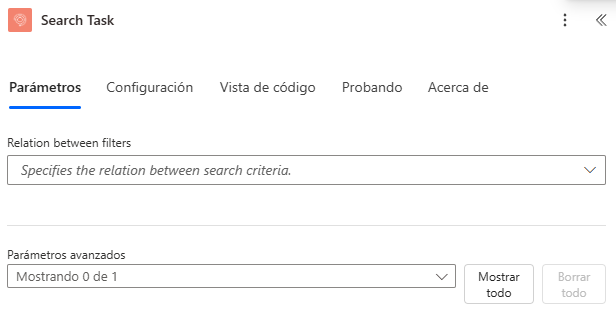
3. Select the fields by which the configuration items will be searched.
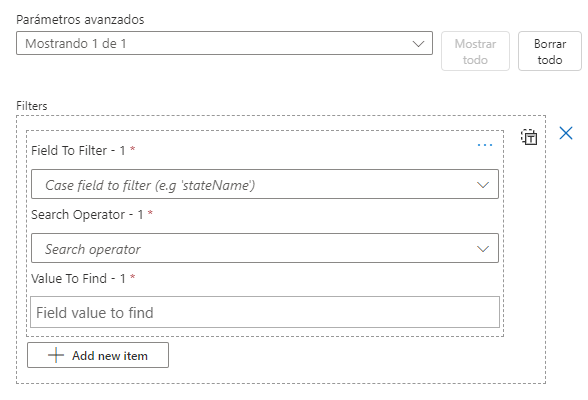
Where:
- Field to Filter: Ticket Ownership.
-
Search Operator: Field Search Operator
- “EqualTo”
- “NotEqualTo”
- “GreaterThan”
- “GreaterThanOrEqualTo”
- “LessThan”
- “LessThanOrEqualTo”
- “Like”
- Field value: Type the value that the field will contain.
Note: The lookup operator is assigned according to the field type, the connector returns BadRequest if not assigned as shown below:
| Name | Field Type |
|---|---|
| OpenedDate | DateTime |
| ParentIdByProject | String |
| IdByProject | String |
| StateName | String |
| Subject | String |
| ReasonName | String |
| ResponsibleName | String |
| GroupName | String |
| Commentary | String |
| Description | String |
| ProjectName | String |
| ResponsibleId | PropertyIdentifier |
| ReasonId | PropertyIdentifier |
| GroupId | PropertyIdentifier |
| StateId | PropertyIdentifier |
| ProjectId | PropertyIdentifier |
The type fields String They can only use the following search operators:
- EqualTo
- Like
The type fields DateTime They can only use the following search operators:
- EqualTo
- NotEqualTo
- GreaterThan
- GreaterThanOrEqualTo
- LessThan
- LessThanOrEqualTo
The type fields PropertyIdentifier They can only use the following search operators:
- EqualTo
- NotEqualTo
4. The connector returns an array with the configuration items related to the search criteria added.
[
  {
    "author": {
      "id": 0,
      "name": ""
    },
    "closedDate": "DateTime ISO 8601",
    "description": "",
    "group": {
      "id": 0,
      "name": ""
    },
    "id": 0,
    "isClosed": true,
    "model": {
      "id": 0,
      "name": ""
    },
    "openedDate": "DateTime ISO 8601",
    "parent": {
      "id": 0,
      "idByProject": "",
      "itemType": "",
      "itemTypeId": ""
    },
    "project": {
      "id": 0,
      "name": ""
    },
    "responsible": {
      "id": 0,
      "name": ""
    },
    "state": {
      "id": 0,
      "name": ""
    },
    "subject": ""
  }
]
Where:
| Name | Identifier | Guy | Description |
|---|---|---|---|
| Author ID | author.id | Integer | Author Identifier |
| Author Name | author.name | String | Author’s Name |
| Description | Description | String | Task Description |
| Group ID | group.id | Integer | Responsible Group Identifier |
| Group Name | group.name | String | Name of the responsible group |
| Task ID | Id | Integer | Task System ID |
| Model ID | model.id | Integer | Model identifier |
| Model name | model.name | String | Model Name |
| Creation date | openedDate | String | Task creation date |
| Parent case code | parent.idByProject | String | Project identifier of the main case |
| Parent case id | parent.id | String | System ID for the primary case |
| Parent case type | parent.itemType | String | Case type name for the parent case |
| Parent case type ID | parent.itemTypeId | String | Case type identifier for the parent case |
| Project ID | project.id | Integer | Project Identifier |
| Project Name | project.name | String | Project Name |
| Responsible ID | responsible.id | Integer | Identifier of the controller |
| Responsible Name | responsible.name | String | Name of the person in charge |
| Status ID | state.id | Integer | State ID |
| Status name | state.name | String | State Name |
| Task title | subject | String | Task title |
| Close date | closedDate | String | Task Closing Date |
| Is Close | isClosed | Boolean | Determines if the task is closed |
To operate the connector you can make use of the properties shown below: