In version two (V2) of creating configuration items, additional fields are dynamically generated when the project and category fields are completed.
To update configuration items using the connector Aranda Service Management Consider the following steps:
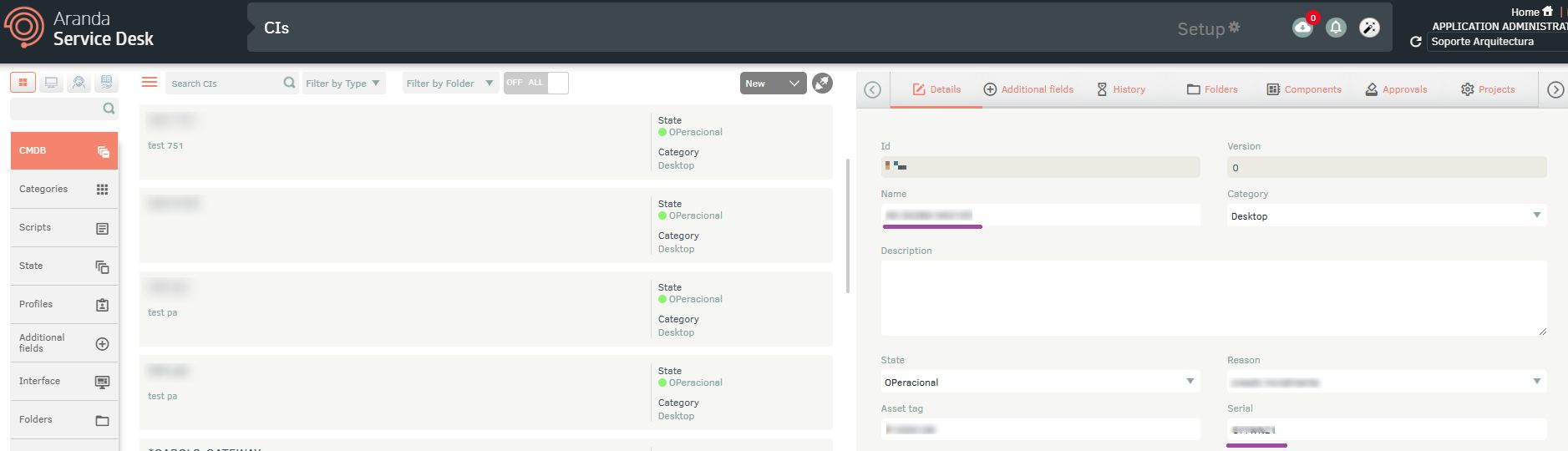
1. Get the Nombre o serial del elemento de configuración (enter the CMDB environment to get the name or serial of the configuration item).
2. Select the function Update configuration item (V2)
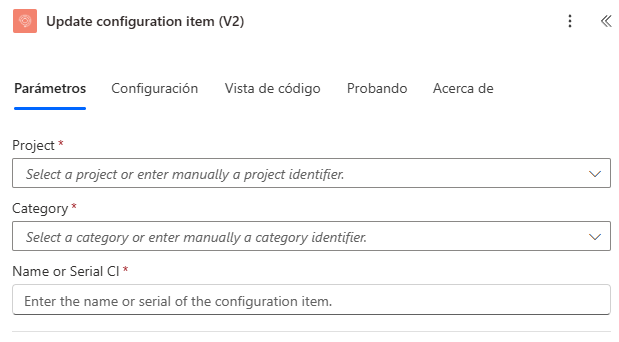
3. Enter the required value:
Type the nombre o serial del elemento de configuración On Property Name Or Serial CI:
- Name Or Serial CI
4. Type or select a value for the properties “Project” and “Category”, as appropriate.
The properties associated with the configuration item are generated as shown in the following image:
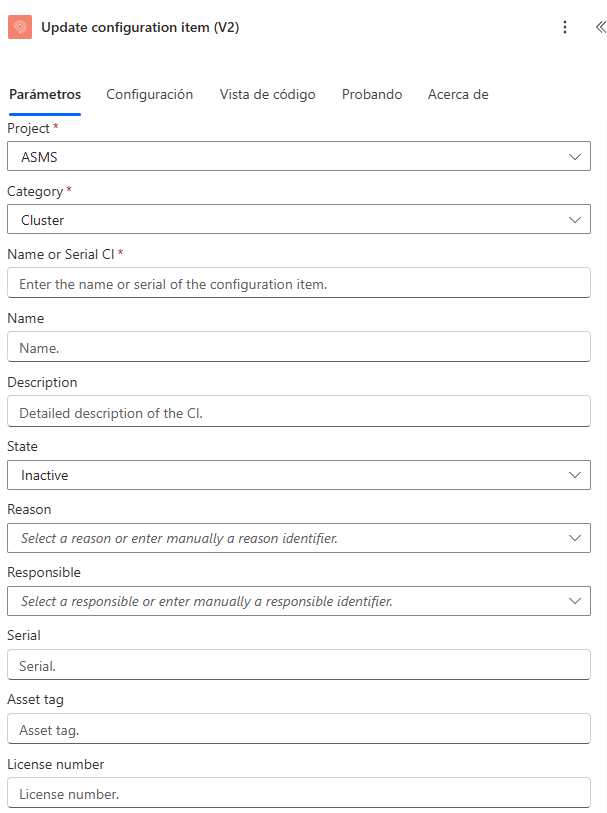
5. Enter a value or relate a field for the properties of the ticket you want to update:
| Configuration Item Properties | |
|---|---|
| Name * | Reason |
| Description | Price |
| Serial | RFID |
| Asset tag | Risk |
| Category | Acceptance date |
| Responsible ID | Date of delivery to the company |
| Status ID | Initial date of responsibility |
| License number | Cost center |
| Manufacturer ID | Impact |
| Brand | Bar code |
| Model | Measure unit value |
| Provider ID | Measure unit |
| Location | Risk |
| Additional fields |
Note: Registration of the fields is not mandatory.
6. The connector will respond with a status code of “200” and the updated configuration item code.