


1. Selecting a work order record enables the Order Detail where the specialist will be able to view and fill in the additional fields that are active for the model and for the work orders. There you will be able to collect the additional information required for the process.
2. When selecting the Edit additional information  or when making changes to order statuses, you can update additional fields.
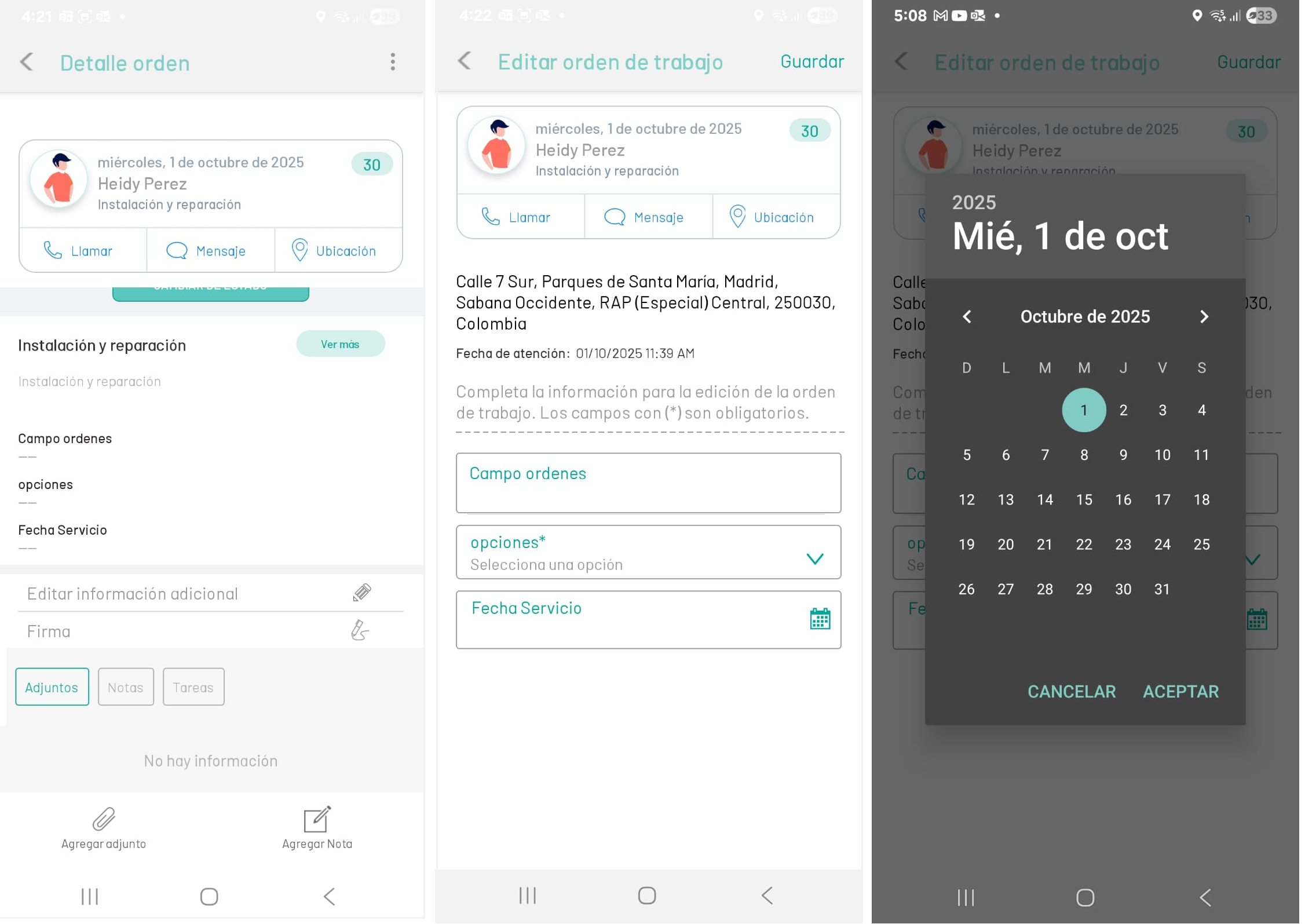
⚐ Note: The Additional Fields action will be enabled in the mobile console for the specialist, when the order status is found In Process, after configuring fields in the AFLS web console.
⚐ Note: Depending on the configuration of the additional fields for the work order defined in the AFLS web console, the additional fields can be of the following types:
- Text field
- Paragraph-type field
- Numeric type field
- Date type field
- Listed type field.