


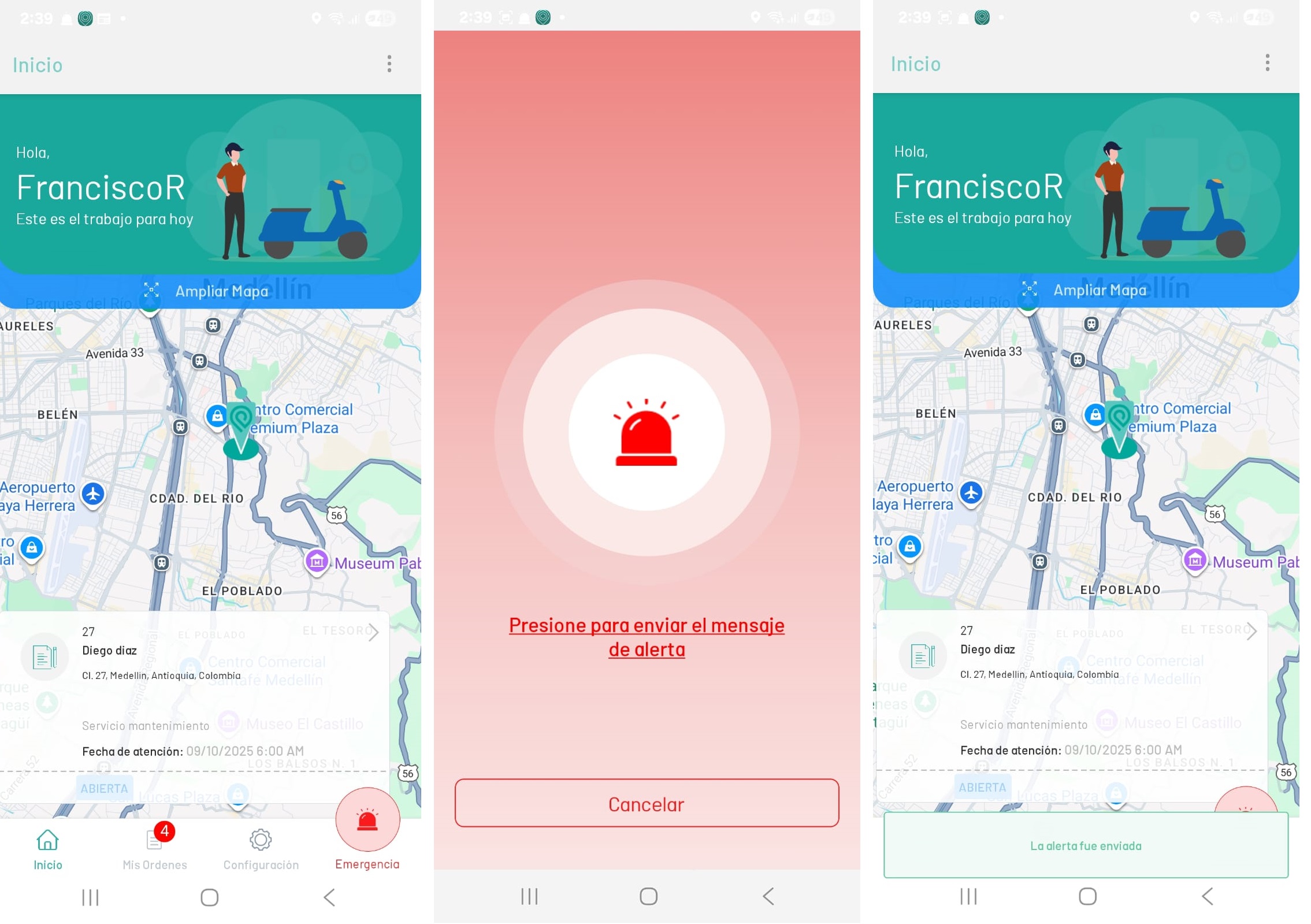
1. In the AFLS mobile console, in the information view of the home workspace, you will be able to see the Emergency button that will be enabled, if it has been activated in the Global Settings of the web application, by the administrator user, from the AFLS web console.
2. By holding down the Emergency for five seconds a red screen with the text is enabled Press to send the alert message, selecting this text displays a confirmation message that says “The alert was sent”.
⚐ Note: An alert message will arrive through the WhatsApp messaging application to the phone numbers configured from the web application in the global settings.