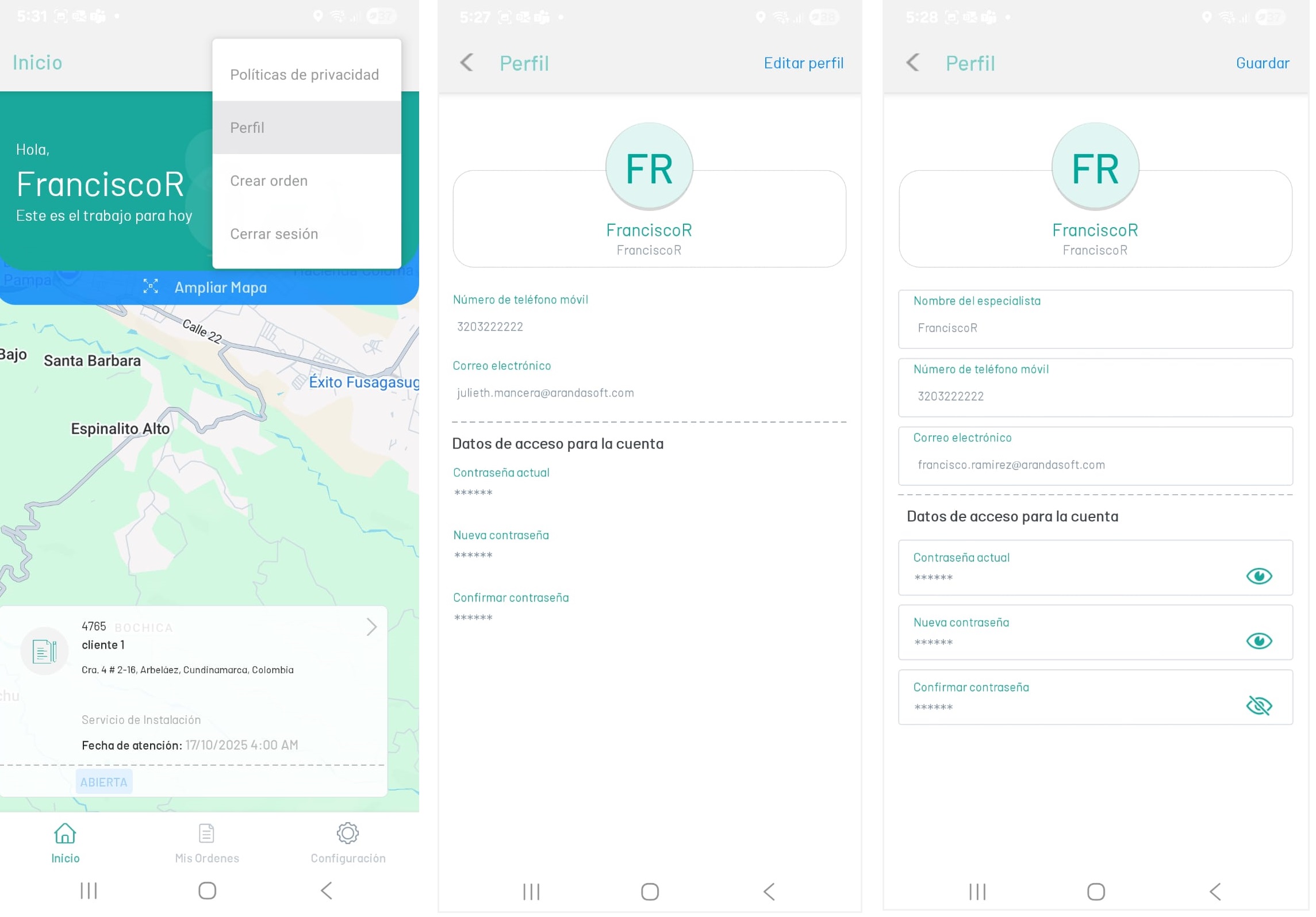
1. In the AFLS mobile console, in the Home workspace, in the floating menu, select the Profile. In the window that is enabled, under the header, select the Edit Profile.
2. The specialist will be able to update information such as the specialist’s name, telephone number and email, always complying with the minimum validations of the different fields.
3. In the login details you can change the current password information.