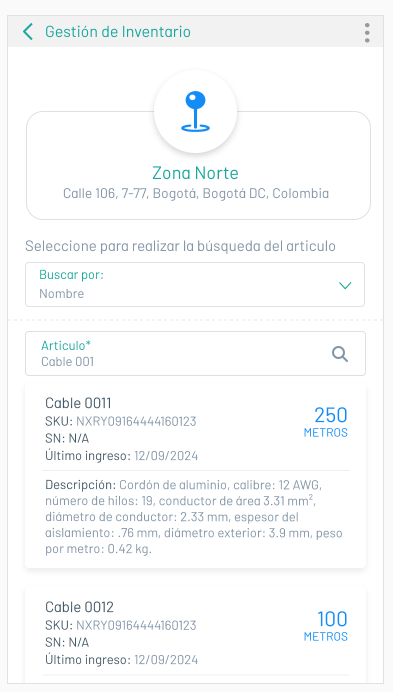
INNVENTARIO: ❯
Physical and technological resources, associated with a work order for the attention and solution of a field service.View Inventories
1. In the AFLS Mobile Console, in the Home workspace, select the Configuration on the Taskbar.
2. In the window that is enabled in the Basic Settings section, select the Inventory, in the tabs Today’s Inventory and My Inventory of the work area, the specialist will be able to view and consult the inventory available and required for the execution of work orders.
⚐ Note: The specialist will only be able to view the inventory resources if the administrator or inventory manager from the Inventory section of the AFLS web console, enters and assigns the spare parts and locations required to fulfill the work order.
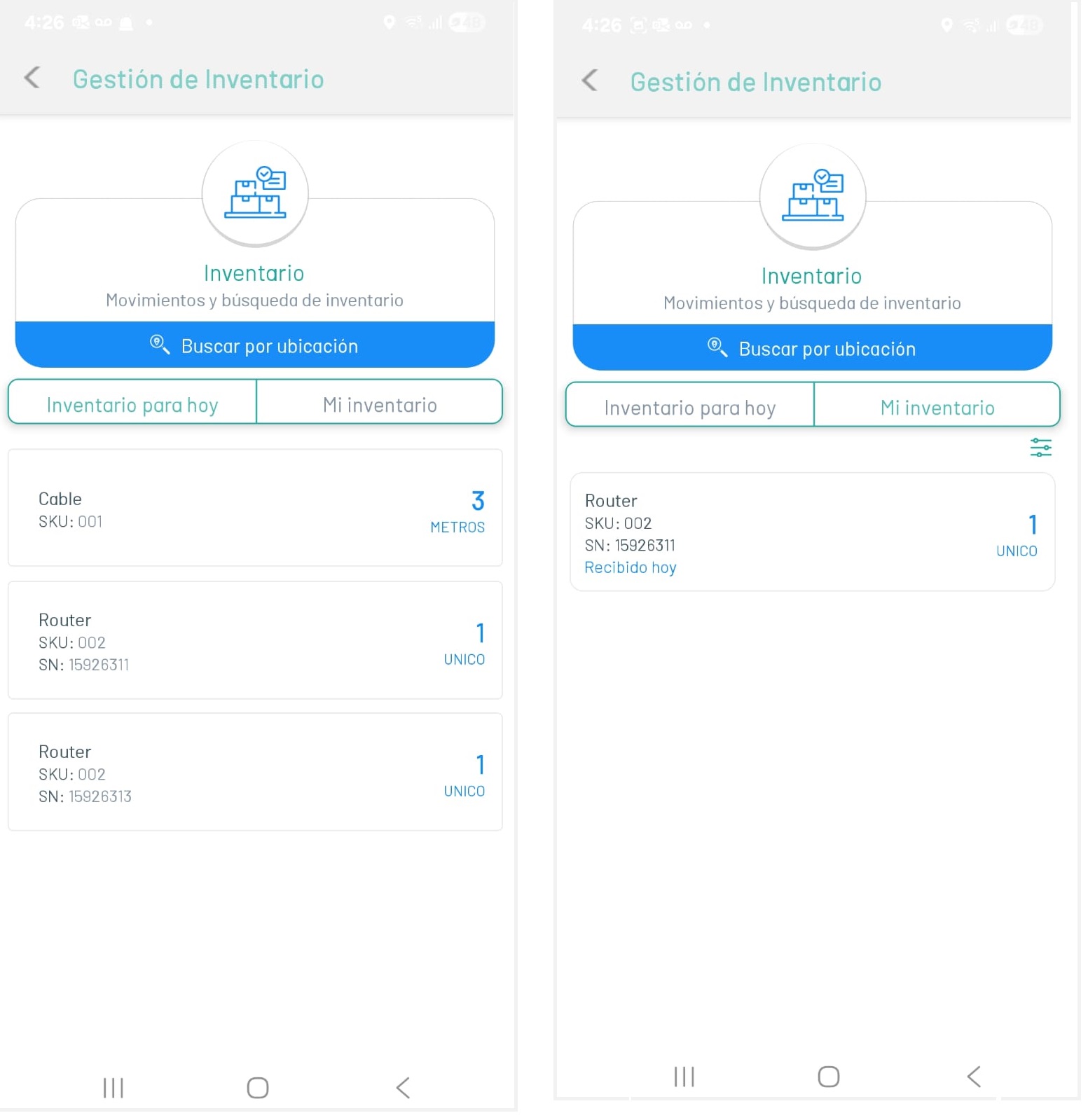
Search by Location
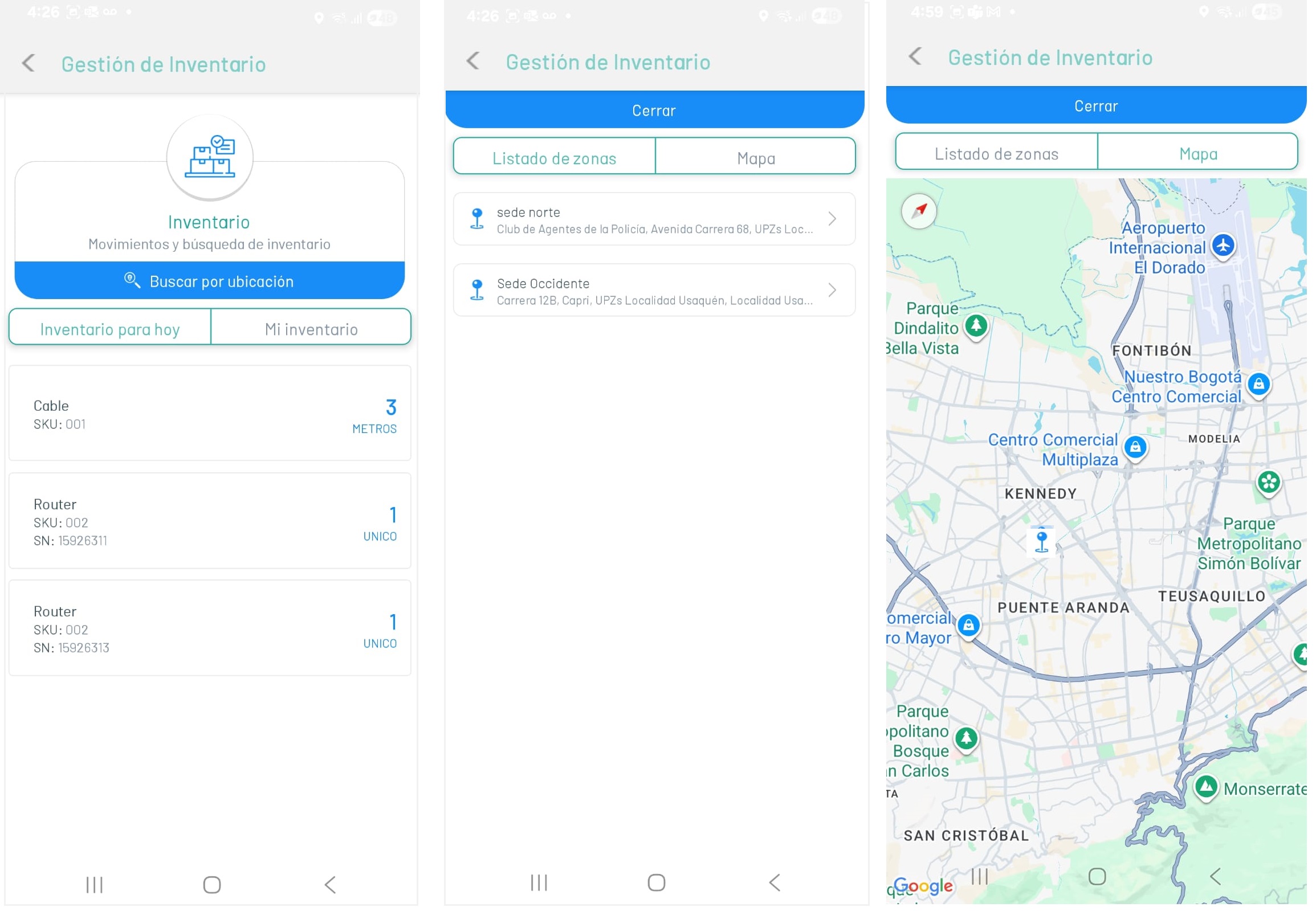
3. In the Inventory Management workspace, select the Search by Location, where the specialist will be able to view the list of zones or venues Defined to store the available inventory, closest to the specialist assigned to the work order
- On the List of Zones, the specialist will find the defined inventory zones from the AFLS web console.
- On the Map, the specialist will find the exact location of the area or headquarters where the inventory is housed.
4. By selecting a site record, in the Zone List tab, the specialist will be able to search for specific inventory resources at each site.