


1. Selecting a work order record enables the Order Detail and at the end of the order process, the customer will be able to answer the satisfaction survey, if the model has it configured.
2. When selecting the Rate Experience  or from the order list select the
  The window with the questions that the customer will be able to answer is enabled.
3. When you finish the survey, click Send so that this information is sent to the customer’s email with the registered data.
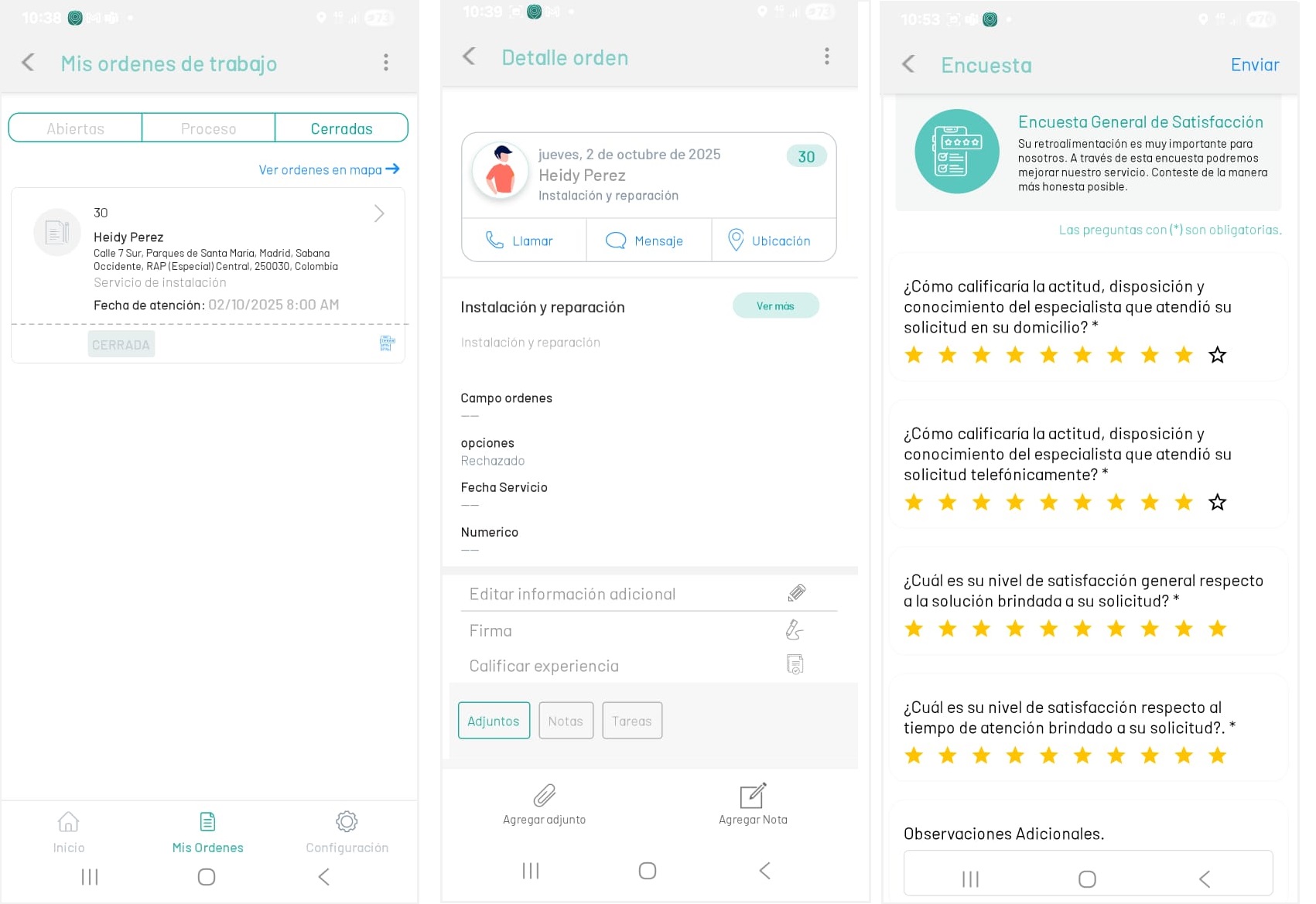
⚐ Note: The Rate Experience or Survey action will be enabled in the mobile console for the specialist, when the order status is found Closed, in the substate Executed, after configuring the model in the AFLS web console.