


1. Selecting a work order record enables the Order Detail where the specialist will be able to visualize the orders with which a relationship was established, either of succession or of bond.
| Type of Relationship | Description | Example |
|---|---|---|
| Succession | A succession relationship is established when one work order must be executed before another. | An execution order and a monitoring order are defined. The monitoring order (a person visiting the specialist’s work in the field) can only be carried out after the first one is executed. |
| Link | A Link relationship is established when orders are related, regardless of the order in which they are served. The relationship is established mainly to have traceability. | A specialist makes a control visit and reports that maintenance must be done. The maintenance order is linked to the control order. |
2. When selecting the  you will be able to view the relationships configured for the work order, by the administrator user, from the AFLS web console and you will be able to select a relationship to consult the detail of the related order.
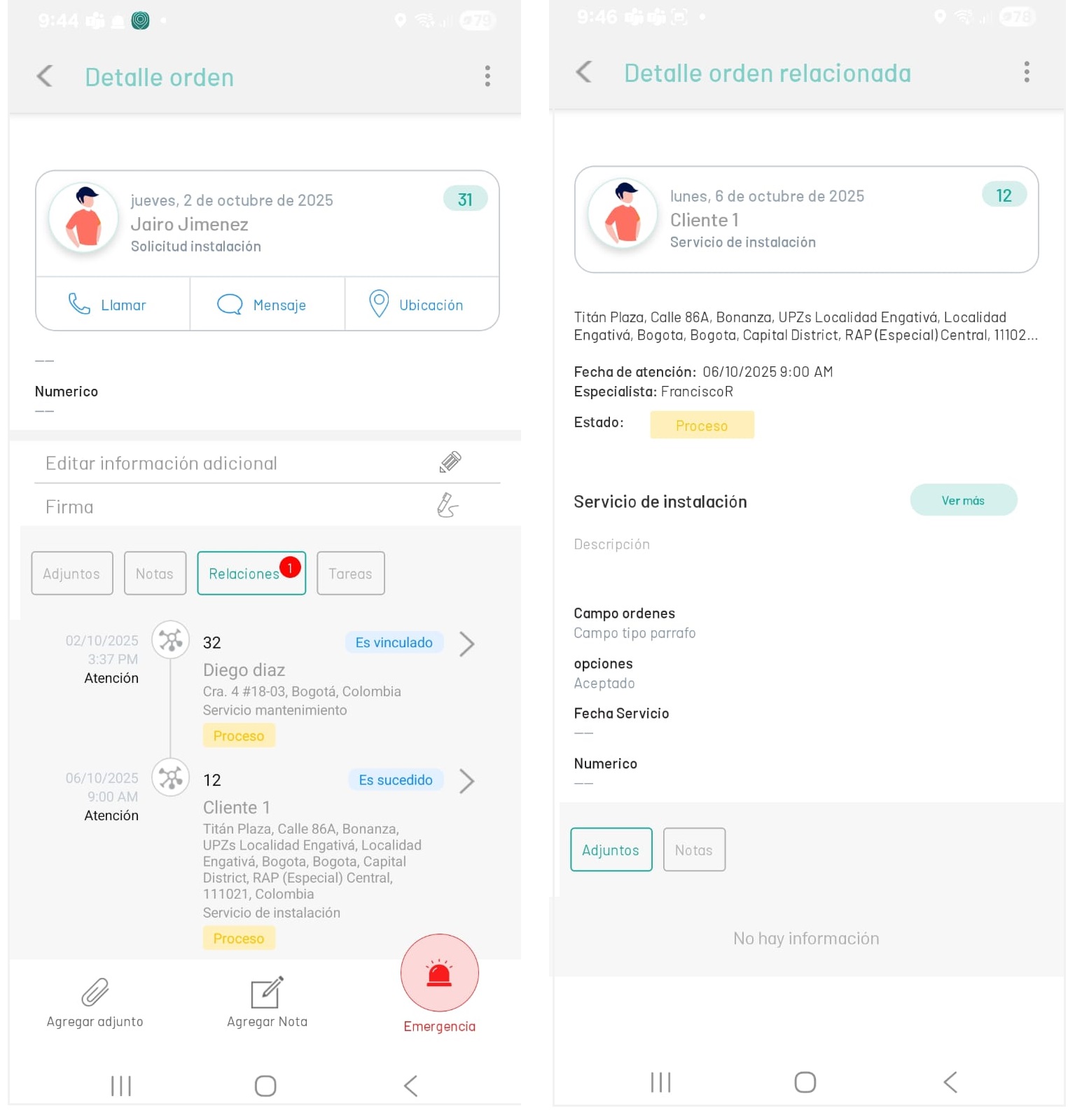
⚐ Note: The Relationships action will be enabled in the mobile console for the specialist, when the order status is found In Process and the relationships have been defined from the AFLS web console.