


1. By selecting the record of a work order, in the home of the mobile console or from My Orders, the specialist accesses the Order Detail, can continue with the process of management and attention of the work order and by selecting the  You will be able to change service statuses, report service times, service breaks, and order closing.
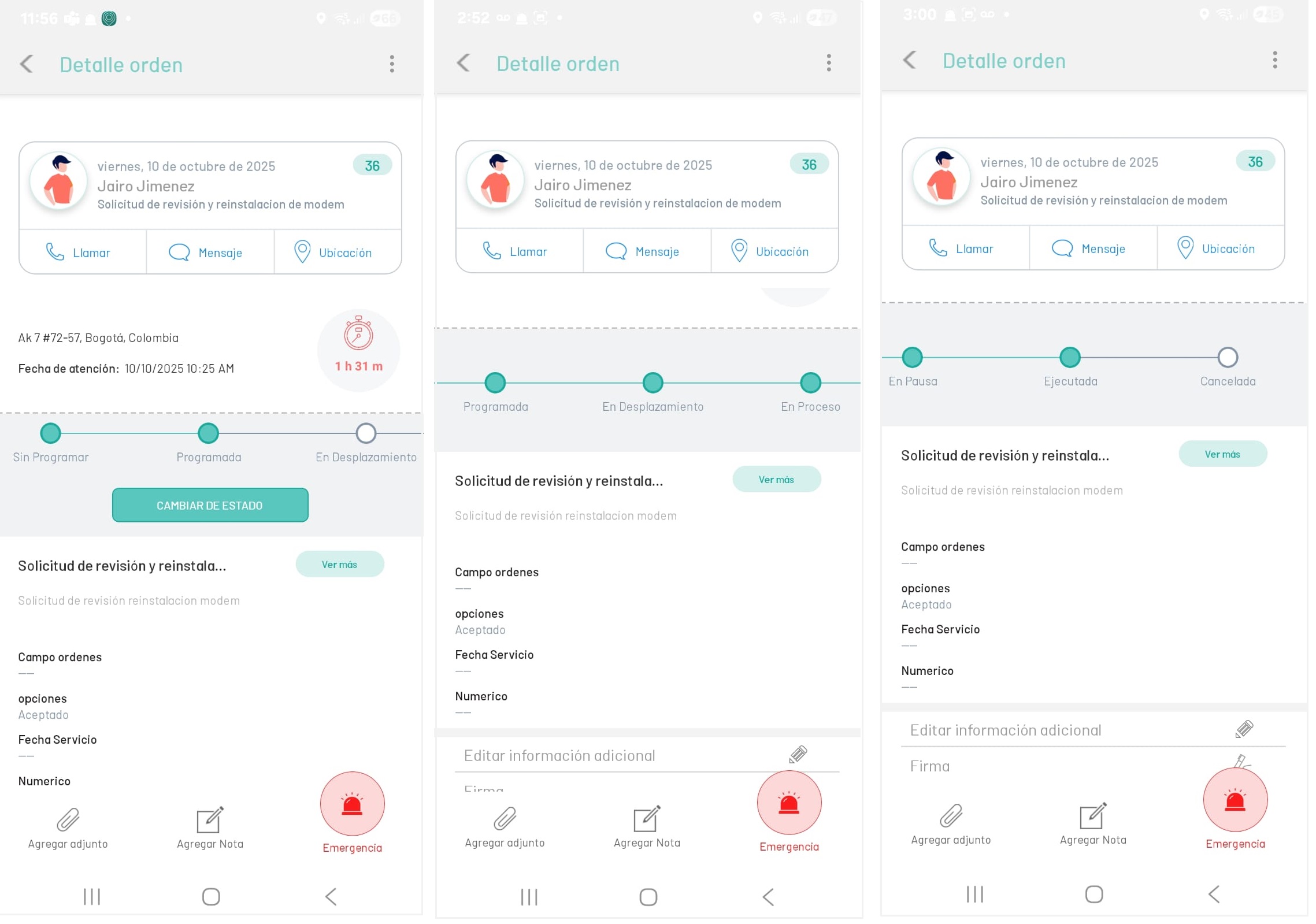
2. The management of the work order by the field specialist is developed in the Service Care stage, following the workflow statuses (Open, In Process and Closed) of the model designed by the organization.
3. The field specialist receives the commands in the “Open” state, and at this point the sub-statuses serve as a guide for the execution of a work order. When you enable the Status Change You will be able to view all available state transitions previously configured in the workflow model.
The main model that comes in AFLS defines the workflow that is made up of states, substates, activities, transitions, and reasons that define the procedure.
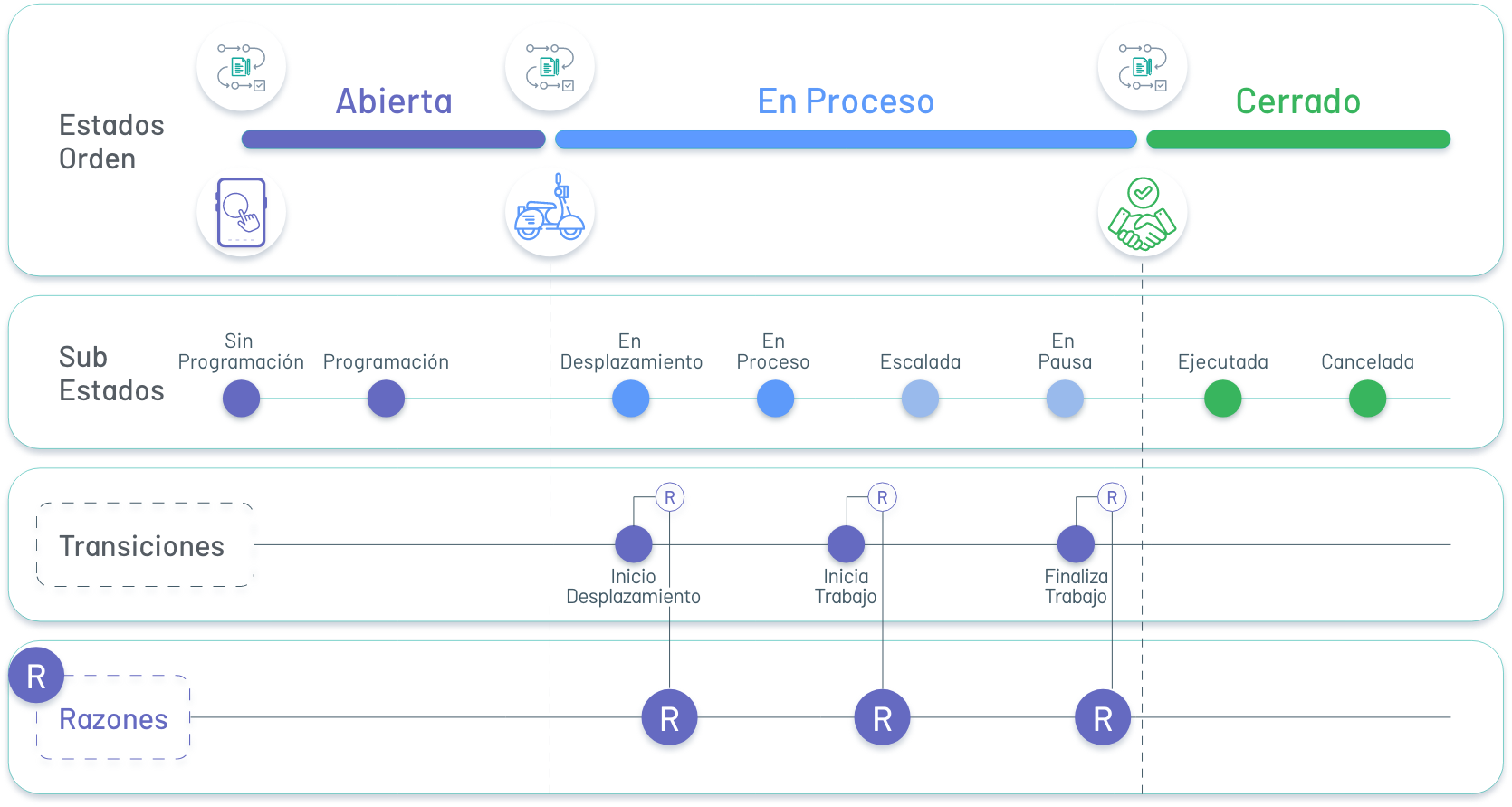
⚐ Note: - The main states of the model (Open, In Process, Closed) are set by default.
- The proposed sub-statuses, transitions and reasons are configured by default from the AFLS web console and can be customized according to the customer’s needs.
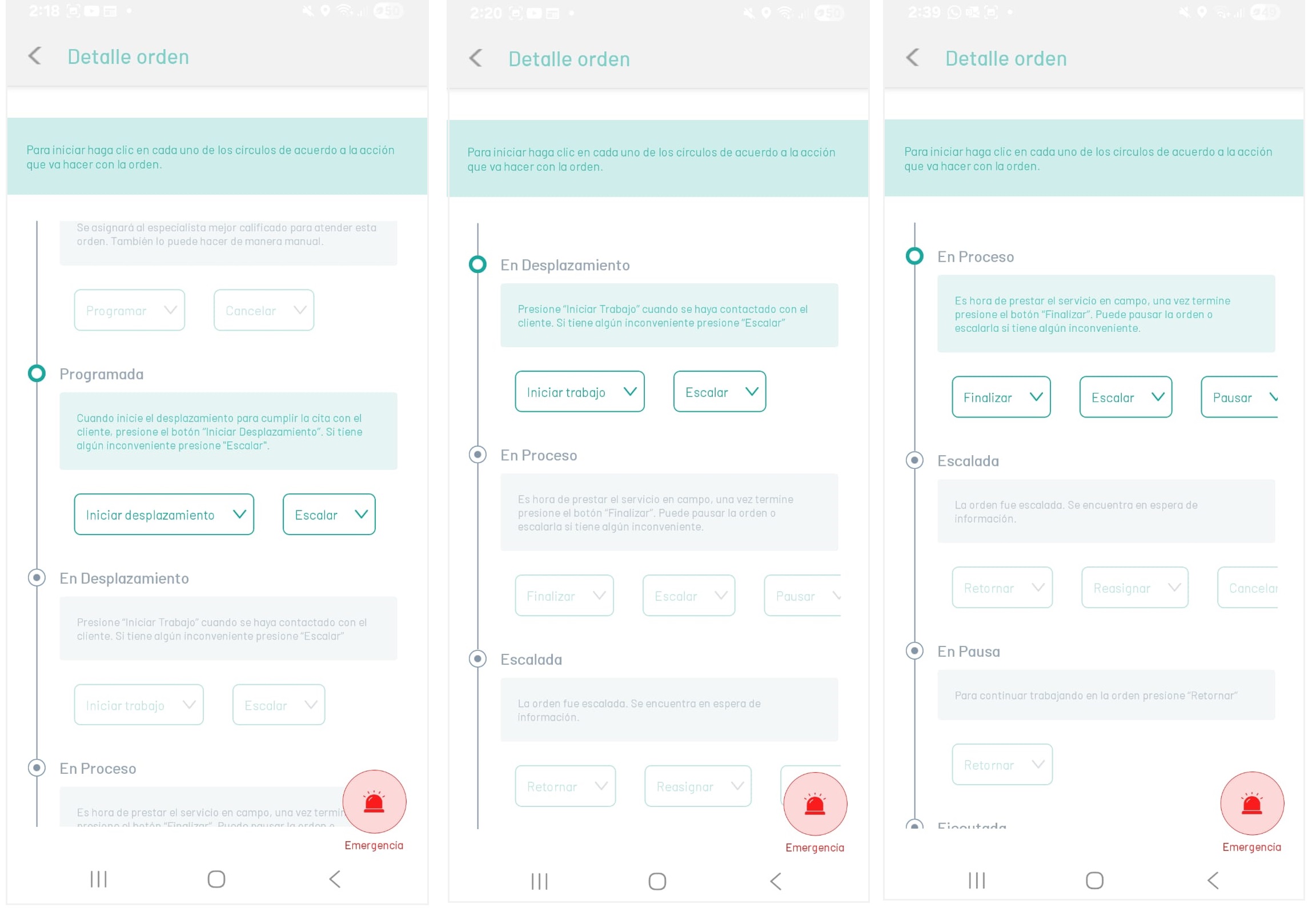
4. When selecting the transition with which the order status will be changed, it will be asked to choose a reason (from those previously configured in the model workflow), then it will be asked to confirm the status change action for the selected order, by selecting “yes” in the confirmation message the view is displayed to fill in the additional fields if necessary and then save:
| Sub State | Transition | Reasons |
|---|---|---|
| Unscheduled | Program: sub-state of the system. | - Manual assignment - Automatic assignment |
| Scheduled | Start Scrolling: Reports the moment when the specialist starts the journey to the work order location. Climb: Reports when the field specialist is unable to attend to the work order for some reason. Escalated to AFLS dispatcher and order passed to substate Climbing. |
-I’m going to start scrolling - Inventory problem - Inconvenience for execution. - Customer inconvenience. -other. |
| On the go | Start Work: Reports the moment when the specialist initiates the specific activities of the service. Climb: Reports when the field specialist is unable to attend to the work order for some reason. Escalated to AFLS dispatcher and order passed to substate Climbing. |
- Work starts - Address not found. - Cancellation Request. - Customer inconvenience. -Other |
| In Process | Finish Work: Reports when the specialist completes the service and the order passes to the substate Executed. Climb: Reports when the field specialist is unable to attend to the work order for some reason. Escalated to AFLS dispatcher and order passed to substate Climbing. Pause: Reports when the specialist pauses activities. Order execution time information is not recorded until the activity is restarted and the order is passed to the sub-state Paused. Cancel: Reports when the specialist cancels the service and the order goes to the substate Cancelled. Return: The order is reassigned to the specialist to continue with its execution. |
- Completion of the work - Completion with observations - Inventory problem. -Unforeseen. - Customer inconvenience. -Other -Rest. - Customer request. -Other - Customer request. - No service required - Problem fixed |
| Climbing | Reassign: Reports when the dispatcher from the web console reassigns the work order and the order goes to the sub-status Unscheduled. Cancel: Reports when the specialist cancels the service and the order goes to the substate Cancelled. |
- Inventory problem. -Unforeseen. - Customer inconvenience. - Request for cancellation - Unable to finish |
| Paused | Return: Reports when the specialist returns from the break to restart work and the order goes to the In Process sub-status. | Work resumes |
| Executed | NA | NA |
| Cancelled | NA | NA |
⚐ Note: All changes will be visible to the monitor so that you can track and make any necessary modifications.