


1. To assign a named license, in the license information view, click the USERS.
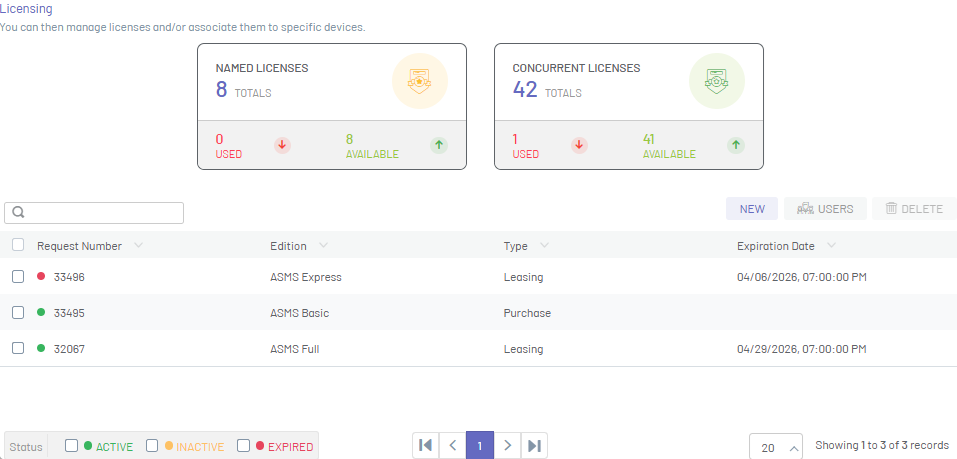
⚐ Note: Users who are assigned a named license will always have access to the console for as long as the license is in effect.
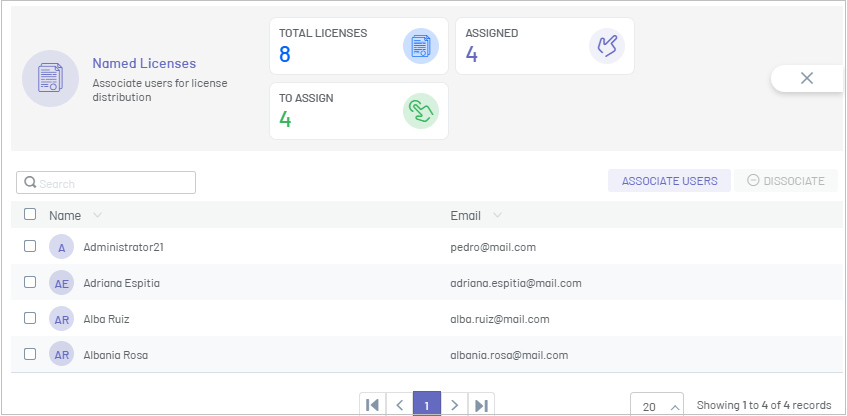
2. In the named licenses window, you can view a summary of all named licenses (assigned and available), grouped by data such as Name and email of the user who was assigned the license.
3. To search for users with assigned licenses, in the search field enter data such as name or email and press the Enter key.
Associate users
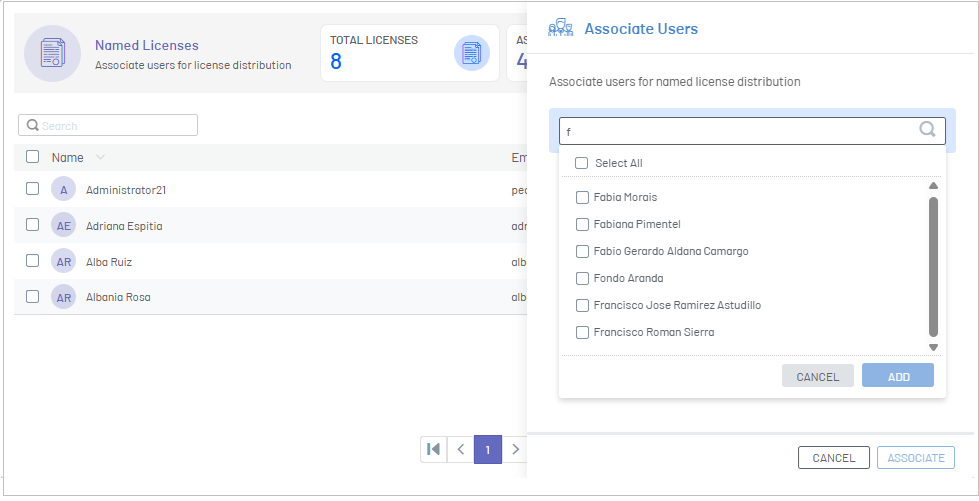
4. To assign a new license, click the Associate Users. Find and select the users you want to assign to the license and click the Add.
5. In the Named Licenses window, click the ASSOCIATE.
6. The assigned licenses can be viewed in the list of licenses.
Disassociate users
7. To detach a license, in the information view, select one or more records from the list of licenses and click the Disassociate.
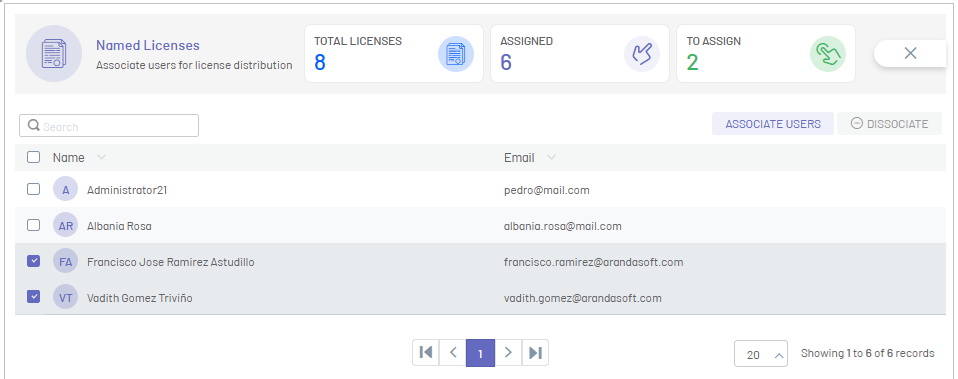
8. Once it is disassociated, the license will be available and will be displayed in the total number of available named licenses.