


1. To create a new survey, in the survey information view, click the New.
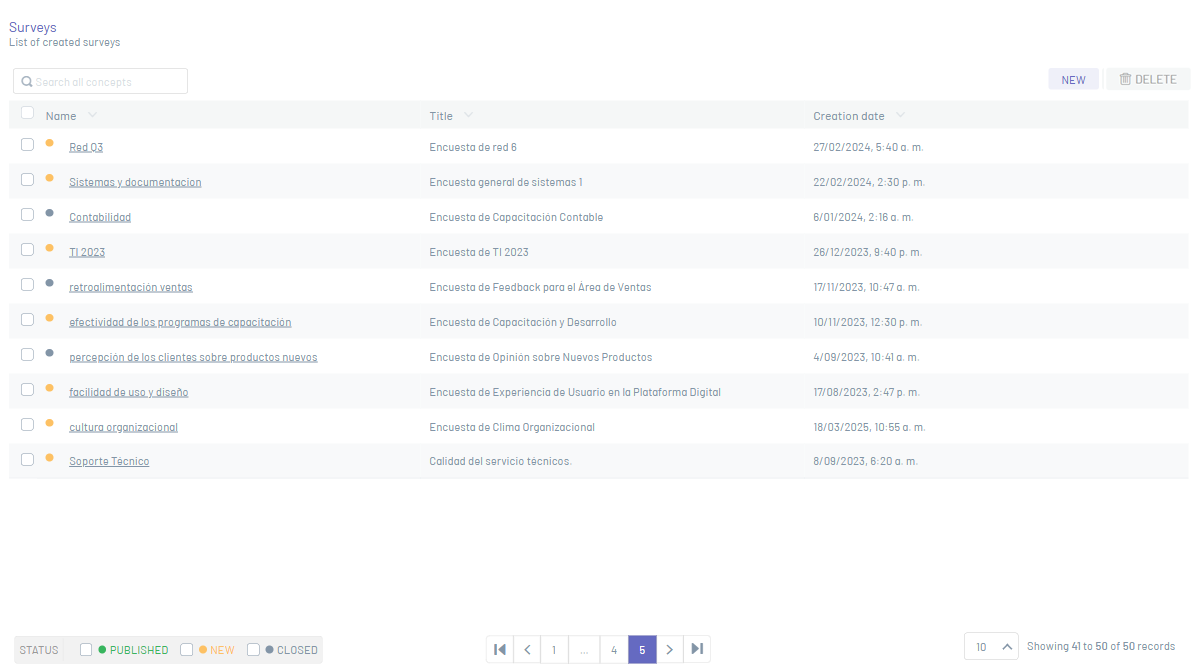
⚐ Note: You will not be able to create a survey with the same Survey Name.
Basic Facts
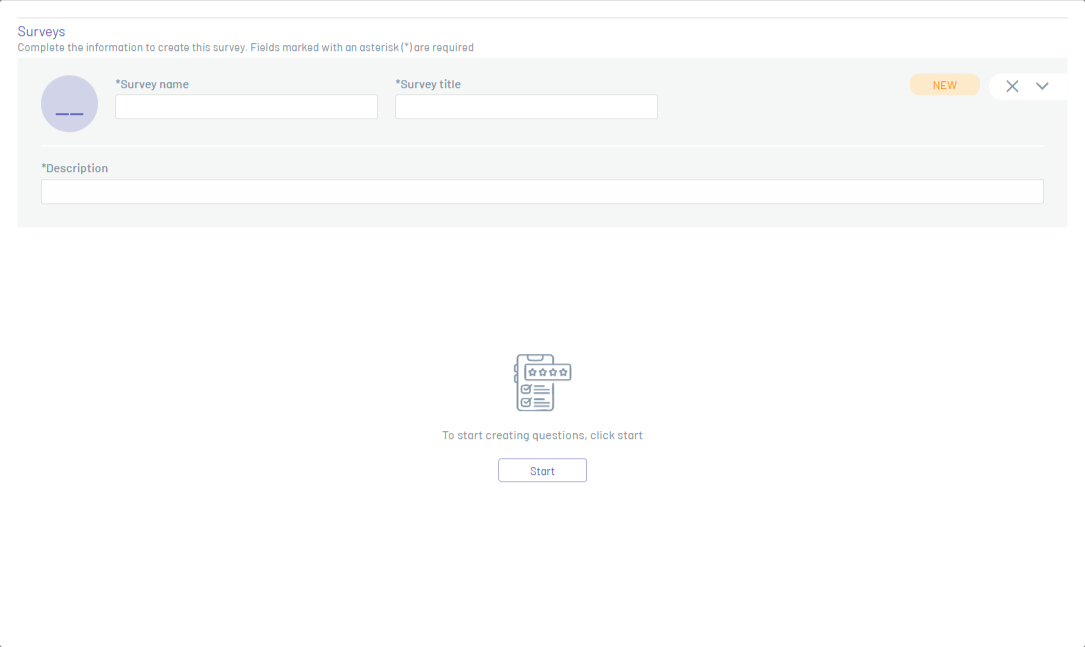
2. In the window that is enabled you can fill in the basic data, name of the survey, title of the survey, description.
Questions
3. Click Get Started and enter the following fields: Question, Help Text, Question Type.
⚐ Note:
- Each of the survey fields must take into account the Specifications for Fields.
- In this section you will find the Fields by question type.
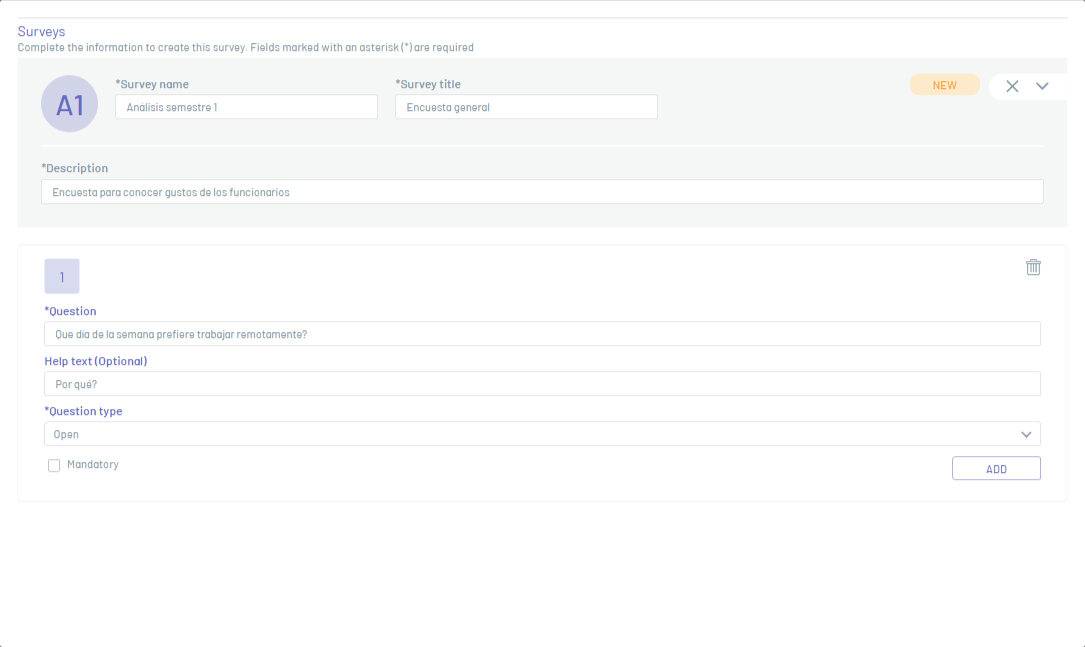
4. Click Add and the question will be recorded when you save the survey.
⚐ Note:
- To edit the question click on the Edit

- To delete the question click on the Eliminate

5. If you want to add more questions, click Add Question.
6. When all questions are created, click the Save .

⚐ Note: When you save the survey, it is in the New, which you can change by entering the survey to publish it and send it to users.