


1. In the Licenses information view, you will be able to view the list of licenses that are being used, grouped by data such as Application Number (License ID), Edition (Application Name), License Type, and License Expiration Date.
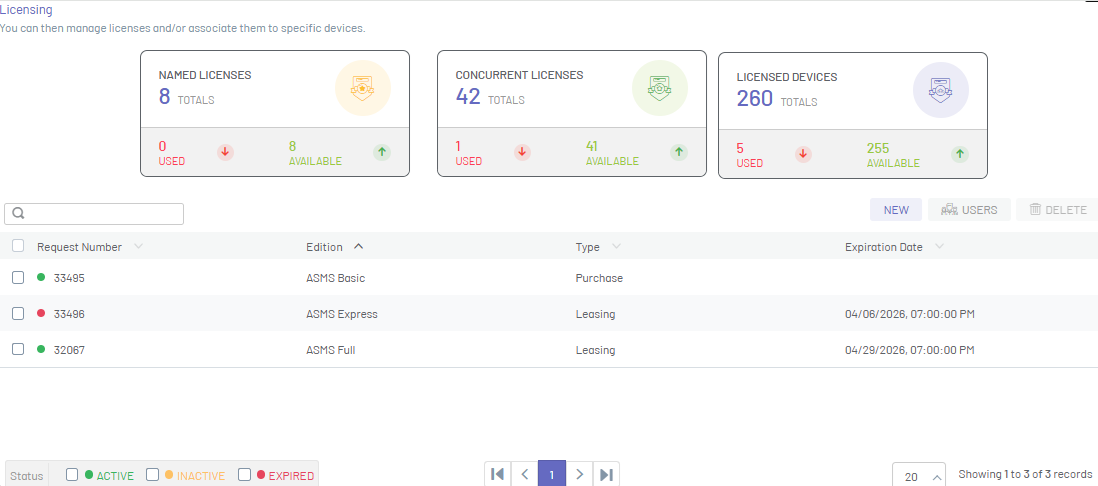
⚐ Note: In the console header you will be able to view the characteristics of the License (Named, Concurrent, Other) in real time and its availability.
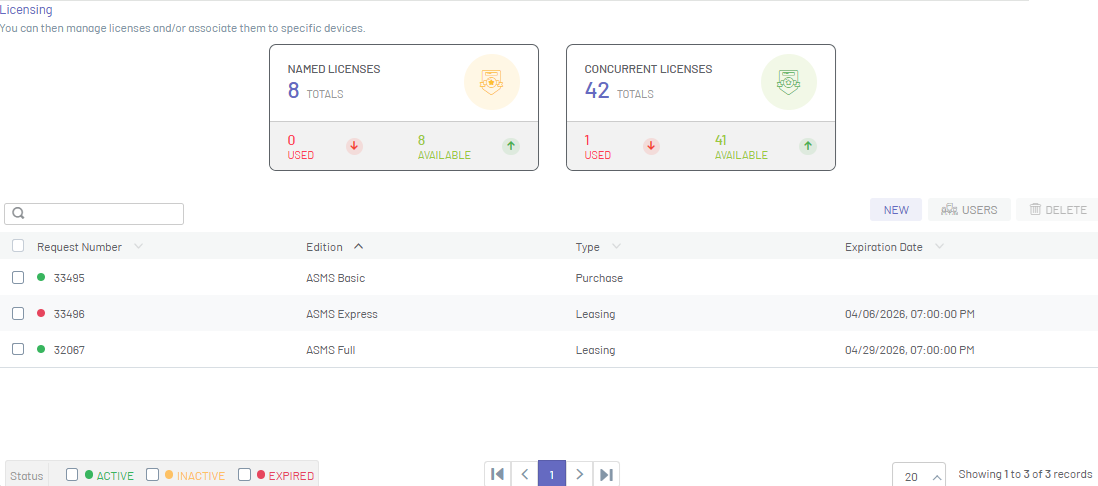
Características Licencias/ Concurrentes: ❯
Licenses generated to enter the application, are managed according to the availability of purchased licenses and the access of users to the application, depends on the release of each license for a new entry.Características Licencias/ Nombradas: ❯
Licenses generated to enter the application are personalized and unique licenses with the basic data of each user, so that they can enter the console at any time.
2. In the Licenses information view, you will have information management and organization actions enabled.Information View in Commons Environment
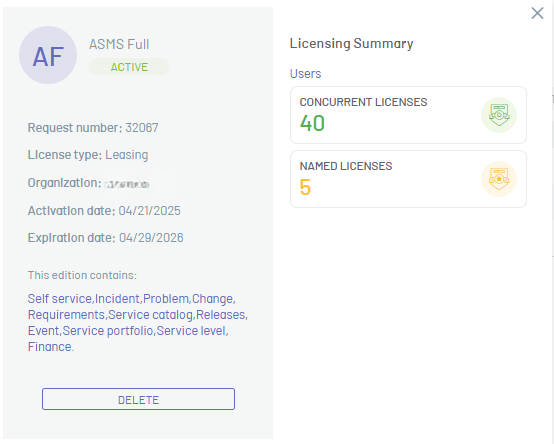
3. In the license detail view, you can display the following information:
| Field | Field Type |
|---|---|
| Application number | License identifier. |
| License Type | Type of license acquired. The types are: - demo Trial license with a fixed term. - purchase License purchased with associated invoice. - Leasing Rental license for a certain time. |
| Organization | Name of the company that acquired the license. |
| Activation Date | Date the license was activated. |
| Expiration Date | License expiration date. |
| This edition contains | List of applications contained in the edition. |
| Users | Number of concurrent and named licensees available (depending on the edition you will be able to view additional features such as Devices, Support sessions, etc.) |
⚐ Example: If in the licensing request, for the licensed application (Aranda Device Management) I request device licenses, in the console header you can display the license features as Licensed Devices.
⎘ Related Links: