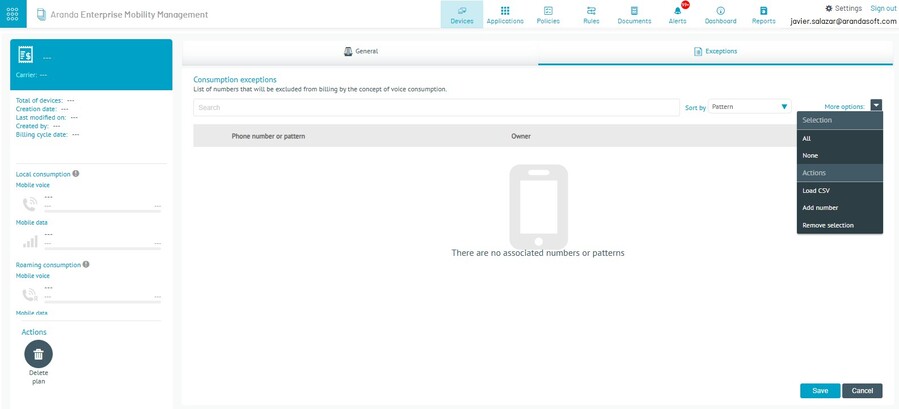
This option allows you to track the voice and/or data consumption of a mobile device and enables the use of the associated set of spending rules. To configure it, follow these steps:
1. Enter the Devices tab and select the option Consumption Management within the EMM menu; then click New Plan.
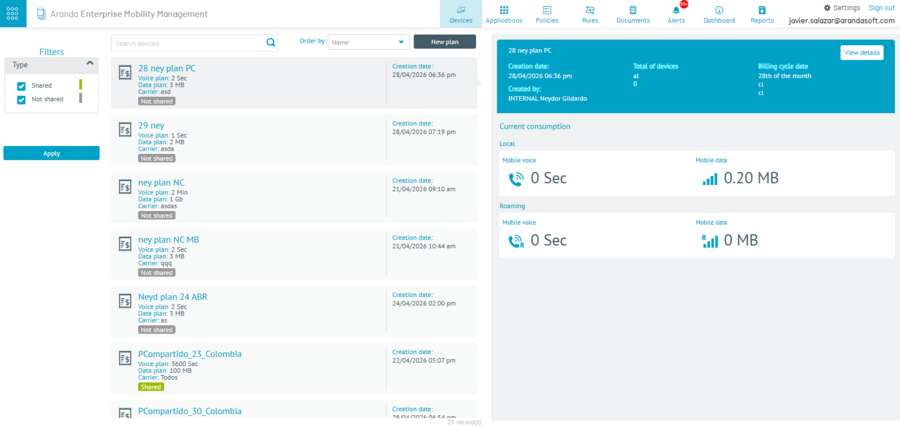
2. Enter the requested data and click Save.
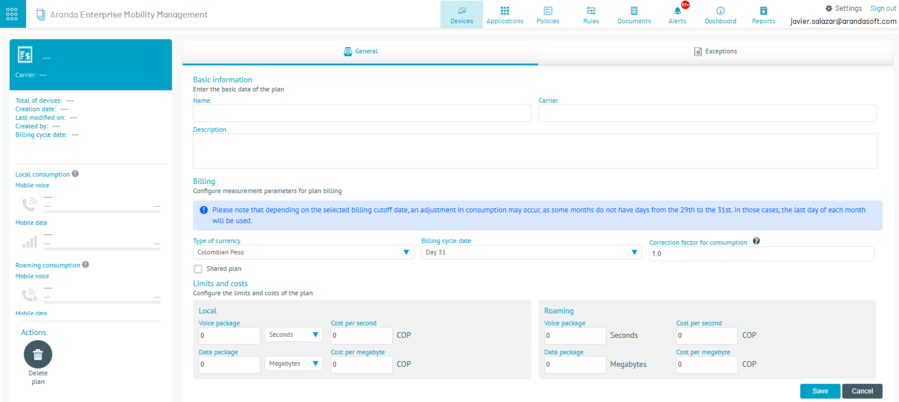
⚐ Note: Depending on the selected billing cut-off date, there may be an adjustment in consumption, since some months do not have days from the 29th to the 31st; in those cases, the last day of the month is taken.
Exceptions
Creating a consumption exception can be done in two ways:
- Individual search: locate the device number using the To find and, if required, sort the results by pattern or by owner.
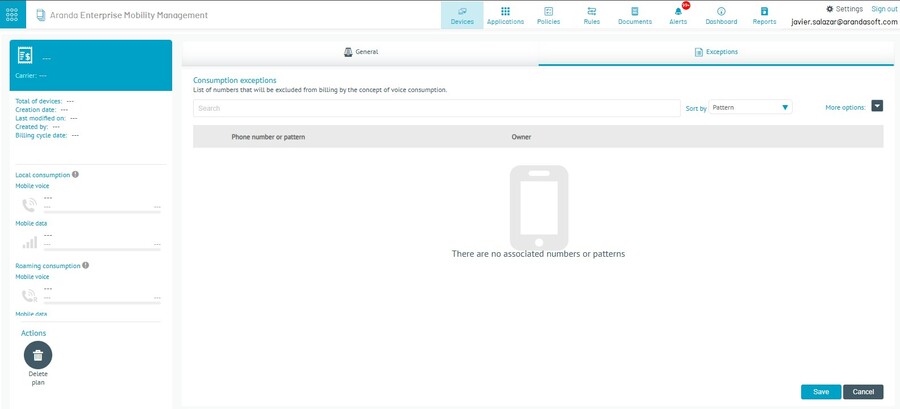
- Bulk Upload: select a group of numbers or devices by uploading a CSV file listing the devices to which the exception will apply, and click the Save.