


Link
This section configures the options for linking devices to the AEMM server. The following can be filled out: properties:
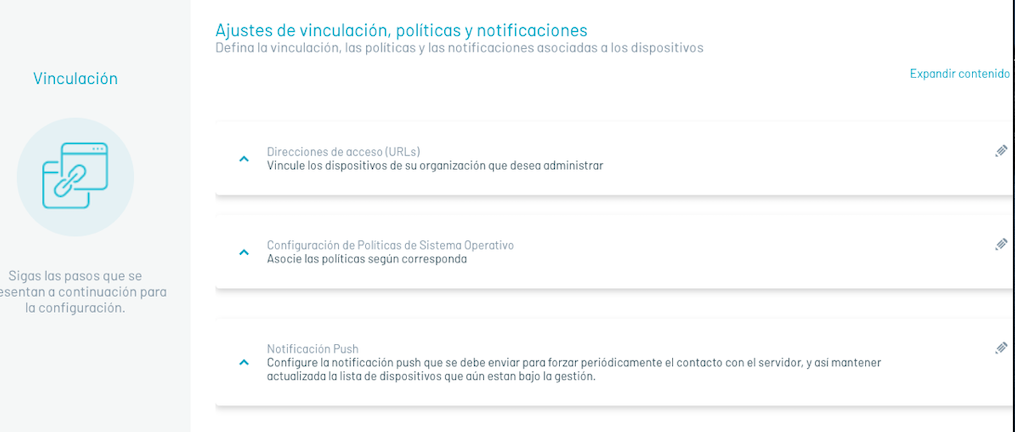
Communication Property:Access Addresses
| Fields | Description |
|---|---|
| MDM server access URL: | Url that will be used to establish communication between the devices and the AEMM server, the devices must be able to reach this url in order to link to the server. |
| Admin console url: | Url of the console from which the devices are managed and used to make linking invitations via email. |
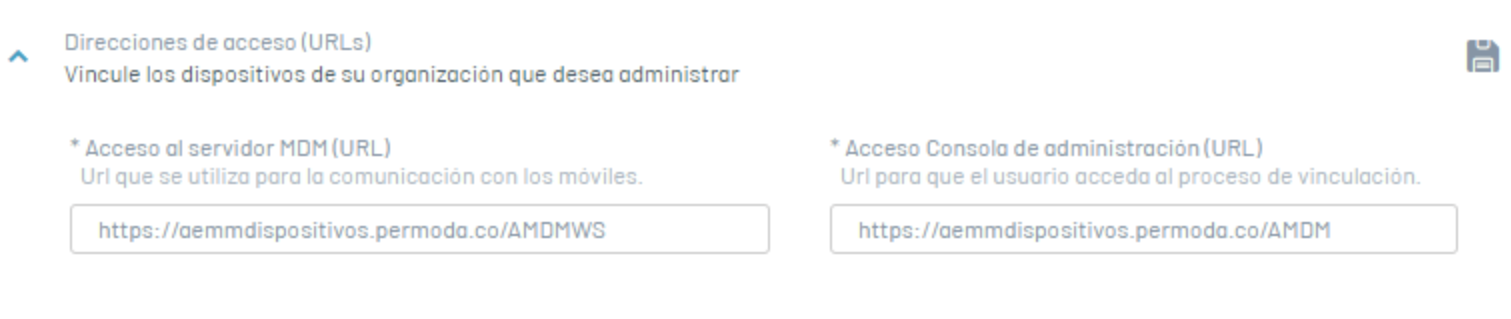
Device Configuration Property: Policy Configuration by Operating System
| Fields | Description |
|---|---|
| iOS Default Policy: | Policy that will be applied to iOS platform devices when they are paired. |
| Android Default Policy: | Policy that will be applied to devices on the Android platform when they are paired. |
| Default Policy Windows: | Policy that will be applied to Windows platform devices when they are paired. |
| Default Rule Set: | A set of rules that will be applied to any device that is linked. |
| “Request agent installation on iOS devices” checkbox: | A checkbox that, when checked, performs the action of sending the installation command automatically when an iOS device has performed web-type linking. |
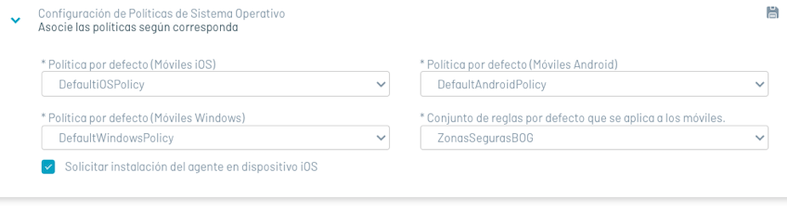
Notification Settings Property: Push Notification
In this section you can configure the push notification that must be sent to the devices to periodically force contact with the server, and thus keep the list of managed devices updated.
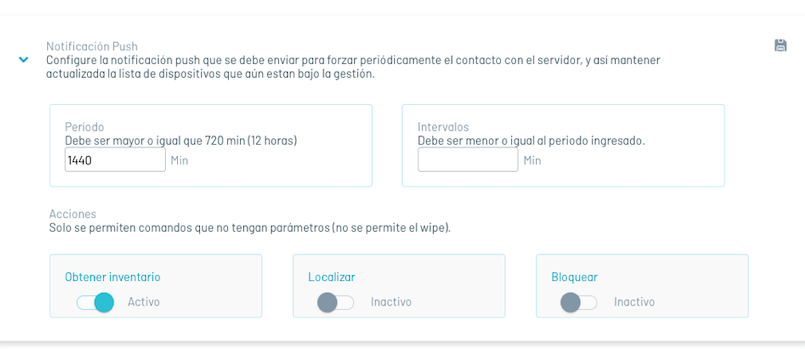
To configure ping, fill in the following options:
| Fields | Description |
|---|---|
| Period:: | Duration of a ping cycle to all devices. After this interval ends, all devices have received at least one push notification. |
| Intervals: | The number of device groups into which the total set of linked devices will be divided. This is so as not to queue all the push notifications at once, but based on this number of groups. |
| Actions: | Commands that will be queued before sending the push notification to each device, commands can be chosen from: Inventory, Location and Screen Lock. |
Once the above configurations have been made, click on “Save”, to persist and activate the ping mechanism.