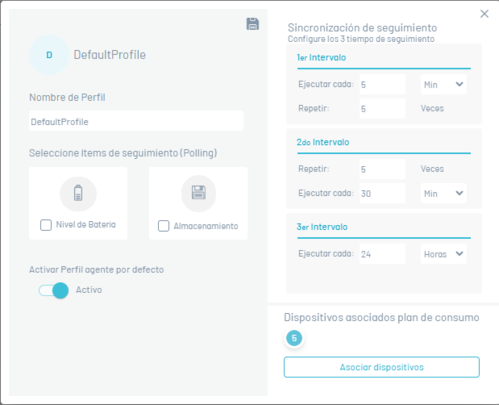
Agent Profiles
This section presents the settings available for the “polling”, from the devices, which consists of every certain period of time the device by itself, without the need for a push notification, contact the AEMM server, looking for pending commands. Additionally This contact is server can be leveraged to deliver certain information configurable device status.
Creating an Agent Profile
To create an agent profile by clicking New

Fill in the following information and click on the Save.
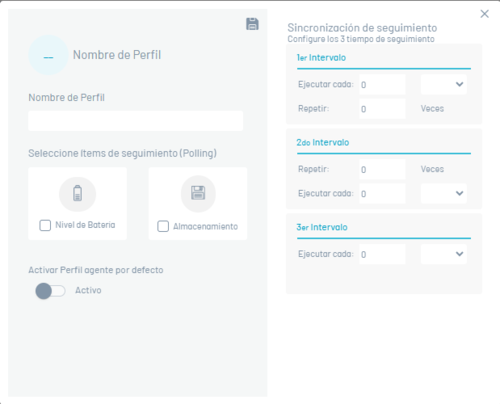
The fields presented correspond to the three consecutive stages of polling From devices:
| Fields | Description |
|---|---|
| First interval: | First stage, where you can configure the time interval and the number of times to run. |
| Second interval: | First stage, where you can also configure the time interval and the number of times to run. |
| Third interval: | Third stage, in which only the time interval can be configured, since this is the interval that will remain permanently once the first two stages have been exceeded. |
Associating devices to an agent profile
Click on one of the previously created rules and in the option that is enabled, click on the Associate devices button, where you can associate or remove devices to the rule.