


This module allows you to install the required software and agents unattended, without interfering with user productivity, by configuring standardized and self-adjusting packages.
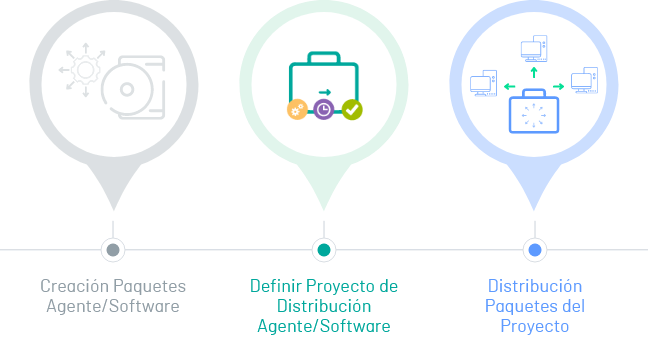
1. Creating Software Packages
Before you perform a distribution, during ADM setup, you can create the software packages that you will use in the distribution of a project. Agent or software packages can be distributed.
For machine discovery, you must use agent packages. Software packages can be:
Executables:
- **Windows:** .MSI, .MSU, .BAT, .EXE, MSH
- **Linux:** .DEB, .RPM, .SH.
- **Mac:** .PKG, .DMG, .SH.
Copy: Any extension and any operating system (Windows, Linux, or Mac).
Registration keys (. REG) for Windows operating system only.
For more information on ADM Settings, see the Software Package Creation.
2. Define Distribution Projects
In this stage, it is defined if the distribution project is for an agent or a type of software, the generated package is loaded according to the operating system, credentials are configured (only available for Linux and Mac operating systems), notifications are scheduled and the devices where the project is going to be distributed are enabled.
For more information, see the Defining Agent Distribution Projects . or Definition of Software Distribution projects .
3. Project Package Distribution
In the execution stage of the distribution project, the execution and programming for the distribution of the agent or software project is defined,
Performing IT infrastructure management tasks such as: deployment of new applications, transfer and execution of files and uninstallation of unauthorized software.