


1. In the Inventory Device Detail View, select the Software where you can consult the information associated with the software and grouped into the following sections:
Inventoried Software
In this section you can consult the software installed on the device, organized into three tabs: Installed Applications, Installed Components and Installed updates.
Installed Applications
It presents the list of programs installed on the device, with the manufacturer, the date of installation and the version of each one. This list includes both traditional software and applications installed from the Microsoft Store.
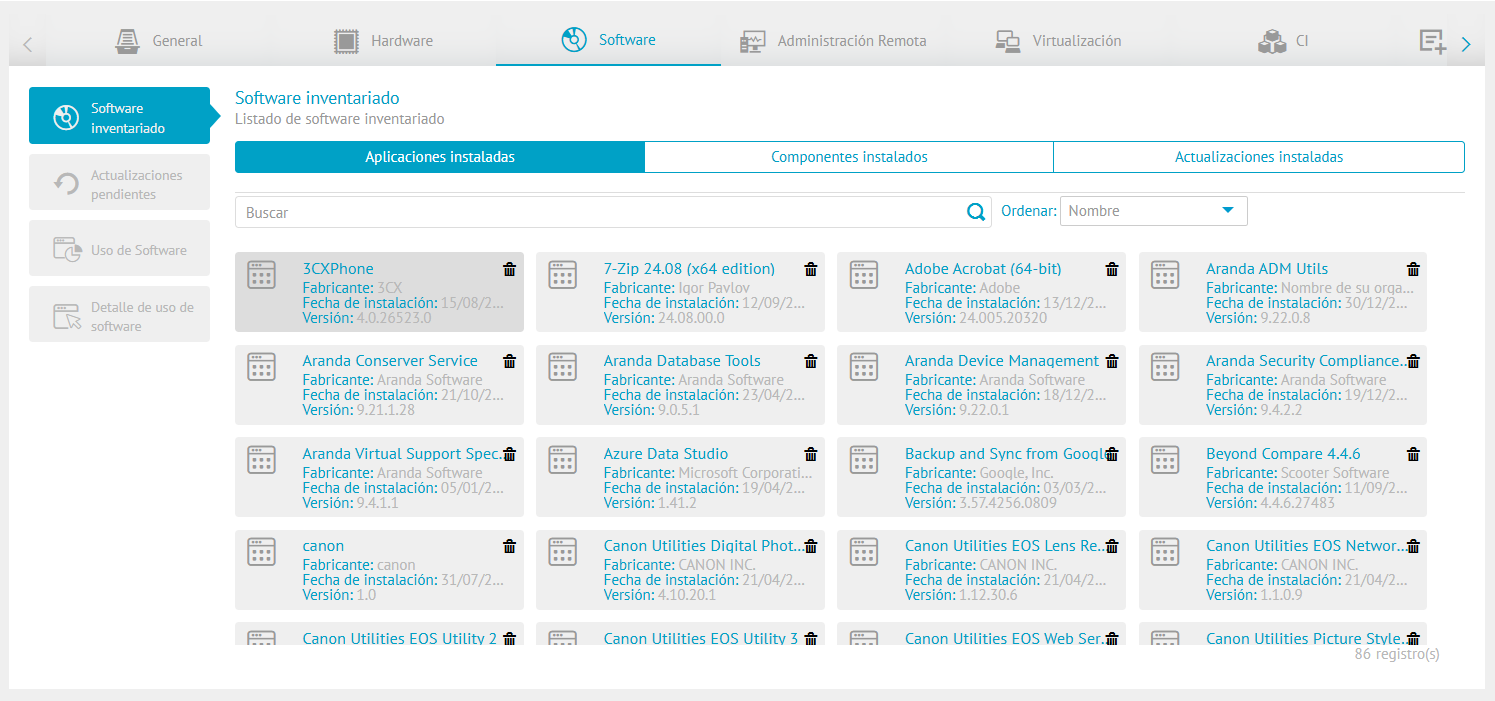
⚐ Note: For default applications (Microsoft Store), the available scope corresponds to the consultation of their information in the inventory and its uninstallation. The other software management actions do not yet apply to this type of application.
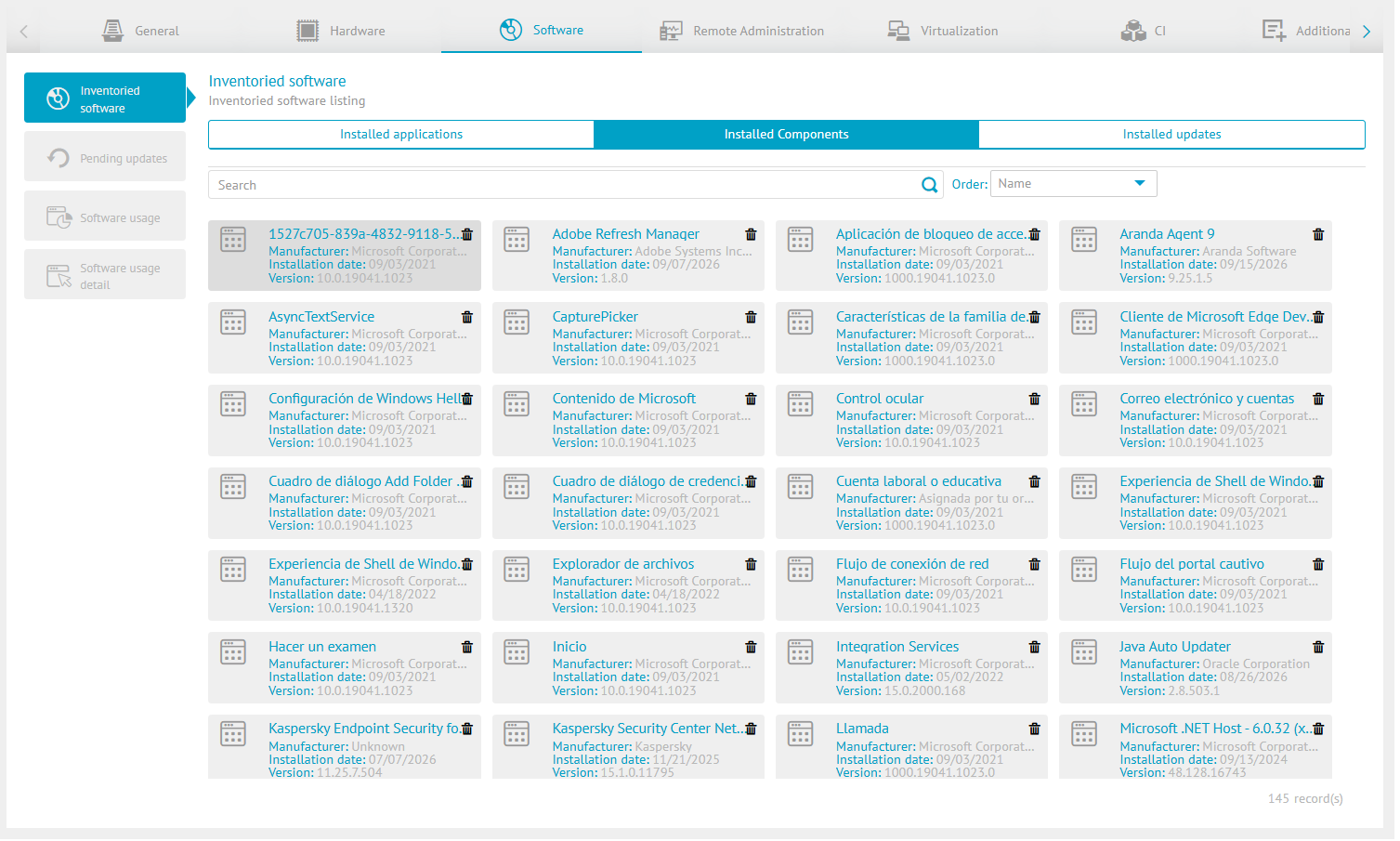
Installed Components
Lists the operating system and third-party components installed on the device (for example, Windows features and hardware manufacturer utilities), with the manufacturer, installation date, and version of each.
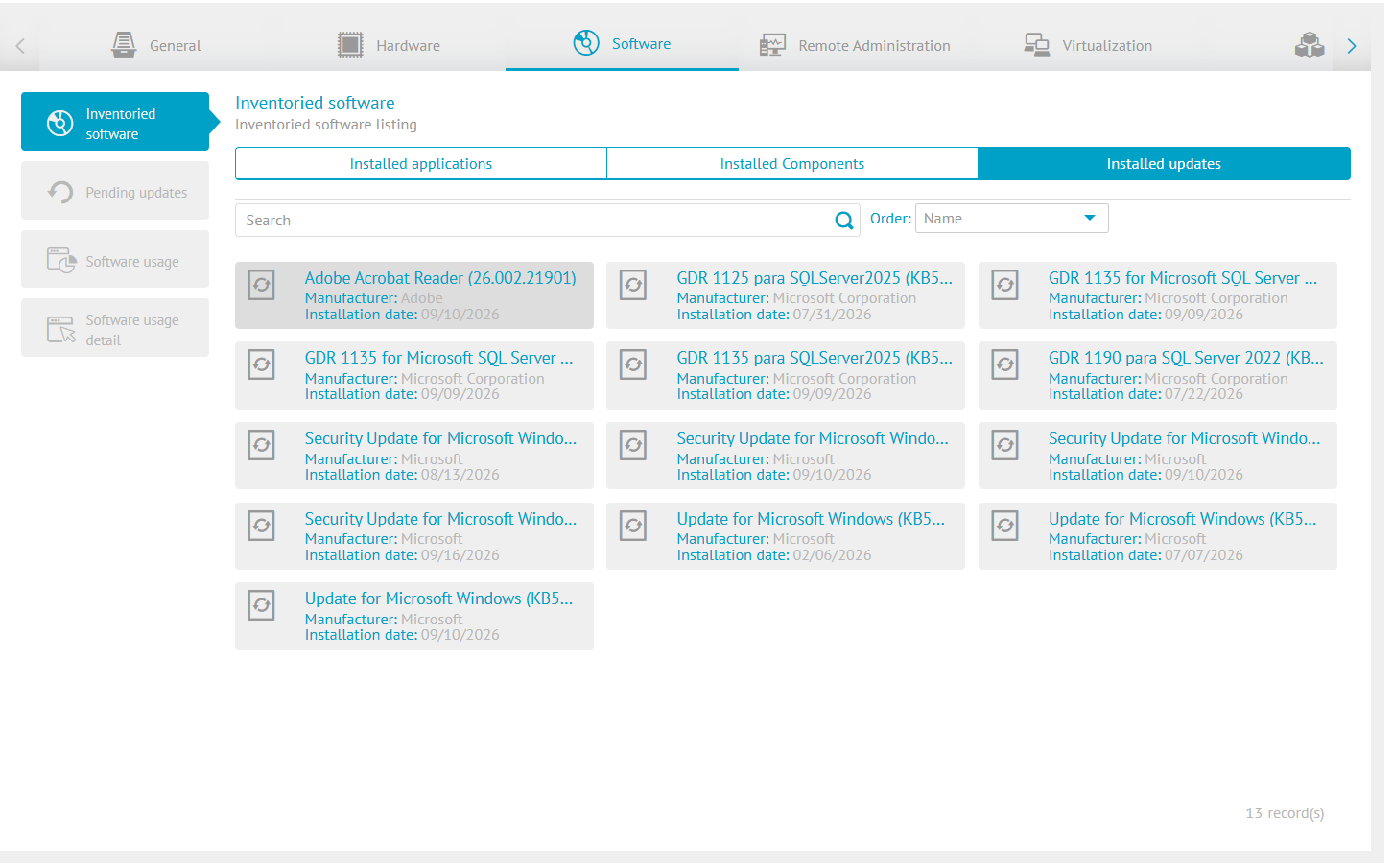
Installed updates
It presents the list of updates already applied to the device, with the manufacturer and the installation date of each one. Unlike applications and components, the removal option is not available from this tab.
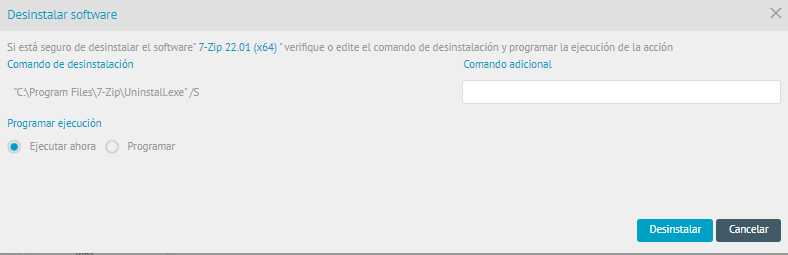
2. To remove the software or component, click the Eliminate  that each software has. Next, the uninstall unattended command should be included.
⚐ Note: Some types of software that are classified as operating systems cannot be removed because they can affect the operation of the computer.
3. To perform a silent uninstall each program requires a specific and additional command. By clicking on the Uninstall The command is automatically saved and the uninstallation of the software is executed on the device.
Before running the uninstall command from ADM, it is recommended Check uninstall command.
Pending Updates
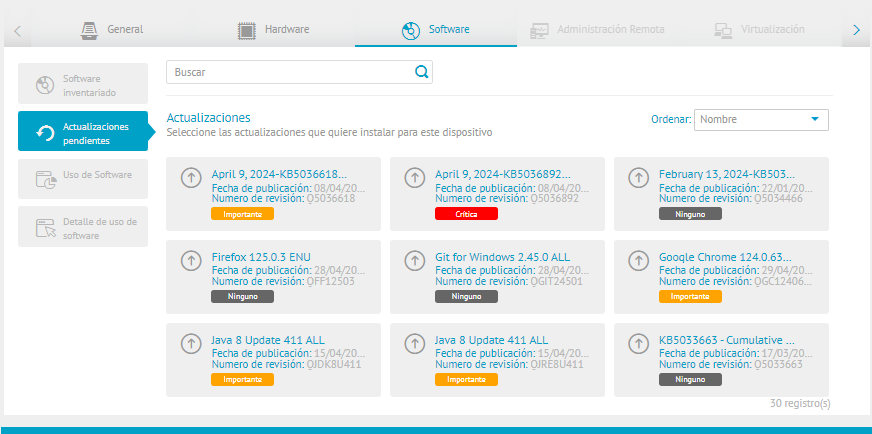
In this section you will be able to view the available updates found on the device and the criticality level of each update.
Use of Software
This section presents the software usage information recorded on the devices. Display depends on two conditions:
- That the software is included in the configuration of the agent’s profile (software to be measured).
- The user has software usage permissions on the associated device group. If the targeting permission validation is not met, the system will restrict viewing this data, even when the software is enabled in the agent’s profile.
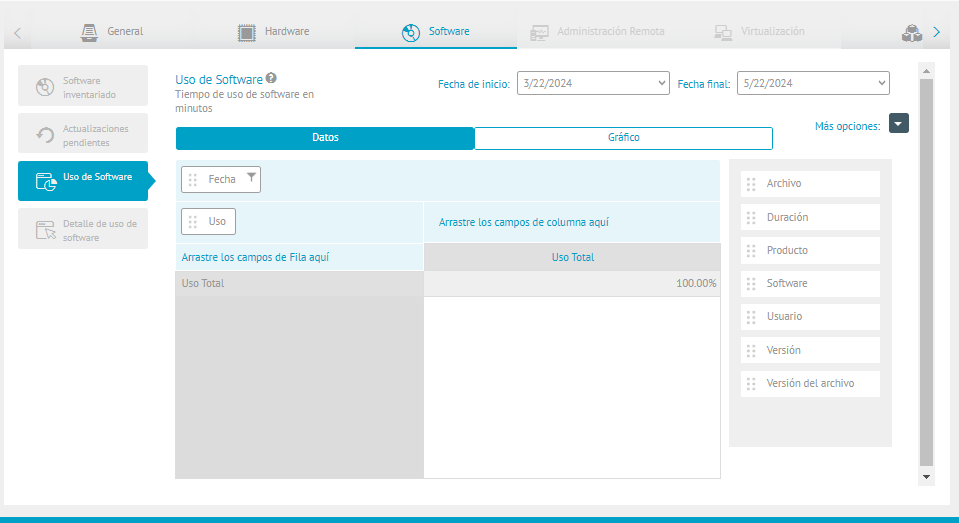
When the user doesn’t have the targeting permission on the associated device group, the Use of Software is shown disabled, as seen in the following image.
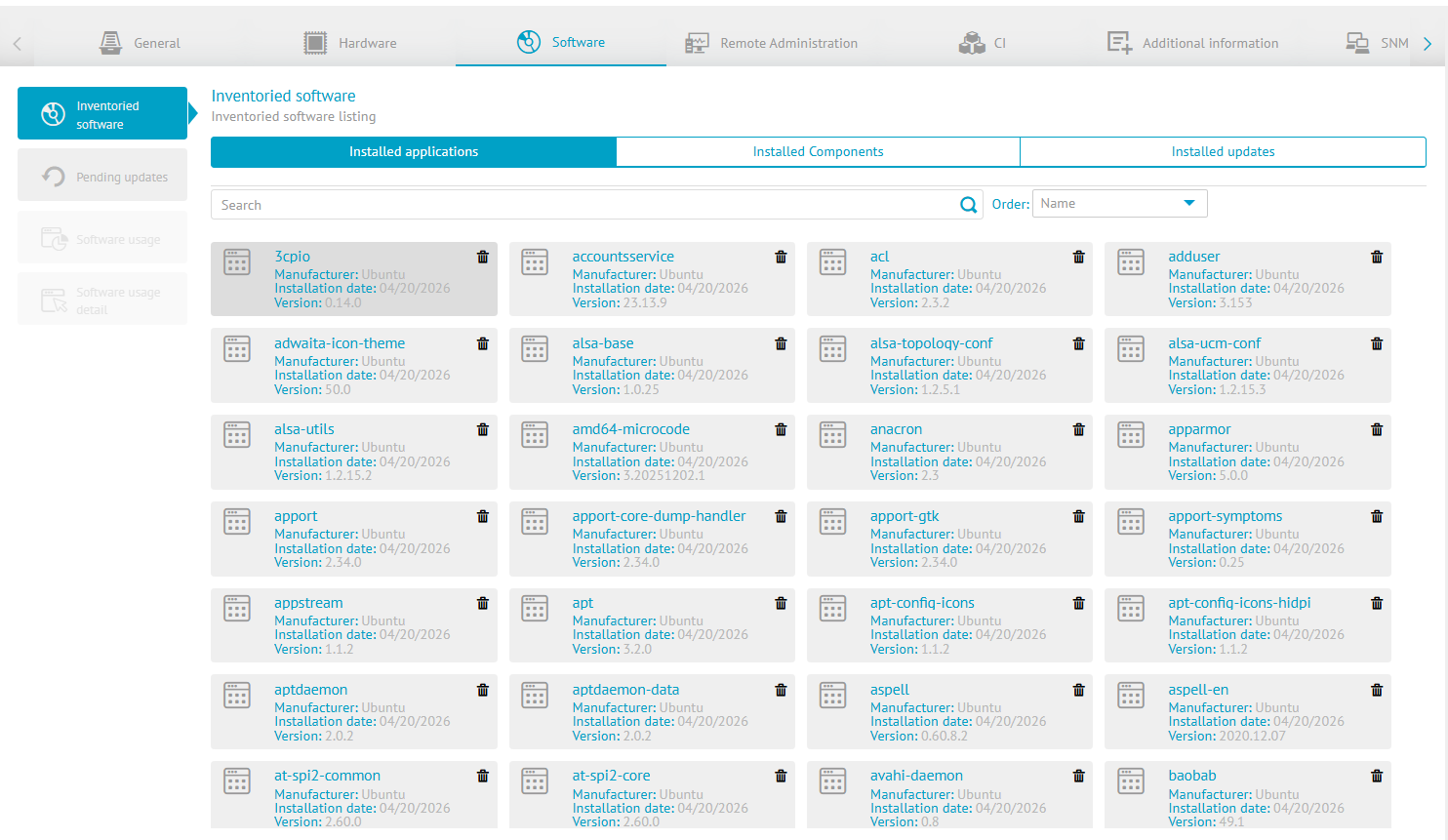
⚐ Note: To view and customize the use of software, you can access the Software Usage Management Module and/or to the Device groups, depending on the settings applied in your environment.
Software usage detail
In this section, you can view the aggregated information on software usage by day. The display of this data is also subject to the software usage permissions in the associated device group; therefore, it will only be available when the user has the appropriate segmentation.
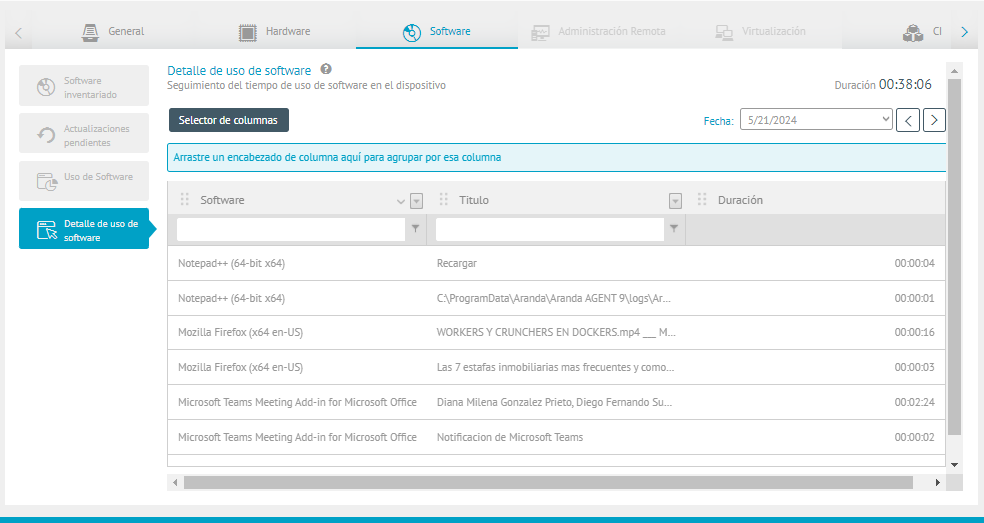
When the user doesn’t have the targeting permission on the associated device group, the Software usage detail is shown disabled, as seen in the following image.
The details of the use of the software may be filtered by criteria such as:
- Date: Date of Use of the Software.
- Logical Operator Conditions: You will be able to filter the software and title fields using operators such as: Start with, Contains, No *Contains, End with, Equal, It’s not the same.
- Column Selector: Organization of fields for defining query criteria for the use of software.
| Column | Description |
|---|---|
| File | Name of the software to be measured. |
| Duration | Total time per day that the program was used. |
| Product | Name of the manufacturer. |
| Software | Name of the software used on the device. |
| Title | Program name. |
| User | This is the person who uses the software on the device. |
| Product Version | Software version to which the measurement was made |