


The structure of the “responsibleGroup” object is described below
{
  "responsibleGroup": [
    {
      "value": "",
      "reference": "",
      "id": 0
    }
  ]
}
Note: Note that user groups are shared in applications, therefore the same mapping will be reused for cases and tasks, as long as they point to the same reference in the configuration file.
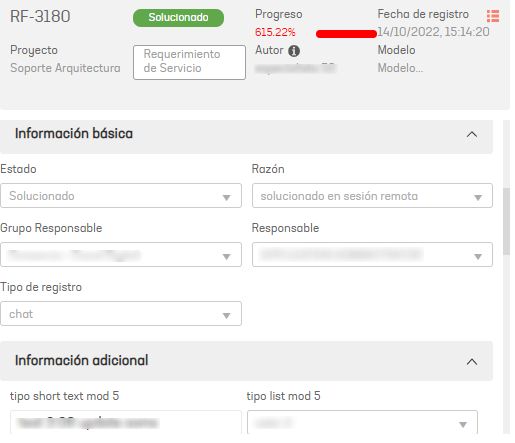
reference image in ASMS, in the image you can see the Responsible Group field
| properties | description |
|---|---|
| value | Jira Cloud Record Type Identifier |
| Reference | Unique identifier to create a relationship between the concepts project > category, itemType, typeRegister, applicant, responsibleGroup, responsible, company, client see |
| Id | Responsible group ID in ASMS |
EXAMPLE: Relationship of the group responsible for Aranda / Jira Cloud
To create the list of states, follow the instructions below:
- Get the IDs of the groups responsible for Aranda.
- Get the Ids or value of the groups responsible for Jira Cloud, example.
- Assign the following status equivalence:
| Responsible group in Jira Cloud | Group responsible in Aranda | Id of the group responsible Aranda | Jira Cloud responsible group ID |
|---|---|---|---|
| Responsible Group 1 | Responsible Group 1 | 1 | id_item1 |
| Responsible Group 2 | Responsible Group 2 | 13 | id_item2 |
- Type the Id of the group responsible Aranda On Property “id” and the Jira Cloud responsible group ID of its equivalent taken from the Jira Cloud On Property value
{
  "responsibleGroup": [
    {
      "id": 1,
      "value": "id_item1"
    },
    {
      "id": 13,
      "value": "id_item2"
    }
  ]
}