


The structure of the “typeRegister” object is described below
{
  "typeRegister": [
    {
      "value": "",
      "reference": "",
      "id": 0
    }
  ]
}
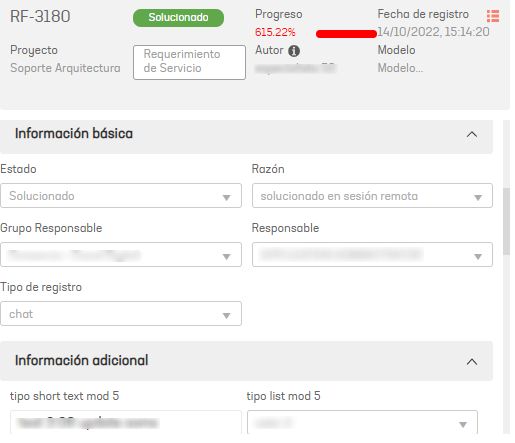
reference image in ASMS, in the image you can see the Record Type field
| properties | description |
|---|---|
| value | Record type identifier in Jira Server |
| Reference | Unique identifier to create a relationship between the concepts project > category, itemType, typeRegister, applicant, responsibleGroup, responsible, company, client see |
| Id | Record type ID in ASMS |
EXAMPLE: Record Type Relationship in Aranda/Jira Server ASMS
To create the list of record types, follow the instructions below:
- Get the IDs of the types of records from the Aranda ASMS.
- Get the IDs or value of Jira Server record types.
- Assign the following equivalence of record types:
| Record type in Jira Server | Type of registration in Aranda | Registry type ID Aranda | Jira Server record type id |
|---|---|---|---|
| Record Type 1 | Record Type 1 | 1 | id_item1 |
| Record Type 2 | Record Type 2 | 13 | id_item2 |
- Type the Registry type ID Aranda On Property “id” and the Jira Server record type id of its equivalent taken from the Jira Server On Property value
{
  "typeRegister": [
    {
      "id": 1,
      "value": "id_item1"
    },
    {
      "id": 13,
      "value": "id_item2"
    }
  ]
}