


The structure of the “typeRegister” object is described below
{
  "typeRegister": [
    {
      "value": "",
      "reference": "",
      "id": 0
    }
  ]
}
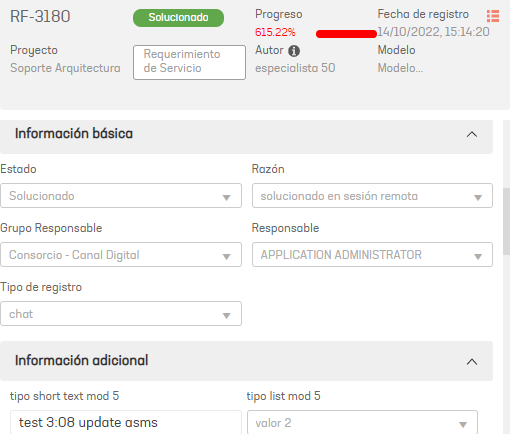
reference image in ASMS, in the image you can see the Record Type field
| propiedades | descripción |
|---|---|
| value | Identificador (sys_id o value) del tipo de registro en la CMDB de ServiceNow |
| reference | Identificador único para crear una relación entre los objetos typeRegister, service, project, category, applicant, responsibleGroup, responsible, ci, company, client, providers y organizationalArea si el tipo de mapeo es “Mapper” o “Value” |
| id | Id del tipo de registro en ASMS |
EJEMPLO: Relación del tipo de registro en CMDB de Aranda / CMDB de ServiceNow To create the list of record types, follow the instructions below:
- Get the IDs of the record types from the Aranda CMDB.
- Get the sys_id or value of ServiceNow record types.
- Assign the following equivalence of record types:
| ServiceNow Record Type | Type of registration in Aranda | Registry type ID Aranda | Sys_id of the ServiceNow record type |
|---|---|---|---|
| Record Type 1 | Record Type 1 | 1 | sys_id_item1 |
| Record Type 2 | Record Type 2 | 13 | sys_id_item2 |
- Type the Registry type ID Aranda On Property “id” and the Sys_id of the ServiceNow record type of its equivalent taken from the CMDB de ServiceNow On Property value
{
  "typeRegister": [
    {
      "id": 1,
      "value": "sys_id_item1"
    },
    {
      "id": 13,
      "value": "sys_id_item2"
    }
  ]
}