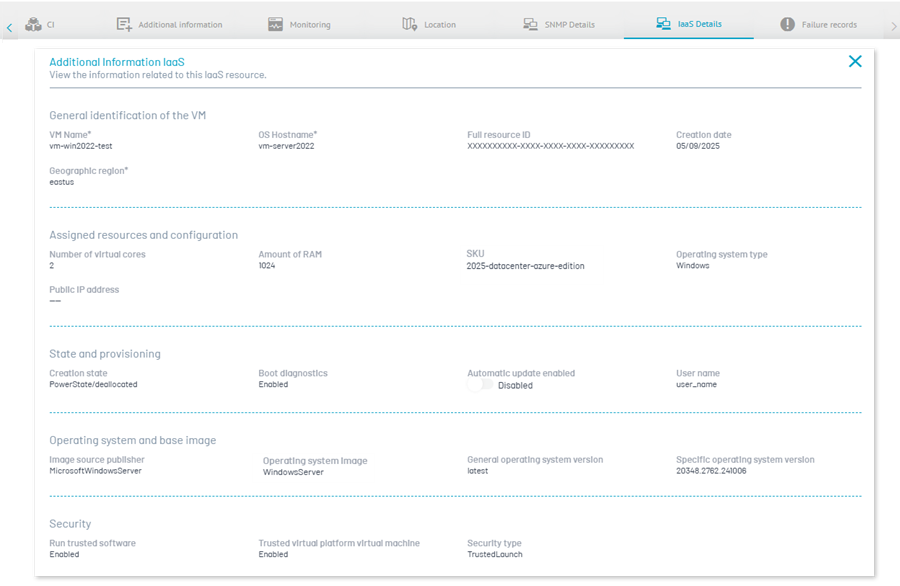
1. In the detail view of the inventoried device, select the IaaS Details for detailed information on the associated resource at Azure.
This tab allows the user to view extended information about the resource in the cloud infrastructure, such as its configuration and status, obtained from the synchronization of Cloud Infrastructures (IaaS).
⚐ Notes:
- The tab IaaS Details is displayed when the device was discovered by the Cloud Infrastructure (IaaS) synchronization.
- The user in session must have the Cloud Infrastructure > View Screens to be able to view this information.
- Fields whose information is not available in Azure, either by the Operating System Type (e.g., Linux) or by insufficient permits, will be displayed with the –.