


AI Configuration
This section facilitates the creation of ‘Connection Points’ and ‘Actions’ necessary for the optimal functioning of the various modules that use ADM’s artificial intelligence. The following are the available actions you can perform when configuring this module:
1. Device Search:
It allows device search within the ADM tool using artificial intelligence to filter a request in natural language. Example: “Find me the portable devices with an unupdated status.”
2. Additional Software Information:
It allows you to expand the information of the inventoried software using artificial intelligence, presenting a product description sheet and the suggested silent installation command for it. This information is consulted from the Software Detail.
⚐ Notes:
- The silent installation command presented is an AI-generated suggestion and does not guarantee that it will be appropriate for all products and versions. Before using it in a distribution project Validate that the command is executed correctly.
- It is the responsibility of the client to assume the costs related to the use of OpenAI’s services, without generating a commitment with Aranda Software.
To configure AI endpoints and AI Actions, go to the Settings view of the ADM Management Console in the ADM from the main menu select the option AI. Two options are displayed to configure:
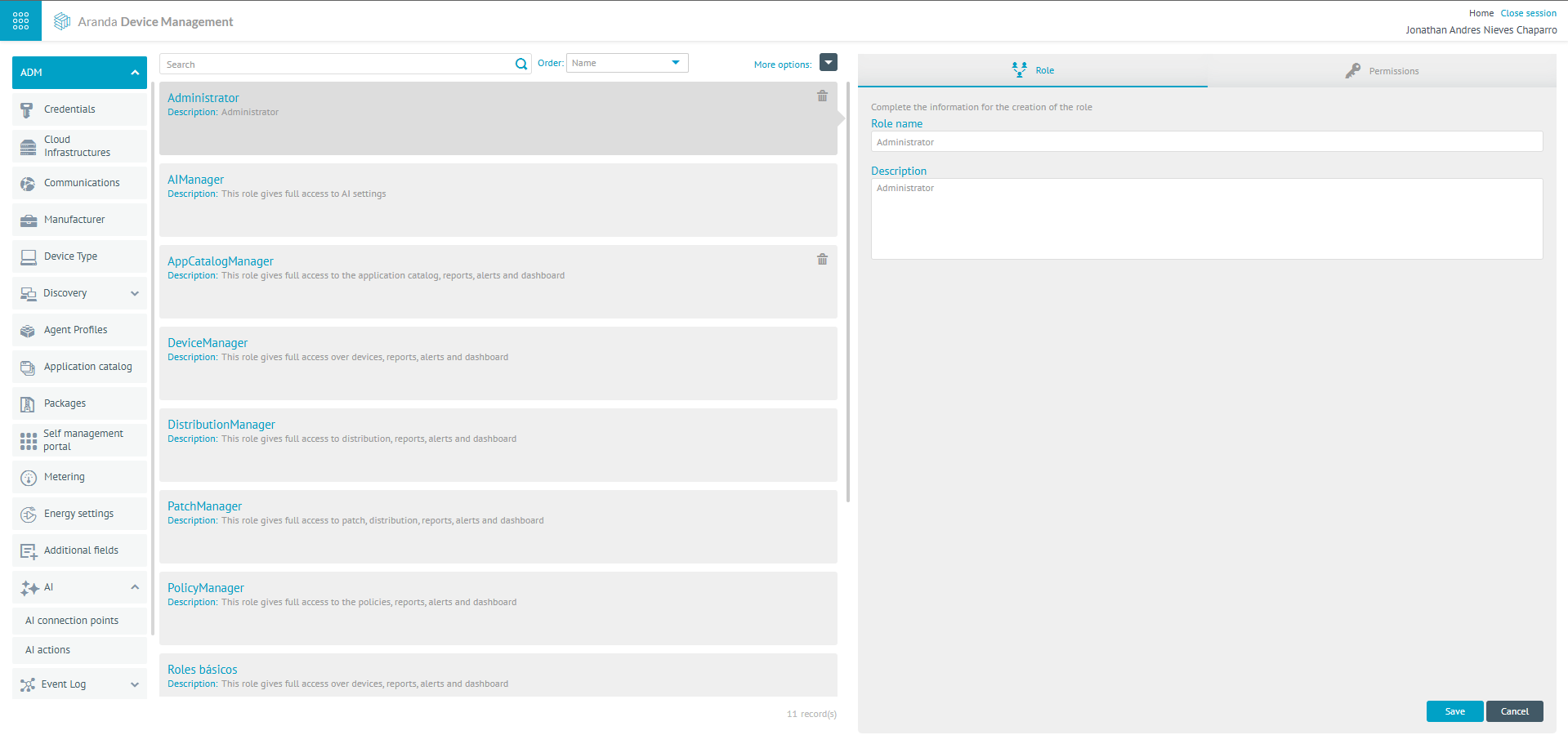
1. AI endpoints: In this section, you can configure the endpoints and models required to make use of artificial intelligence. To set up a new AI endpoint, click the New, which will display a new window where you can configure two sections Connection data and Create models:
| Field | Description |
|---|---|
| Connection Name: | In this field, you will be able to enter a custom name that requires you to provide the endpoint. |
| Supplier: | In this section you will be able to choose the supported provider for the functionality, which is Open AI. |
| Connection URL: | Use the specific URL of the Open AI API: https://api.openai.com/v1/chat/completions. |
| Password: | Enter the secret key generated on the Open AI platform. |
| Create models | |
| Model Name: | Enter the model name; GPT-4O-Mini or GPT-4O is recommended. Keep in mind that the use of gpt-4o involves higher costs. View Open AI Pricing. |
| Select the type for the model: | Select “Chat” from the drop-down list. |
| Select the language: | Select the available language (Spanish, English, Portuguese). (You don’t have to select a language when creating this endpoint.) |
⚐ Note: The options Provider -> Azure and Model Type -> Assistant and Speech to Text are not currently supported by the product Aranda Device Management
2. AI Actions: The purpose of this module is to configure the different artificial intelligence actions offered by the tool. To manage these actions, set the endpoints. Complete the configuration of actions you want to use by clicking the Parameters.
Device Search
It interprets the instructions entered in natural language from a prompt that has different steps and rules that facilitate interpretation. Select the language and model (only the models will be listed according to the configuration made when creating the endpoint).
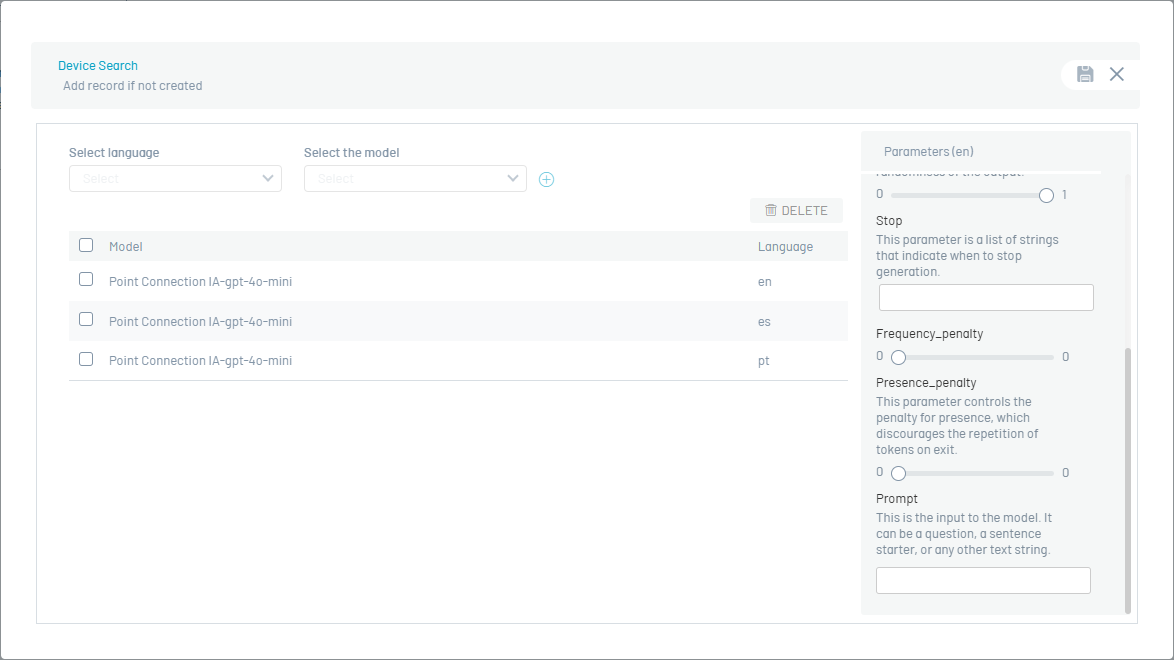
⚐ Note: For proper operation, use only the language Spanish when configuring the Device Search.
Additional Information Software
Generates the descriptive sheet of the inventoried software and the suggested silent installation command, from a prompt that has different steps and rules that facilitate interpretation. Select the language and model (only the models will be listed according to the configuration made in creating the connection point).
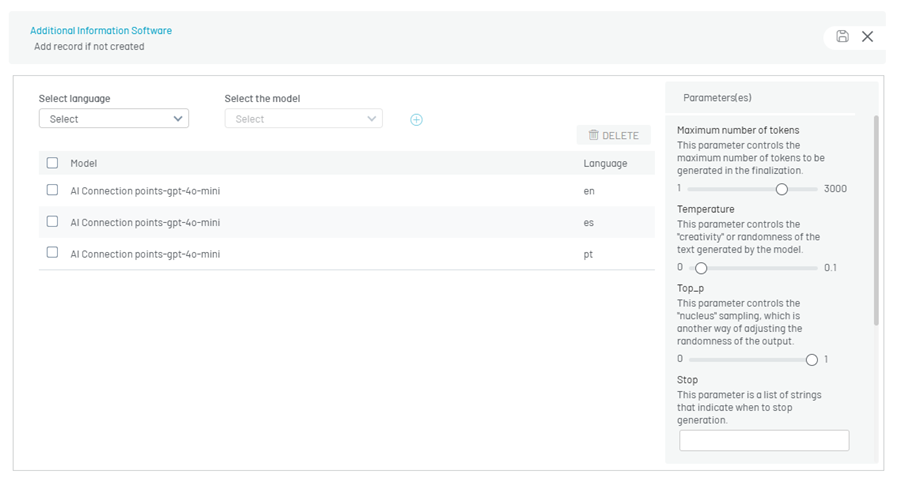
Once the models for the AI functionalities have been defined, when the model is selected, the default parameters are enabled. You should not make modifications, if you do not have prior knowledge of the parameters for each model. For more details, see OpenAI Parameters Documentation.