


The integration allows you to synchronize work orders from AFLS with an equivalent entity in ServiceNow.
Work Order in AFLS:
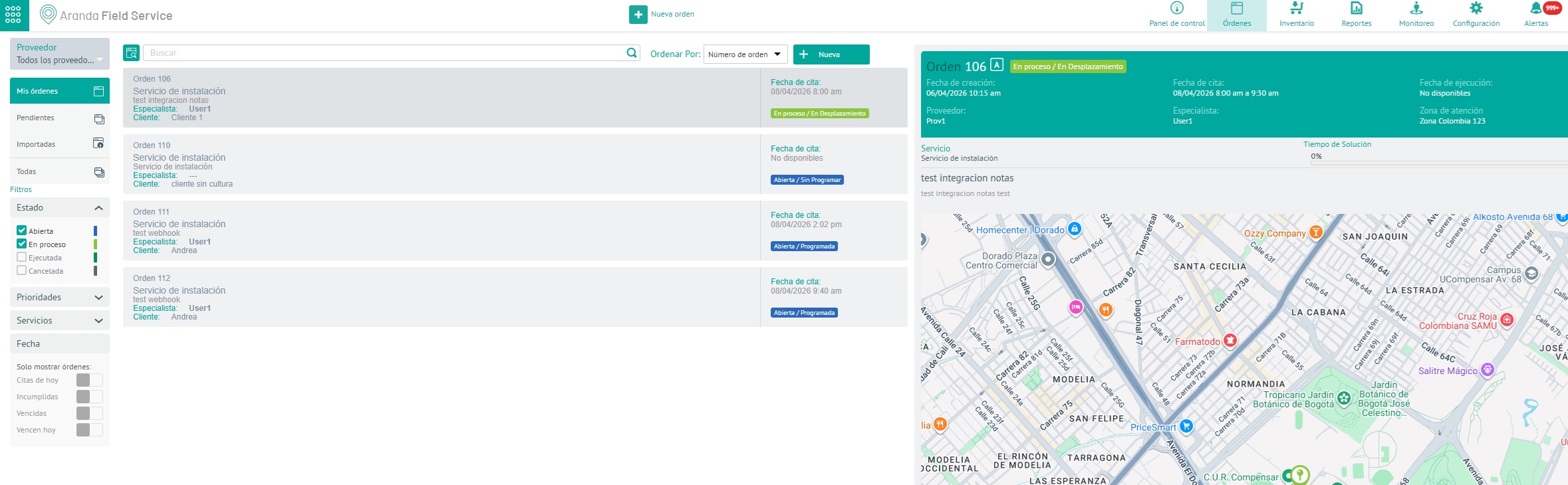
The following list shows an example where some properties are related between Tickets:
| ASMS field name | Field Type in ServiceNow |
|---|---|
| Notes | Journal Imput |
| State | String |
| Title (subject) | String |
| Description | String |
| Service | Reference, sys_choice, string |
| Priority | Reference, sys_choice, string |
| Client | Reference, sys_user, string |
| Company | Reference, core_company, string |
| Order address (location) | Reference(cmn_location) |
The integration allows:
- Associate a ServiceNow entity (E.g.: incidents or wm_order) with an AFLS service and model (one-to-one relationship) when using the dataSource External.
- Associate multiple AFLS services with the same model to a ServiceNow entity (E.g.: incidents or wm_order) when using the dataSourse Aranda.
Restrictions
- AFLS only allows the modification of the following fields: status, description, appointment address, notes and additional fields, in the “Open” status, if the order is in another status, it only allows the change of status and additional fields.
- Notes or worknotes only integrate texts without html tags and are public notes for both platforms
- The ServiceNow field that must be related for Notes synchronization must be of type Journal Imput.
- ServiceNow only accepts 100 characters in attachment names. If the file name exceeds this maximum, then ServiceNow trims the attachment name to 100 characters.
- Duplicate files (same name) should not be attached to the Servicenow work order, the integration will take the last uploaded file.
- It is not possible to change the status in AFLS through ServiceNow, the status change can only be done in AFLS. However, the status change in AFLS is reflected in ServiceNow.
- It is not possible to change the service and client after the status is different from the “create” status in AFLS.
- The address in ServiceNow can only be a field referenced to the cmn_location, longitude and latitude will be used as primary keys for searching, if it is not found, a record will be created in the entity (cmn_location).