The Aranda Integration Center (AIC) exposes the following API, which will be triggered by the rules configured in AFLS (For more information, see the AFLS documentation)
ENDPOINT AIC
- URI: /webhooks/99012/afls
- Type: POST
-
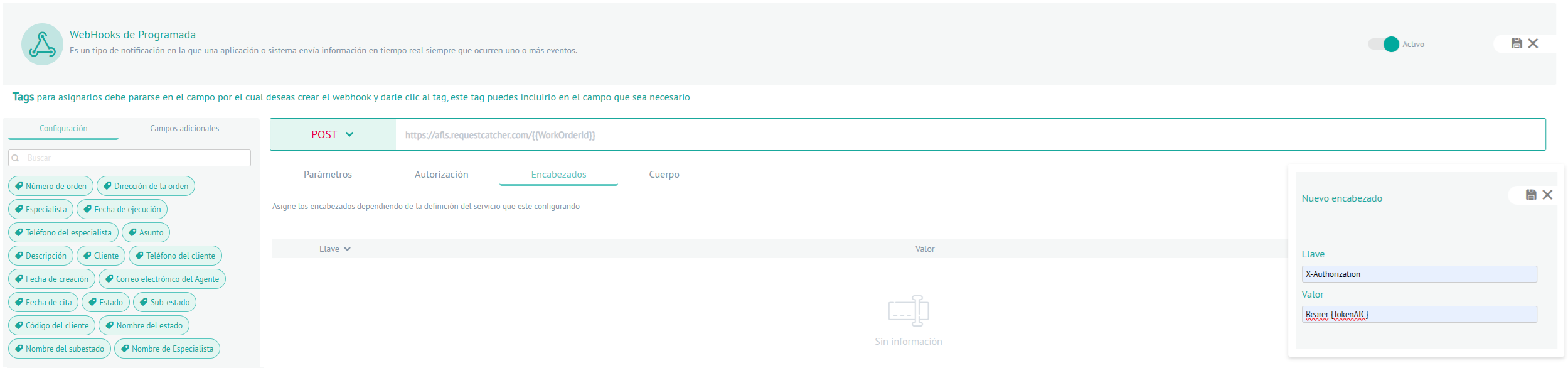
Required headings:
- Content-Type: application/json
- X-Authorization: Bearer {token AIC}
Body of the petition:
{
  "orderNumber": ""
}
Where:
| Name | Identifier | Guy | Description |
|---|---|---|---|
| Order Number | orderNumber | String | Order Number |
This action will allow you to create/update work orders on the ServiceNow platform.
To configure and register the EndPoint AIC Consider the following steps:
1. Log in to Aranda Field Service
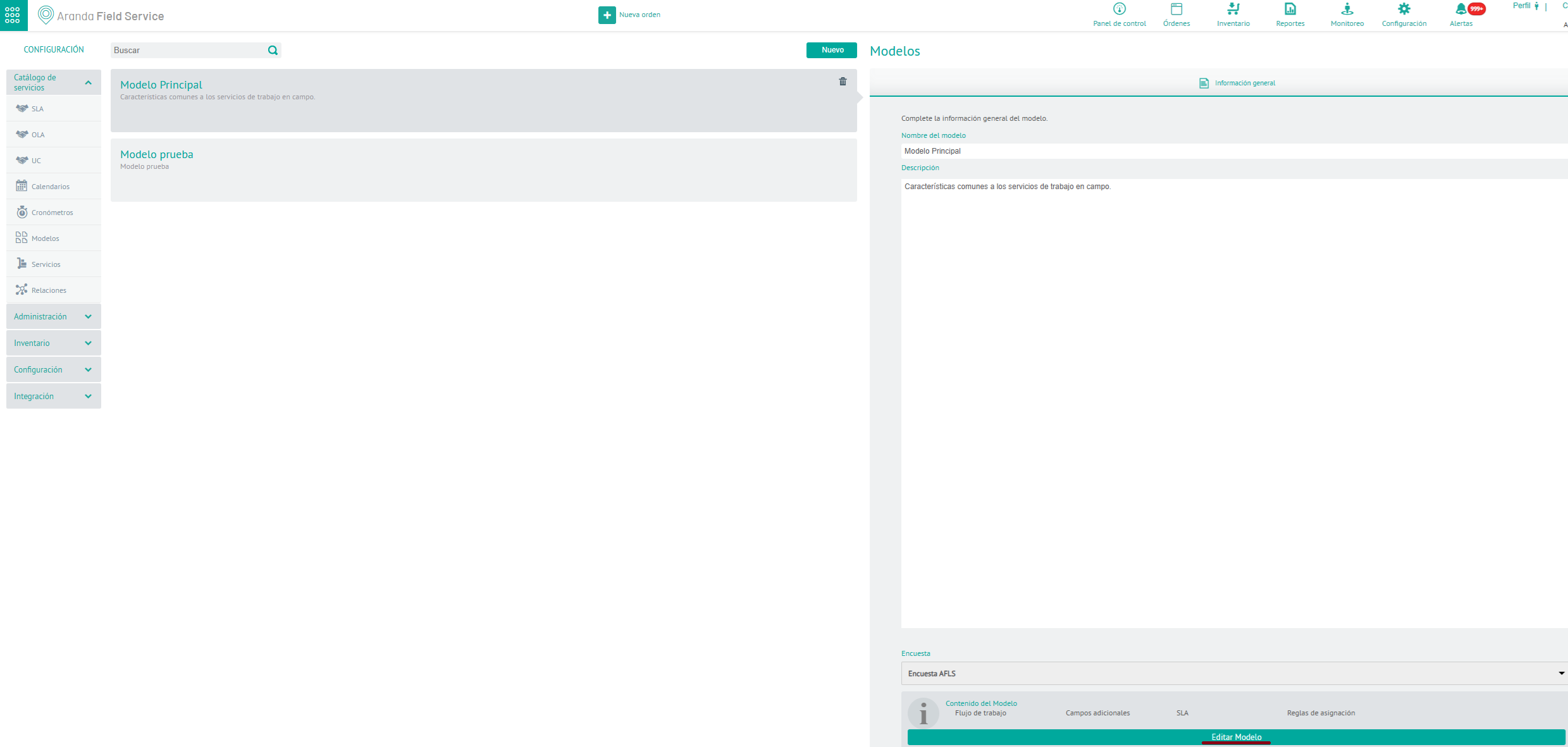
2. In the Configuration/Service Catalog section of AFLS, go to the Models and select the Edit Model.
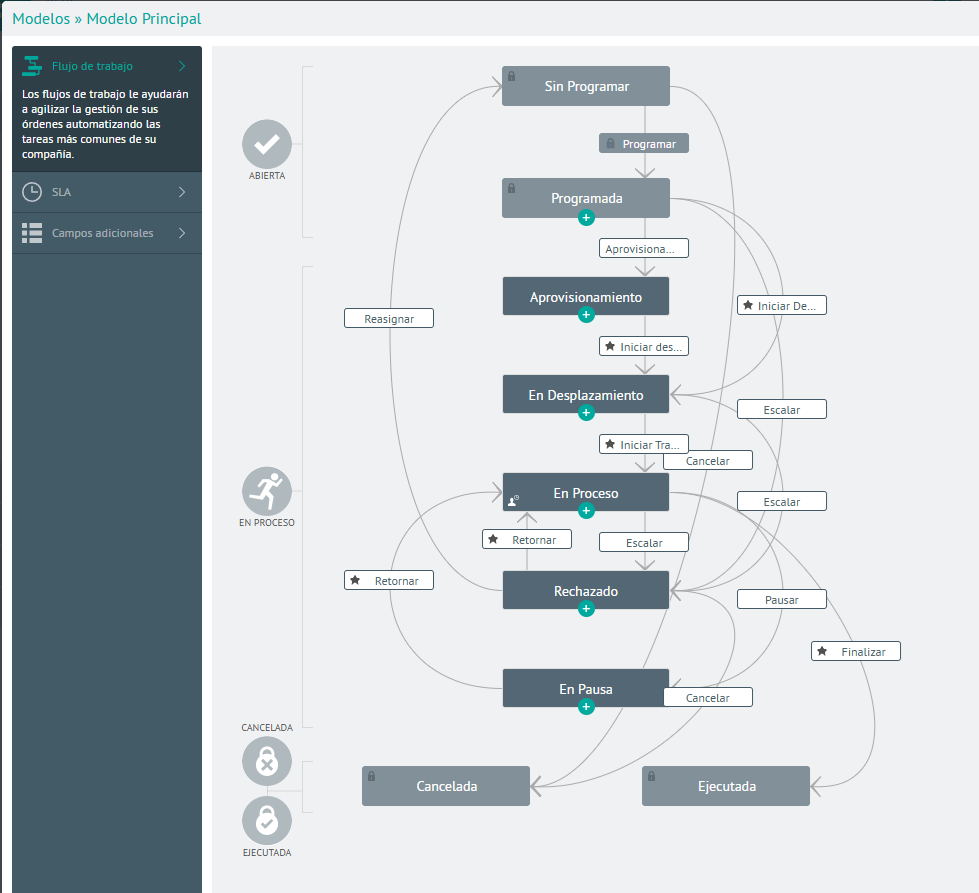
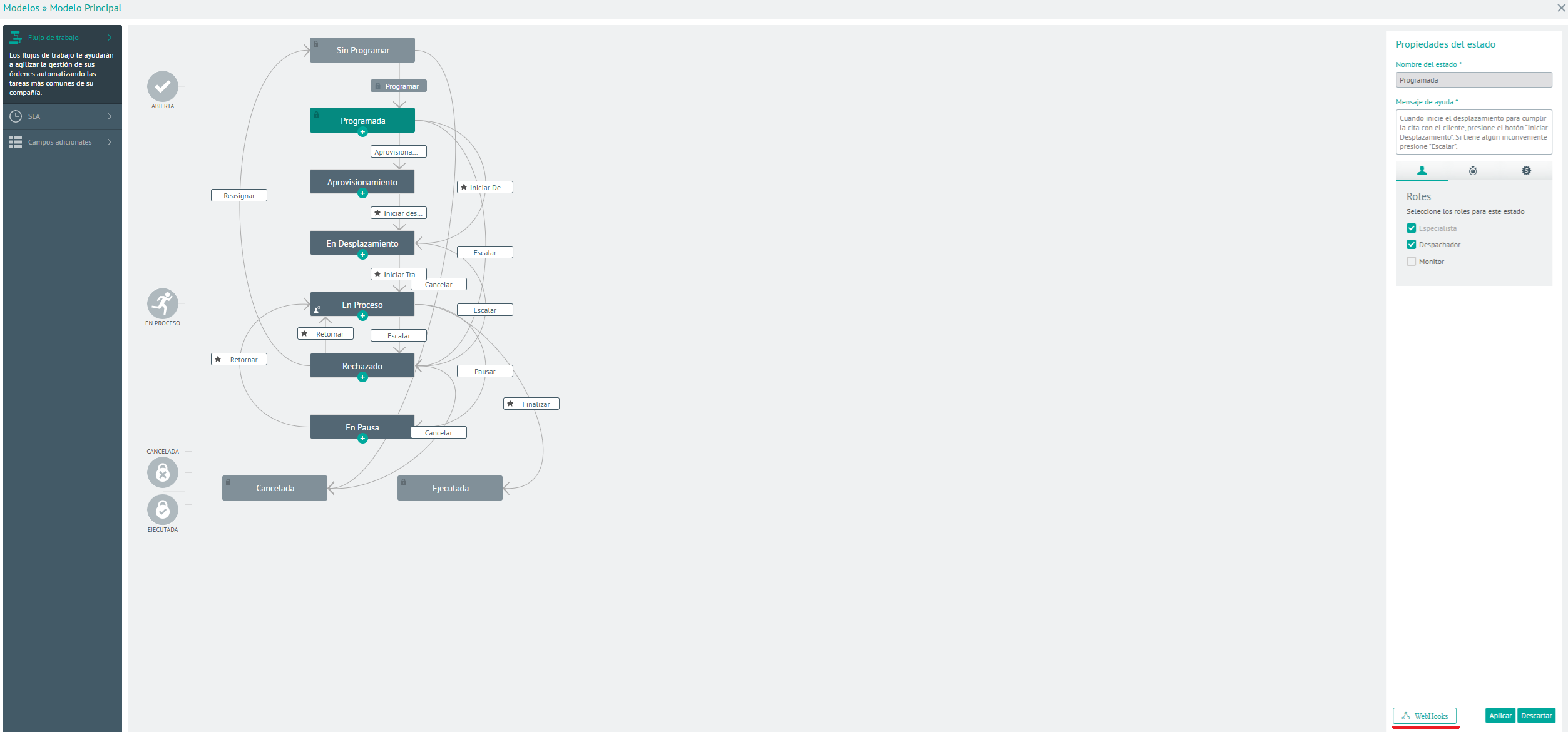
3. Select a state where you require the send WebHooks rule to be activated and enter the option to WebHook and register the endpoint exposed by AIC
4. In the webhook configuration options, add the AIC integration url with ServiceNow see and the JSON in the Body tab.
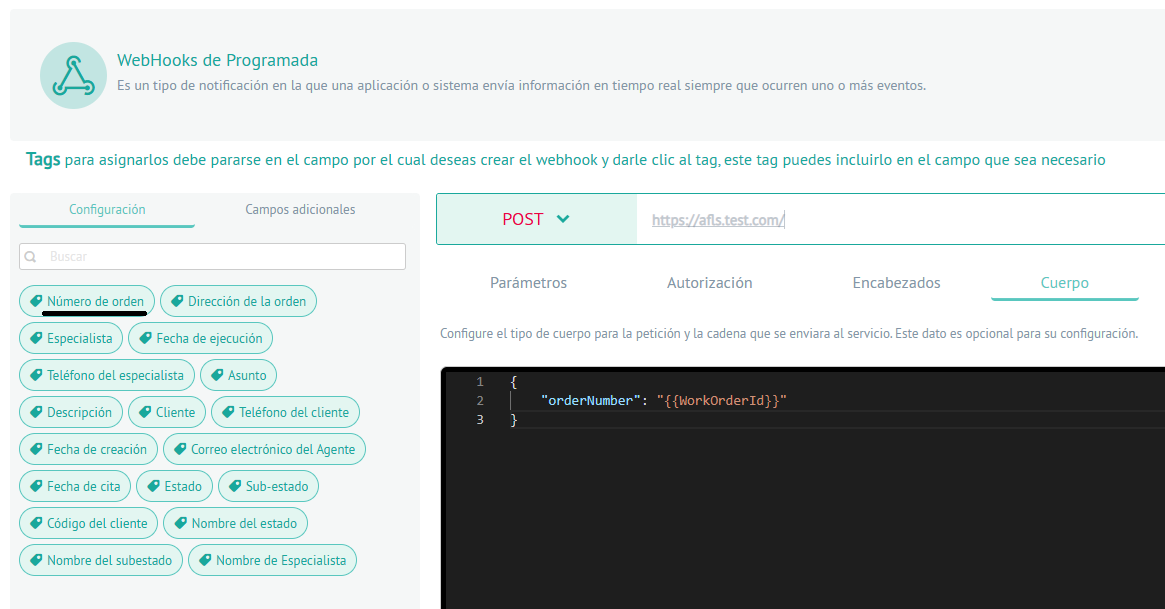
NOTE: change the Content-Type from the request to “application/json” as indicated in the image.
5. In the header tab add a header with the key “X-Authorization” and in VALUE add the token generated on the AIC platform as follows: “Bearer {token AIC}” (Create AIC Token)