


CMDB credentials
CMDB APIs require a Authentication token, to obtain the token follow the steps below:
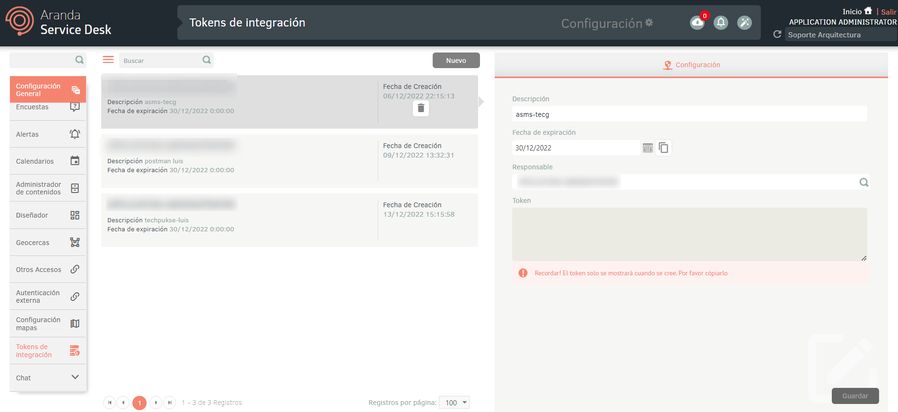
1. Log in to the Service Desk Settings platform and press the General Settings
2. In the new menu window that pops up, select the Integration Tokens
3. In the Options item, select the New
4. Fill in the information required to create the authentication token, copy and save. Required to register it at the Aranda Integration Center (AIC)
Microsoft Intune (Microsoft Graph) credentials
Register Application
The first step to integration with Intune is registering an app in the Microsoft Enter ID (Azure AD). This allows you to obtain the identity and permissions required to query Microsoft Graph. For more information, please review the official documentation (View Microsoft Graph documentation).
Check Intune APIs in Microsoft Graph
1. Log in to the Microsoft Entra admin center, navigate to Identity > Applications and select Application logs.
2. Select New Registration, give it a name (e.g. ArandaIntuneApp). After creation, copy the Application ID (client) and the Directory ID (tenant).
Application Registration Guide
⚐ Note: These IDs are essential for OAuth 2.0 authentication and will be required in the Aranda Integrations Console (AIC).
Integration
To perform the integration, consider the following steps:
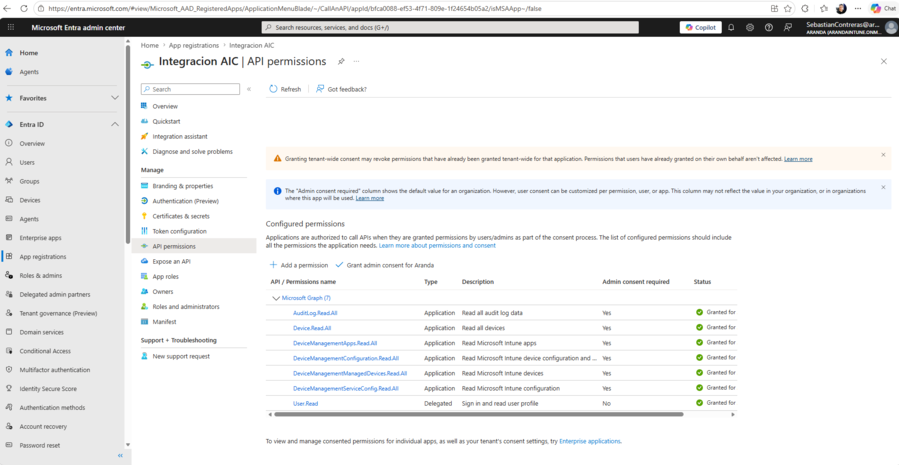
Step 1: Set Permissions
In the menu of the registered application, go to API permissions and add the Microsoft Graph. Select Application permissions to allow the service to query the data without a signed user.
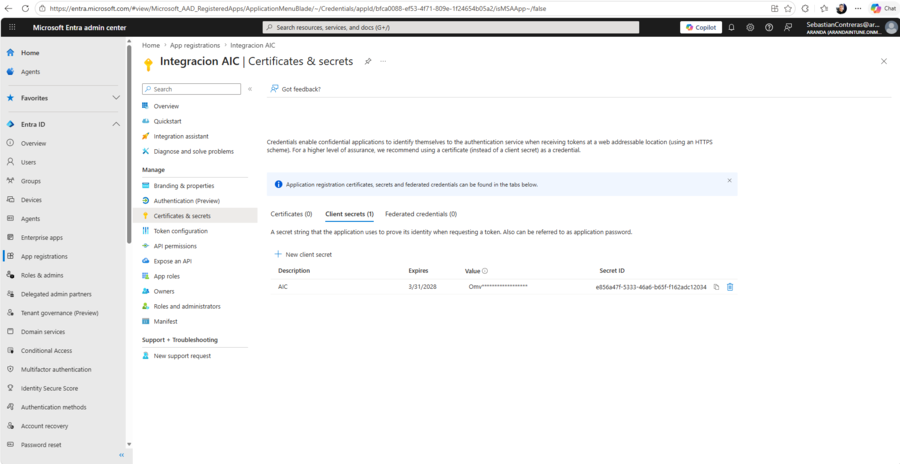
Step 2: Generate Client Secret
Access the Certificates and secrets, create a New client secret and keep the Value (Value). This secret acts as the app’s password for obtaining tokens.
Paso 3: Registrar las credenciales en el Centro de Integraciones Aranda (AIC):
CMDB Registry
| Integration Center | ASMS |
|---|---|
| Dirección URL | API CMDB |
| Type authentication | Token |
| Token | Token |
Microsoft Intune Registration
| Integration Center | Microsoft Intune |
|---|---|
| *Dirección URL | https://login.microsoftonline.com/{tenant_id}/oauth2/v2.0/token |
| Type authentication | Select “username and password” |
| user | Take the Azure Platform Application ID (Client Id) |
| Password | Take the Azure Platform Client Secret (Secret Id) |
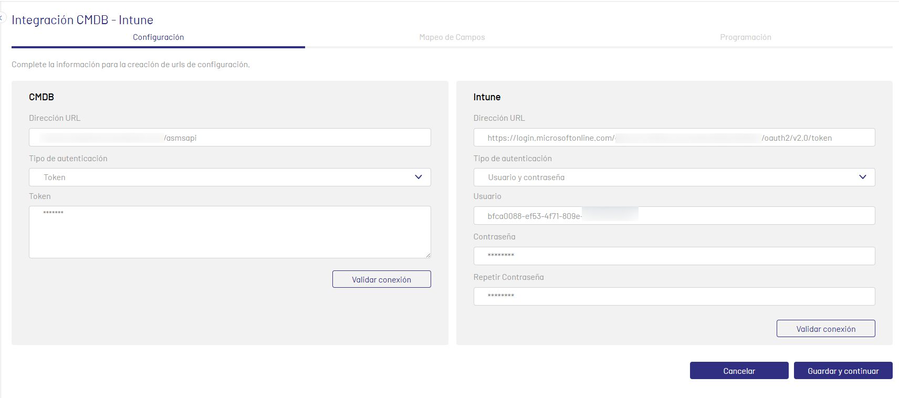
Valide las credenciales ingresadas.