


The integration between CMDB and Lansweeper it is done using a configuration file in JSON format.
The file allows you to parameterize:
- List of IQ base fields.
- Relationship between CMDB project and Lansweeper site.
- Sorting by category, states, and additional fields.
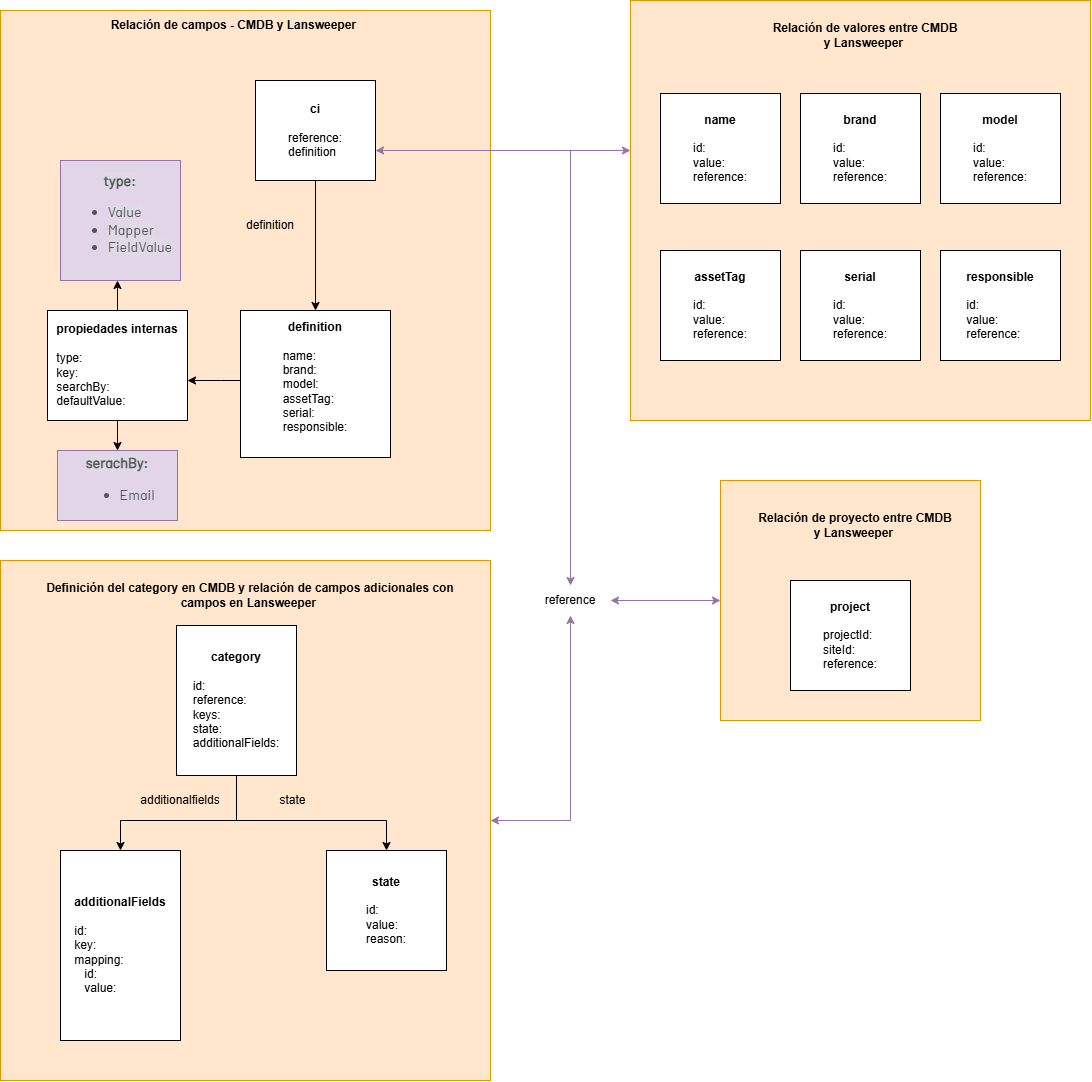
Where:
| field | description | |
|---|---|---|
| Ci: | Defines the CI basefield mapping in CMDB. | See more |
| project: | Relate the reference to the CMDB project and the Lansweeper siteId. | See more |
| Category: | Define target category, asset type keys, additional fields, and status. | See more |
⚐ Note: Note that asset update dates in lasnweeper are only modified by lansweeper’s monitoring/scan agent, therefore asset modifications manually or via the API will not update that date.
Information to take into account:
- The property Reference Connect the blocks Ci, Project and category. View Detail
- To get CMDB IDs and validate data with APIs, use Postman. Instructions
How to build the file step by step
Use this sequence to avoid errors:
- Create the foundation with the three blocks: Ci, Project, category.
- Define a single Reference and reuse it in all three blocks.
- Complete Project with projectId and SiteId. View Detail
- Complete ci.definition with basic mapping (name, brand, model, serial, assetTag, responsible).
- Complete category with Id, Keys, additionalFields and state.
- Validate duplicates and JSON formatting before saving to AIC.
Requirements
- The user associated with the CMDB token must have access to the projects where CIs will be created or updated.
- In Lansweeper you must have valid OAuth credentials for the integration.
- The configuration file must contain at least one item in Ci, Project and category.
Below you can download the JSON base structure: Download