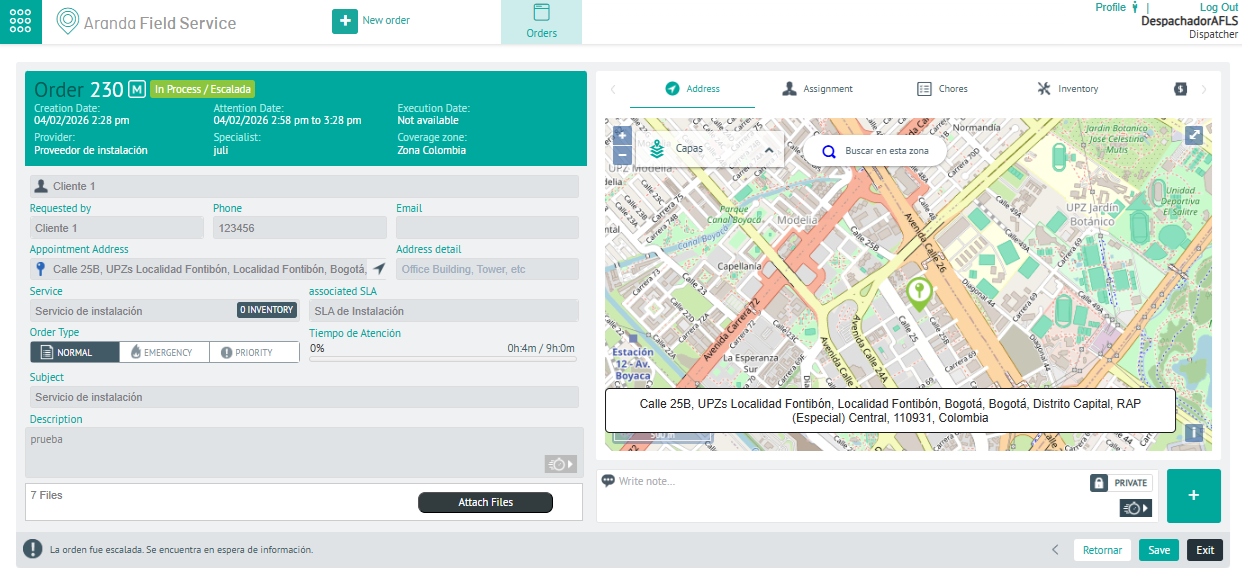
In this module of Aranda FIELD SERVICE AFLS, the event management for associated processes is managed.
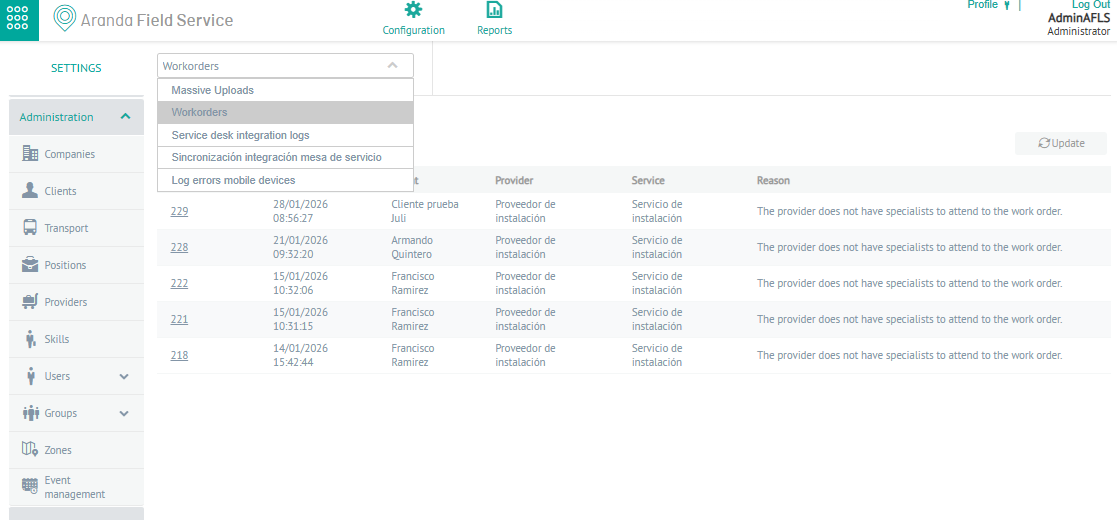
1. To filter and sort the information to be consulted for the events, enter the AFLS configuration console, in the section Administration from the main menu, select the Event Management. In the information view, select the option Work Orders
2. In the information view, you will be able to view information on orders that have presented some problem at the time of assigning, grouped by data such as order number, creation date, customer, supplier, service, and reason.
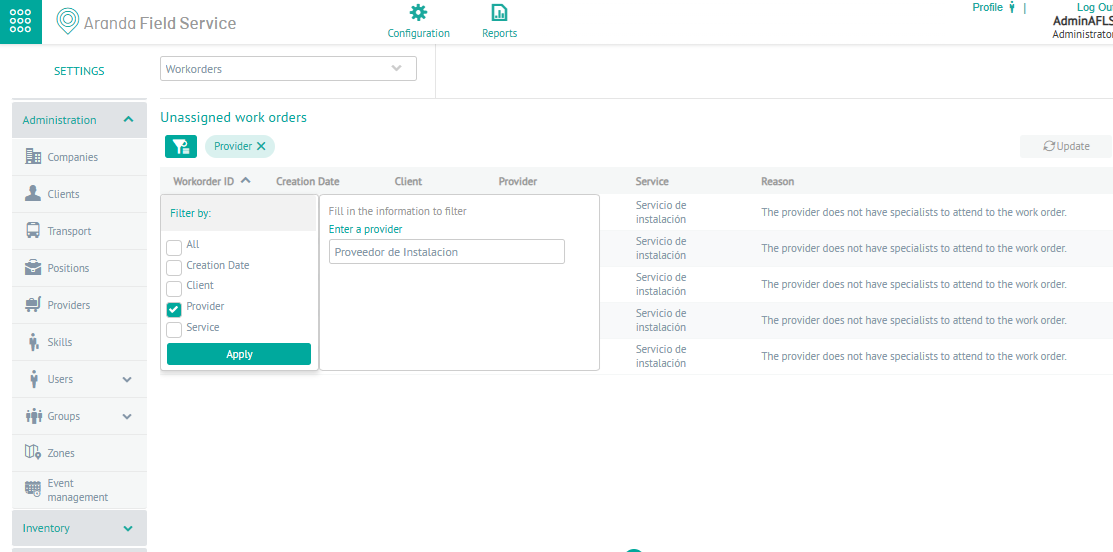
3. In the application event information view, you will have filters, queries, and actions enabled by event type. For more information, please visit: Filters by Event Type.
Quick View Work Order
6. Clicking on the ID of a work order record displays a quick view with the most relevant information of the order with data such as order number, Status, Date of creation, Supplier, Service area, Location, Location details, Service, Time of operation, Subject and description of the work order.
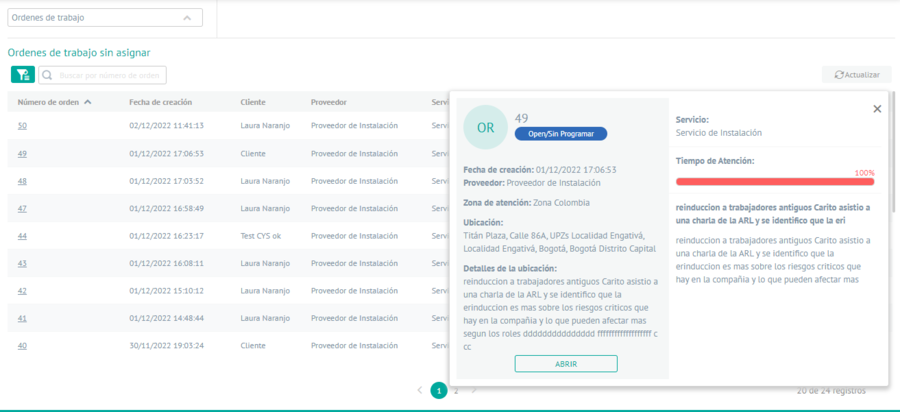
15. By selecting the OPEN, you can redirect the inquiry to the work order detail view.