


1. In the Detail View of the created work order, select the Costs where you can view, add, or modify the inventory resources configured for the service
The system automatically calculates the total cost of operation of a service by adding the following costs:
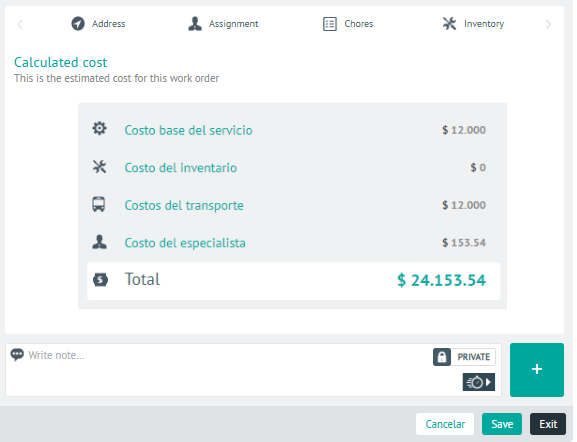
| Cost | Description |
|---|---|
| Base cost of service | This is the cost configured by the administrator at the time of service creation. |
| Cost of inventory | It is the cost of spare parts or products configured by the administrator for service. |
| Transportation Cost | It will not have a recorded value until the field specialist finishes the activities and closes the work order. The cost of transport corresponds to the value configured per kilometre according to the means of transport, multiplied by the number of kilometres travelled. |
| Cost of the specialist | It will be updated when the person in charge attends to the work order. The cost of the specialist per hour is set by the administrator and this value is multiplied by the number of hours recorded by the specialist in the care of the assigned order. |
2 In the cost detail view, you will have the field for add Private or Public Notes.
3. When you finish setting up the costs for the order, click Save, to confirm the changes made.