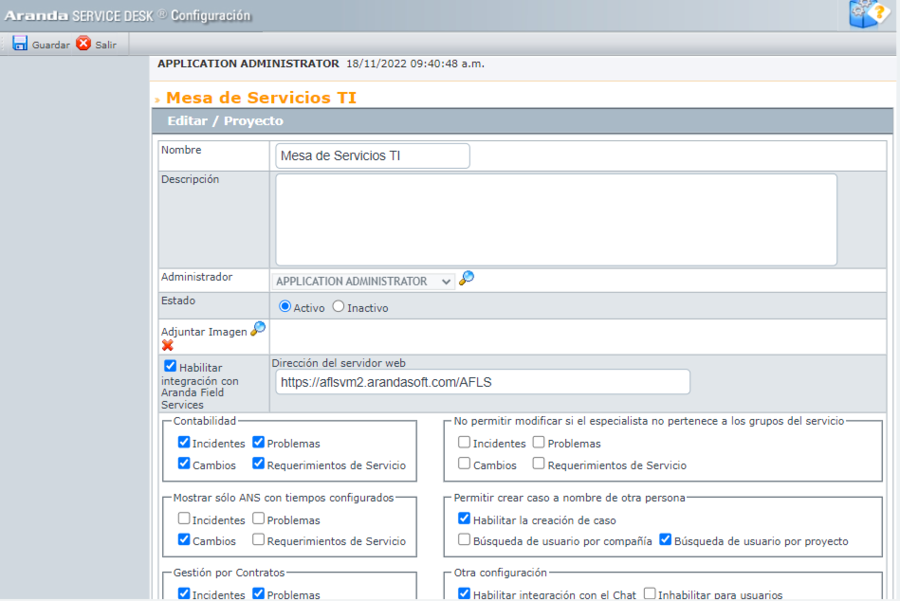
In the BASDK console, the Aranda FIELD SERVICE (AFLS) site path must be configured as a requirement to ensure integration, the Aranda SERVICE DESK environment must be navigable from the Aranda FIELD SERVICE environment and vice versa, the configuration procedure is as follows:
1. In the BASDK console, go to the Options menu> Projects.
2. Select the project to integrate ASDK/AFLS and edit it.
3. Enable the AFLS integration check.
4. Enter the URL of the Aranda FIELD SERVICE site.
5. Select the option Save.