


⚐ Note: The Roaming User Groups configuration can be developed by a user with a Monitor in AFLS.
Create Mobile Groups
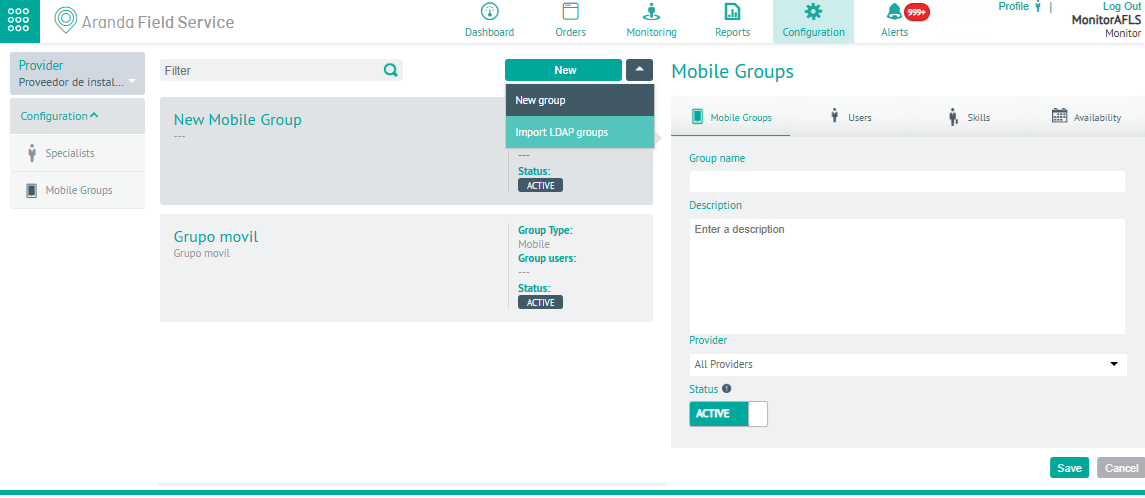
1. To create Mobile Groups, log in to the AFLS configuration console, with Monitor role, in the Configuration from the main menu, select the Mobile Groups. In the information view, select the New or New Group.
⚐ Note: In the main menu you will find the section of providers that have associated the monitor with which you logged into the application.
2. In the Mobile Groups Detail View in the AFLS Configuration Console, select the Mobile Groups, where you can fill in information such as group name and description, associate a vendor, and define a status.
Users
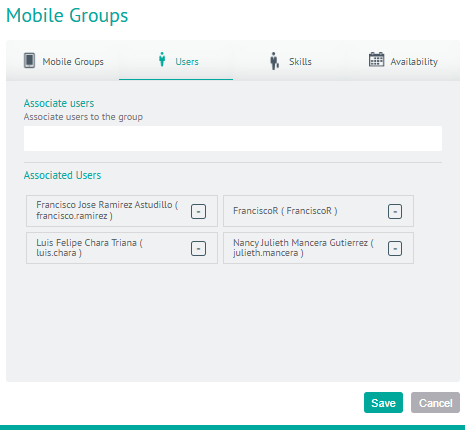
5. In the Mobile Groups Detail View in the AFLS Configuration Console, select the Users, where you can associate users with the mobile group.
Skills
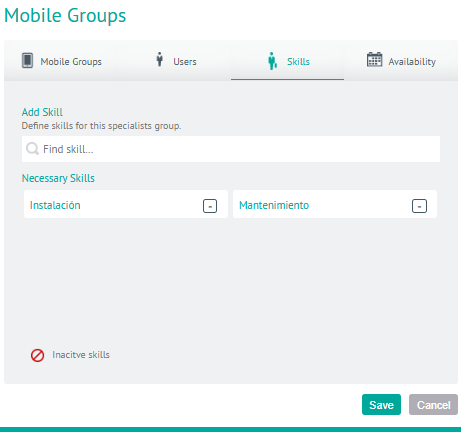
6. In the Mobile Groups Detail View in the AFLS Configuration Console, select the Skills, where you can set up the specific skills for the specialist group in the field.
Availability
7. In the Mobile Groups Detail View in the AFLS Configuration Console, select the Availability, where you can configure the availability of group time for service attention.
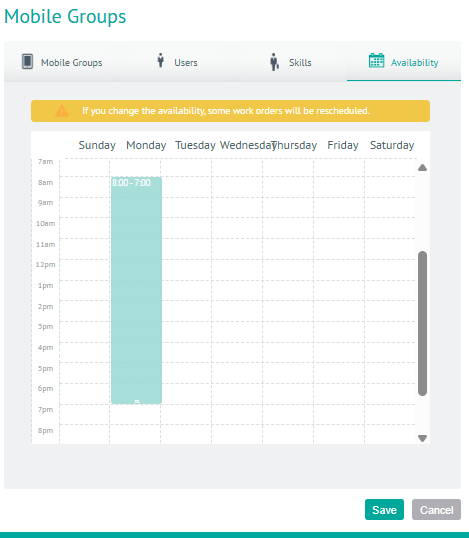
8. When you finish setting up the mobile user groups, click Save in the Detail View of the AFLS Configuration Console, to confirm the changes made.