


The Alert Management module allows you to choose which notifications will be displayed in the list of alerts.
1. To configure alerts, go to the AFLS configuration console, in the section Configuration from the main menu, select the Alert Management
2. In the detail view, you can configure compliance alerts.
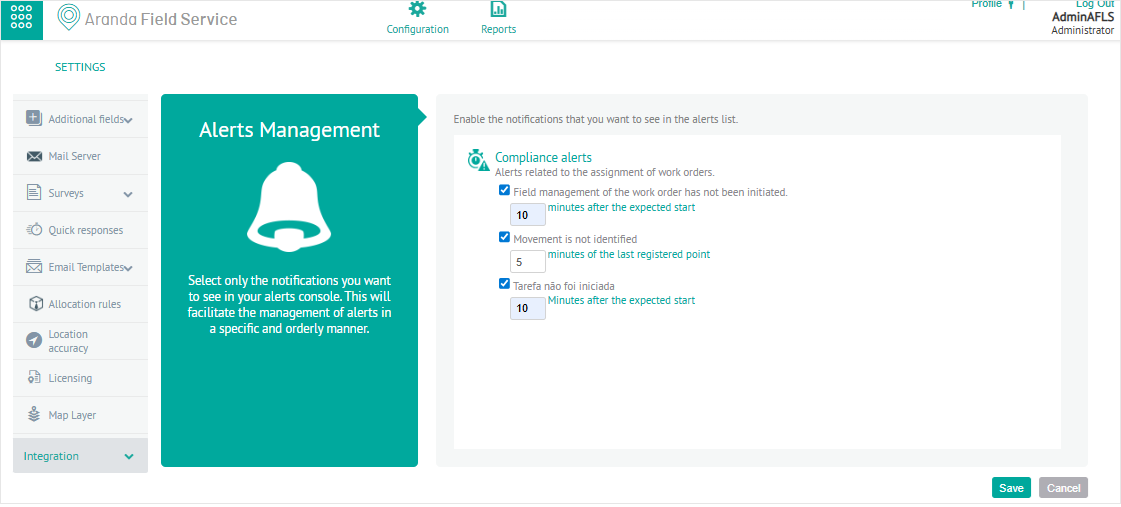
Compliance alerts report the delay in the start of any of the stages of the service. Select the ones you want to activate and enter the maximum number of minutes to wait before sending the alert for the following events:
| Compliance Alerts | Description |
|---|---|
| Field management of the work order has not started | Enter the maximum number in minutes after the expected start. Applies to Standard type services. |
| Unidentified movement | Enter the maximum number in minutes of the specialist’s last field activity record. Applies to Displacement type services. |
| Task Not Started | Enter the maximum number in minutes after the expected start. Applies to services with orders that have tasks associated with them. |
2. When you finish configuring the alerts, click Save, to confirm the changes made.