


The process of management (dispatch, monitoring, inventory) and attention of work orders in AFLS requires an initial configuration for the operation of the application and operation of the service.
The AFLS components that must be configured and associated to support the process are as follows:
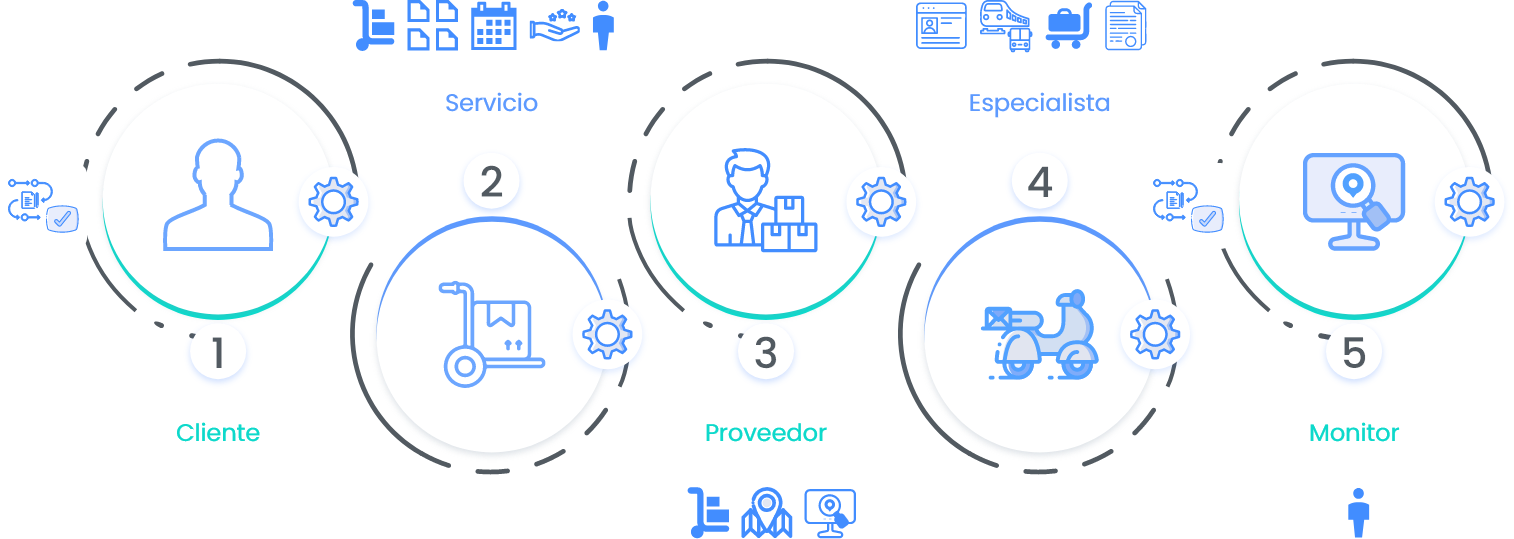
1. Configure Client
From the installed AFLS web console configuration section, you can define the basic customer information as an initial input for work order management.
For more information in the AFLS Management Manual you can consult:
2. Set Up Service
From the installed AFLS web console configuration section, you can define the service to be serviced and relate the previously configured work order components, such as vendor, service model, calendar, skills, timers, and service agreements (SLA, OLA, UC)
For more information in the AFLS Management Manual you can consult:
- Service Configuration
- Service Model Configuration
- Calendar Settings
- Configuration Service Agreements (SLA,OLA,UC)
- Timer Settings
3. Set up Provider
From the installed AFLS web console configuration section, you can define the service provider and relate previously configured work order components, such as services and zones; assign a Web user with a Monitor role for the configured provider.
For more information in the AFLS Management Manual you can consult:
4. Set up mobile user
From the installed AFLS web console configuration section, define a Mobile user and relate previously configured work order components, such as transport type, vendor, and specialist skills. Also manage licenses from
For more information in the AFLS Management Manual you can consult:
- AFLS Mobile User Configuration
- Configuration of Means of Transport
- Supplier Configuration
- Specialist Skills
- AFLS License Management
5. Set up Monitor
From the installed AFLS web console configuration section, create a web user, activate the monitor role, and associate this user with the appropriate provider so that the manager can monitor the field specialist’s travels and track the evolution of the service process.
For more information in the AFLS Management Manual you can consult: