


1. To reassign a work order, with the Monitor role, log in to the AFLS web console, in the Monitoring from the main menu, select the Reassign.
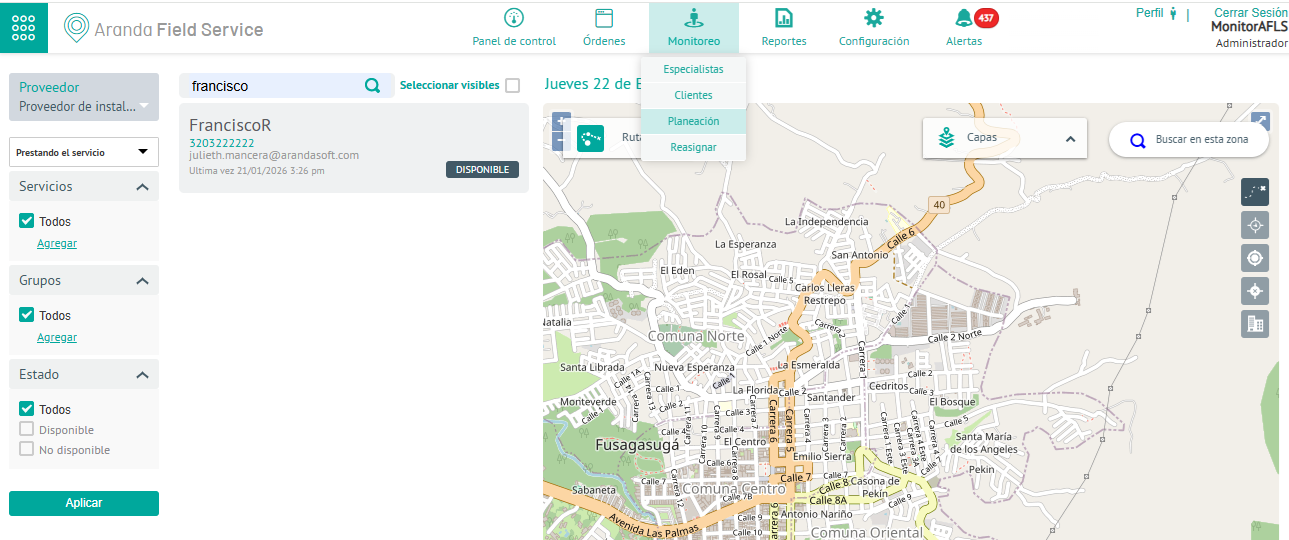
Reassignment by Specialist
2. In the Order Reassignment window, in the search field, enter the name of one or more specialists to whom the schedule defined in the work order will be reassigned. When finished, click on the Reassign.
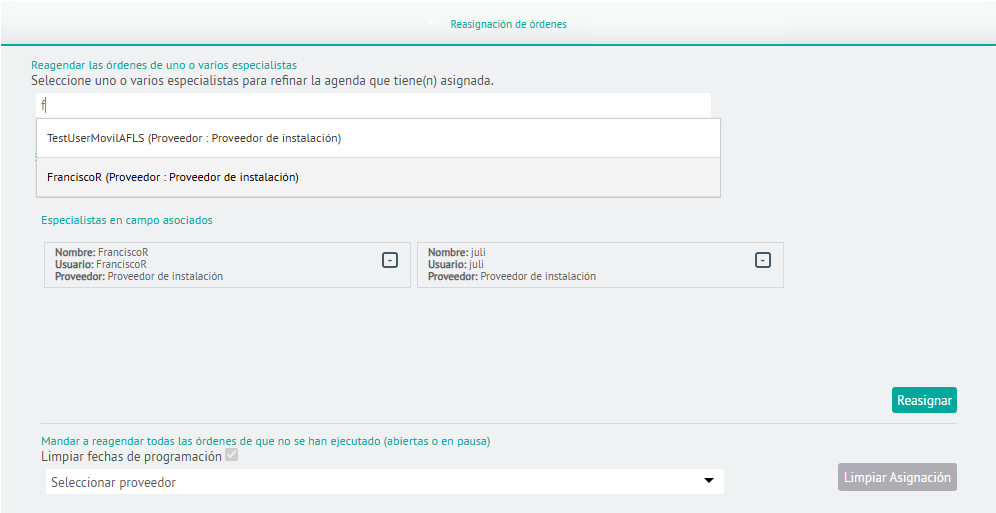
⚐ Note: When reassigning specialists, related information such as location, skills, and availability of the specialist is distributed and organized in the new assignment.
Reassignment by Provider
2. In the Order Reassignment window, select a configured provider, and when finished, click the Clean Up Assignment. This action reschedules all unexecuted orders (open or paused).
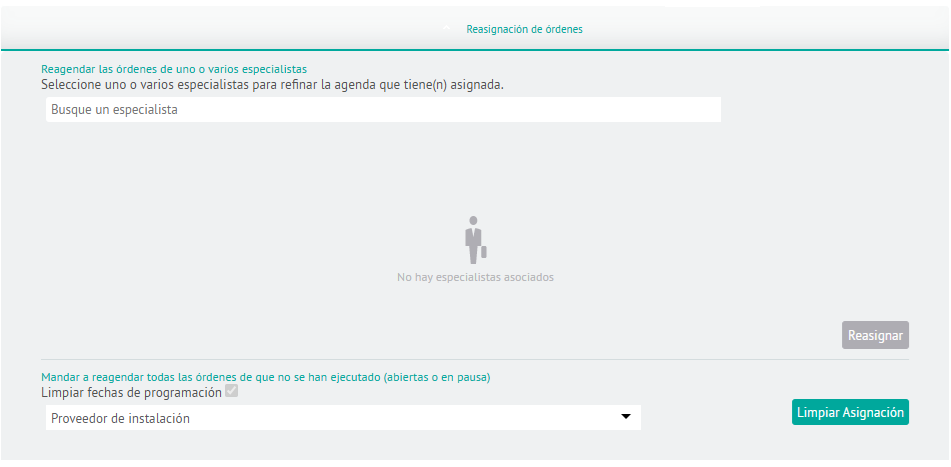
⚐ Nota: En esta opción solo se podrán seleccionar los proveedores que tenga asignado el monitor.