


Assistme is AFLS’ communication channel with users (customers) where they can create a case from the mobile app.
Configure AssistMe Channels
1. To define channels, go to the AFLS configuration console, in the Configuration from the main menu, select the Canals and the AssistMe category.
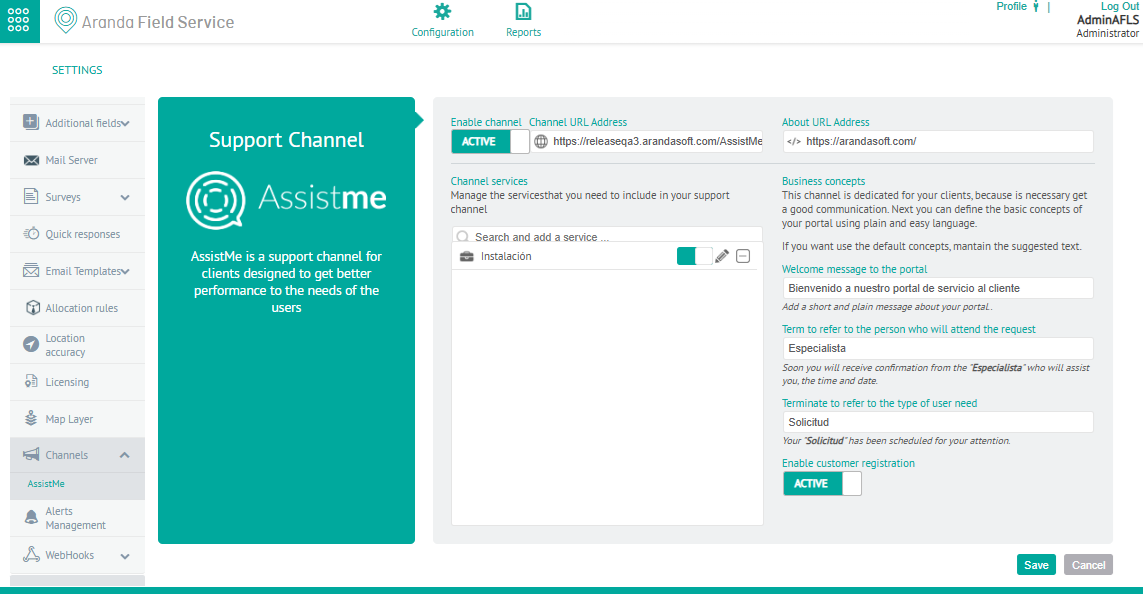
2. In the detail view, the administrator can configure the information displayed in the AssistMe portal, defining the following parameters:
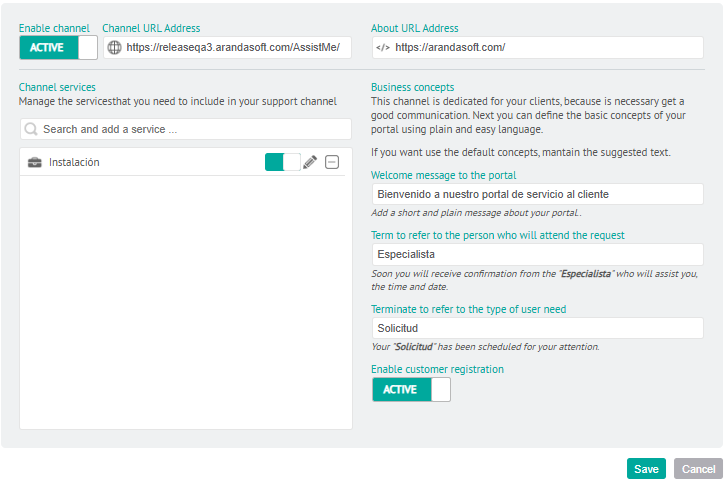
| Fields | Description |
|---|---|
| Channel URL | Enter the URL for access to AssistMe. |
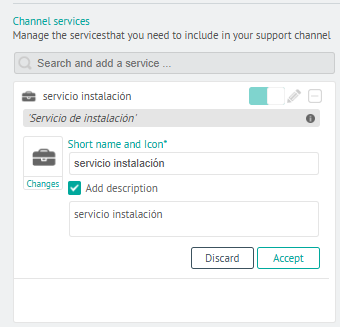
| Channel Services | Select AFLS services here and assign a short name and description to view on the AssistMe portal. |
| URL about | In the AssistMe portal, this item displays information related to the company’s page or related to its activity. At this point, you must enter the URL of the page you want to view. |
| Welcome message to the portal | Message to be displayed to the customer on the login page. |
| Term to refer to the person who will respond to the request | Depending on the type of business, we can talk about specialist, doctor, professional, etc. |
| Term to refer to the type of user need | Depending on the type of business, we can talk about a case, appointment, request, etc. |
| Enable Customer Registration | Allows you to activate or deactivate the registration option from AssistMe. |
2. In the Service Channel section, you can view, add, and edit configured services to the support channel.
3. When finished, click Save to reflect changes to the AssistMe portal.