


Aranda FIELD SERVICE AFLS can be integrated with the system that the client requires, as long as a development is made that complies with the contract defined in some interfaces contained in a .dll file supplied by Aranda.
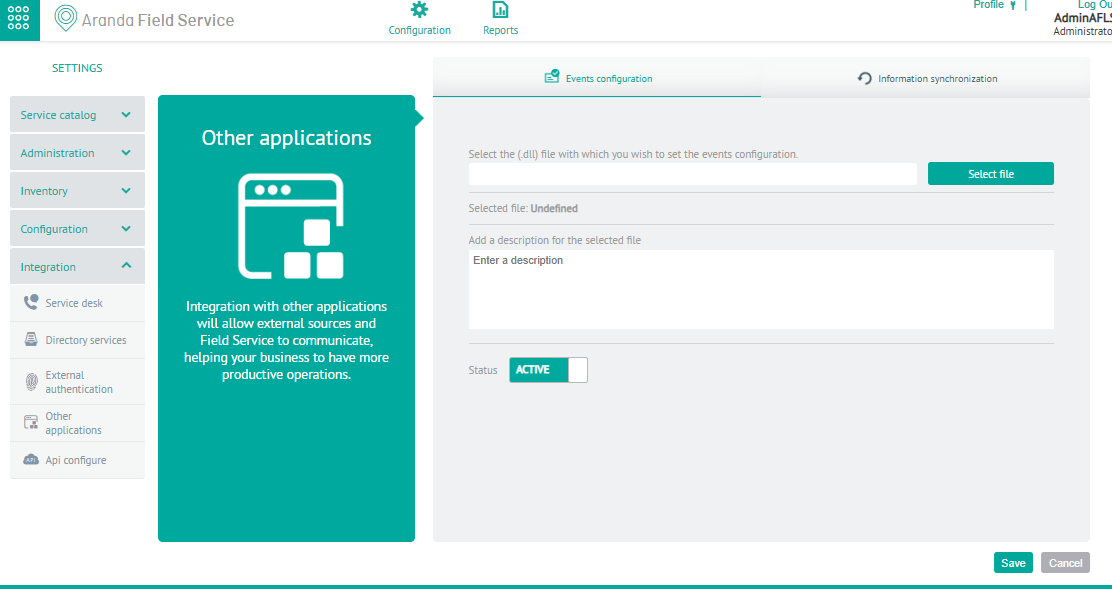
1. To synchronize information with another system, log in to the AFLS Configuration Console in the Integration from the main menu, select the Other Applications.
2. In the Detail View, select the Configuration Events where you can upload the file .dll and a description of the file.
3. In the Detail View, select the Information synchronization where you can fill in the following data:
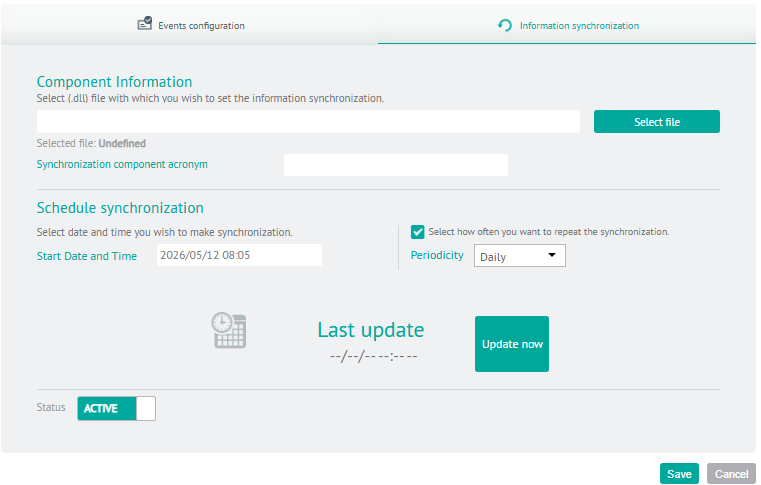
| Fields | Description |
|---|---|
| Component Information | File .dll with classes that implement the interfaces defined in the dll provided by Aranda. |
| Acronym of the synchronization component | Acronym with which the synchronized data will be marked. |
| Schedule Sync | This option defines the date and time at which the synchronization process begins with the data of the other system (Companies, customers and dispatchers or specialists). |
| Periodicity | Frequency of synchronization. |
| State | Indicates whether the synchronization process should run or not. |
| Upgrade Now | It is a single-run button, which starts the process the next minute. |
4. When they finish setting up the sync, click Save in the Detail View of the AFLS Configuration Console, to confirm the changes made.
Import third-party companies into AFLS
AFLS executes a synchronization of the companies that are in other systems through the already configured component, the fields that are synchronized are:
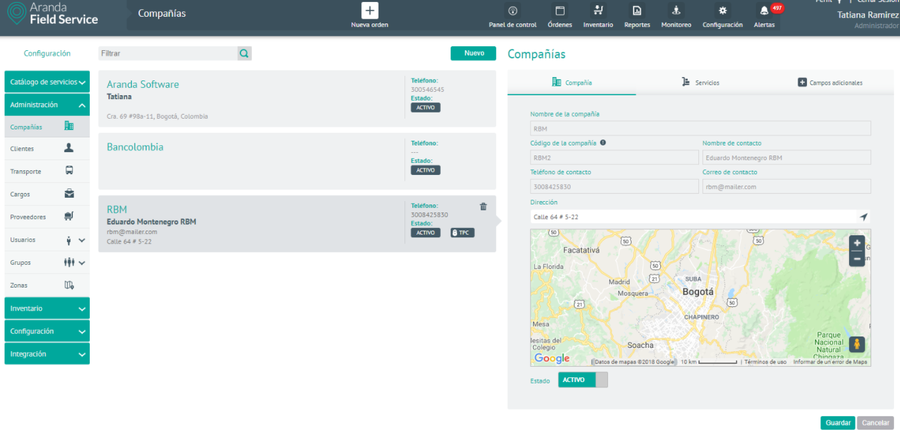
- Company Name
- Company code: NIT or company ID.
- Contact Name
- Contact telephone number
- Contact email
- Address: Standardized by Google’s address search control.
Synchronized third-party companies
Importing third-party clients into AFLS
AFLS executes a synchronization of the companies that are in other systems through the already configured component, the fields that are synchronized are:
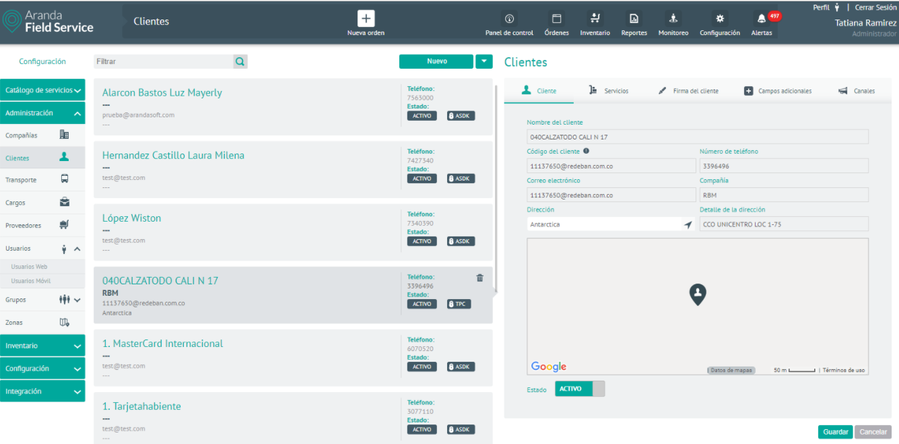
- Client Name
- Customer code: ID or identification of the customer.
- Telephone
- Contact email
- Company: Name of the company associated with the customer.
- Address: Standardized by Google’s address search control.
- Status: Defines whether the client’s status is active or not.
- Services: list of services associated with the client.
Synchronized third-party clients