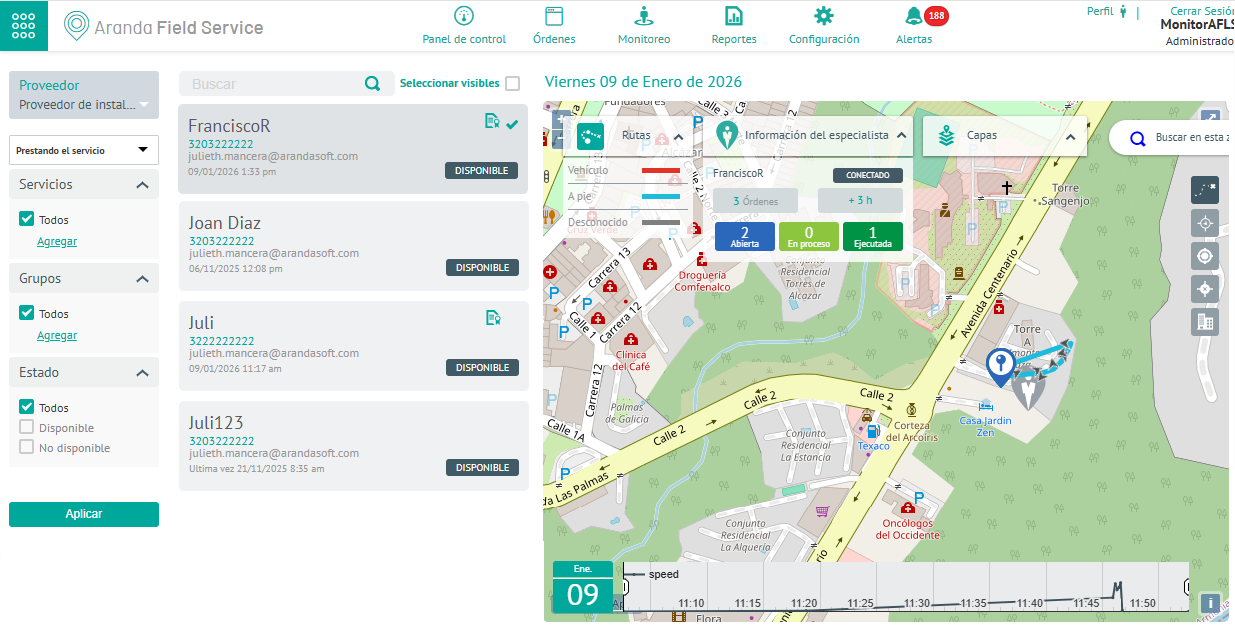
1. To get an overview of the service delivery and the progress of a specialist during the fulfillment of an order, with the role of Monitor enter the AFLS web console, in the section of Monitoring from the main menu, select the Specialists.
2. In the information view, you can view the records of the specialists in the field, or through the Search field, you can make basic or detailed queries of the data of the specialist assigned to the order.
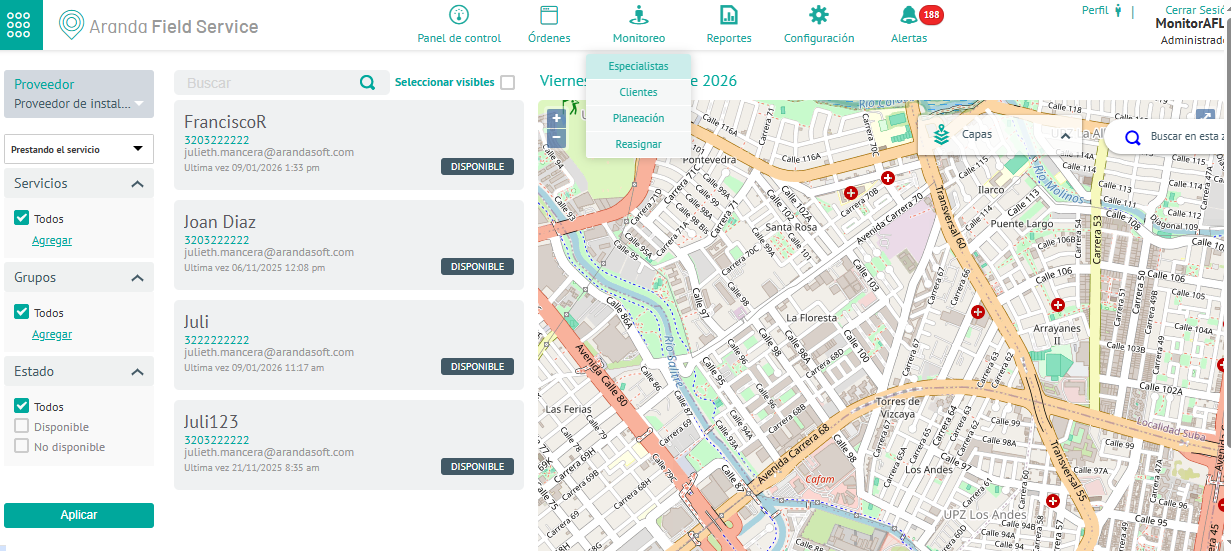
Filters
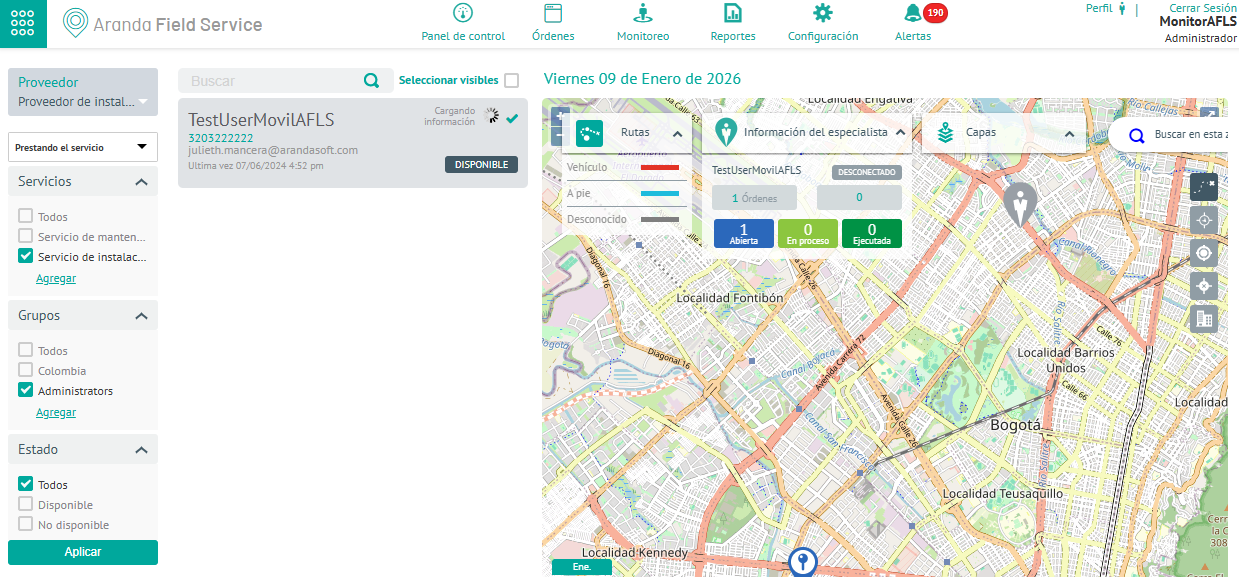
3. In the information view of the specialist monitoring, you can use the filters by provider, services, groups, and statuses. Click the Apply. You can filter the query information under the following criteria:
| Criterion | Description |
|---|---|
| Supplier | The monitor will only be able to view the suppliers assigned to it, therefore, it will be able to filter the specialists only according to those suppliers from the selector. |
| State | This filter determines the availability of the specialist according to the following conditions: - Specialists paying attention to one of the configured services with assigned work orders. - Specialists with skills to attend any of the services configured, available and with the capacity to attend the service. |
| Services | This criterion filters the specialists according to the service they are providing or for which they are trained and that they have that or several services configured as a consultation criterion. The service filter depends on the configuration defined in the previous specialist availability combo. |
| Groups | Filter the specialists who have availability enabled as a query criterion. |
3. By selecting one of the specialists provided by the practice, the monitor can perform different monitoring and control tasks, such as visualizing the specialist’s location and movements on a map in real time and identifying the geographical location of the work order associated with the specialist.