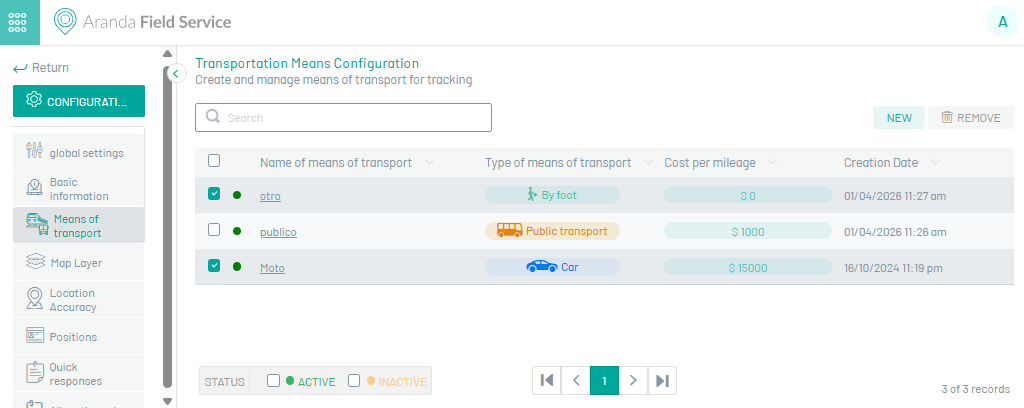
This functionality allows defining the types of transport within the business modeling, for the provision of services within Aranda FIELD SERVICE.
Create means of transport
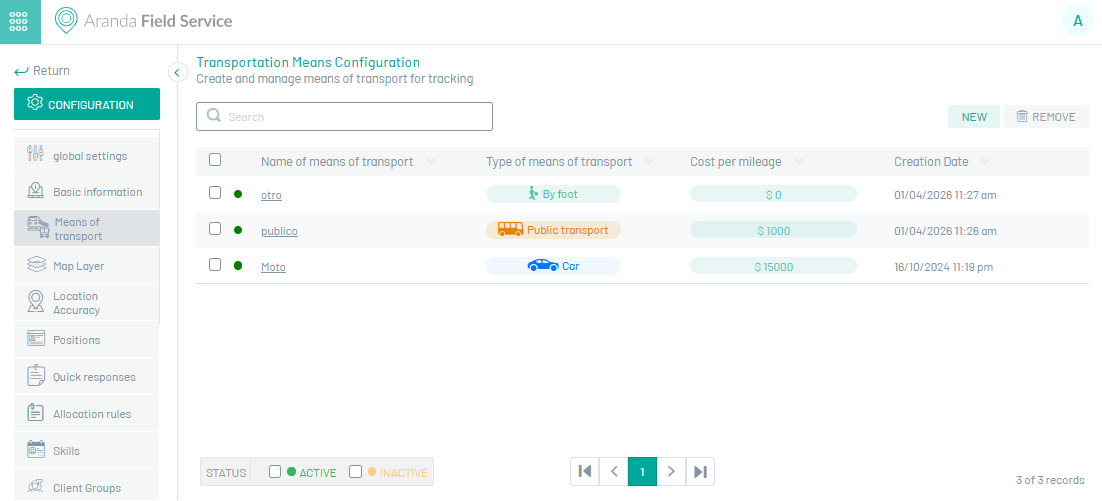
1. To create a Transport, go to the AFLS configuration console, in the Administration from the main menu, select the Transport. In the information view, select the New.
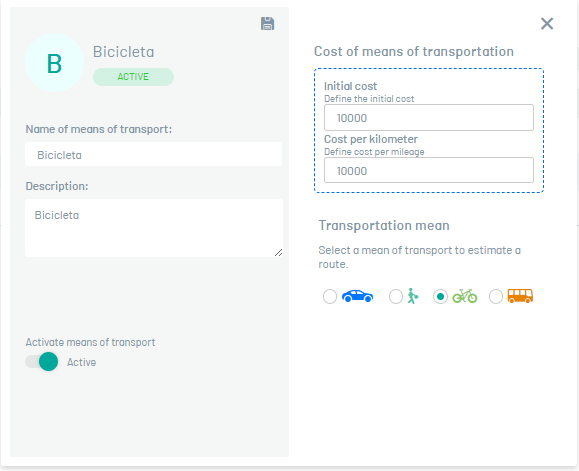
2. En la vista detalle del medio de transporte creado podrá configurar cada vehículo con la siguiente información:
| Options | Description |
|---|---|
| Name of means of transport | Identify the type of vehicle that will be associated with a specialist. |
| Description | Allows you to enter additional information about the type of vehicle. |
| Cost | The cost section is divided into two sections. - The Initial Cost, adds a fixed cost to the order calculation. -The cost per kilometer, deducts the total cost of order execution by taking into account the distance the specialist needs to travel to reach the selected location. |
| Activate Means of Transport | It allows the creation of an active or inactive means of transport. |
| Means of Transportation | The means of transport is used to trace the optimal route for the specialist to travel through the streets of the city. Several vehicles could be defined that use the main roads at different costs: - Automobile - Walking - Bicycle - Public transport |
3. When you finish setting up the transport, click Save  to confirm the changes made.
Edit Means of Transportation
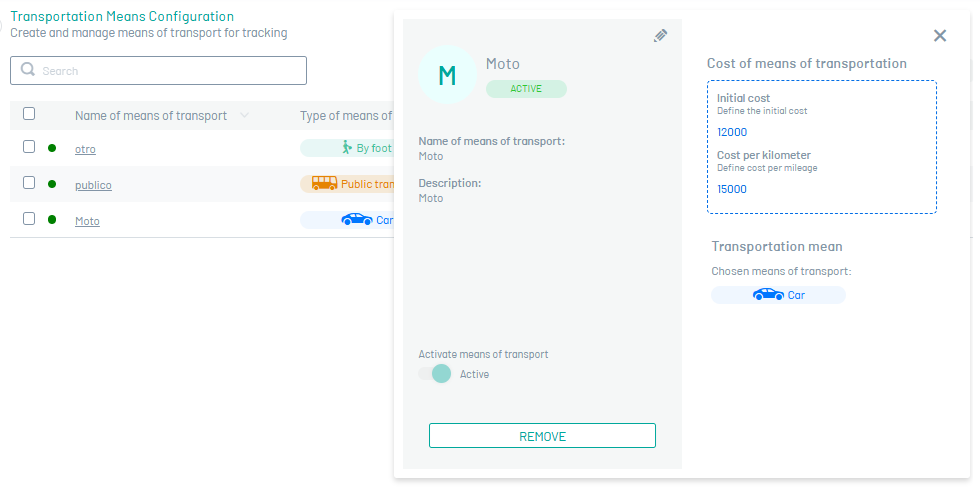
4. To edit a transport, in the list of transport configuration options, select the name of the record that you want to edit, the detail view is enabled and when you select the edit button  You may modify the required information.
Eliminate Means of Transportation
5. To delete a transport, in the list of transport configuration options, select the check of one or more records and select the button to delete the associated information or in the detail view it is also possible to select the delete button.