


1. In the Detail View of the created work order, select the Allocation, where you can assign the work order to specialists, taking into account the three types of assignment:
- Automatic Assignment: It is performed by the mapping engine taking into account the configuration of the created order and that of the field specialists who can serve the order.
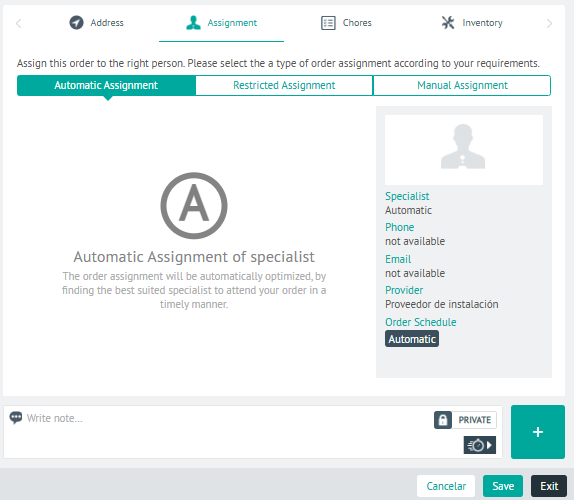
-
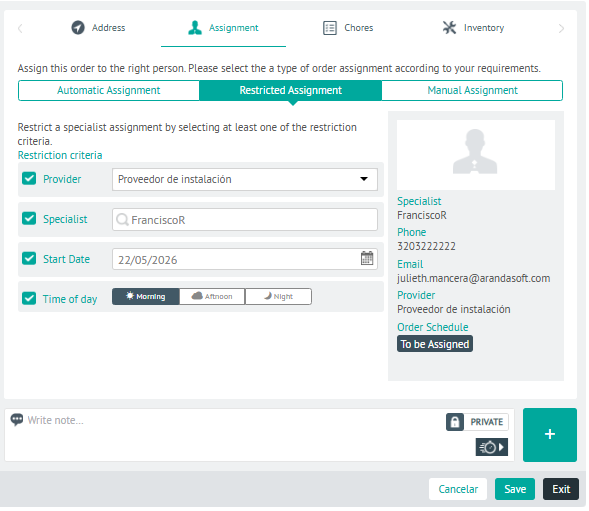
Allowance by Restriction: Allows you to restrict the assignment by selecting at least one of the following restriction criteria: Supplier, Specialist, Starting Date and Day.
The countryside Day it will depend on the configuration of the business variables.
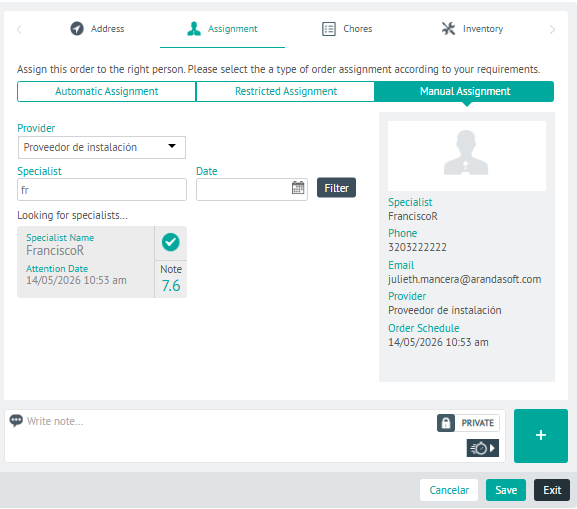
- Manual Assignment: It is carried out directly by the dispatcher, taking into account the availability of the specialist by the provider and date of care filters.
⚐ Note: If an assignment type is not defined when creating the order, the system starts the automatic assignment process. The assignment process can be modified when the work order is at a pre-sub-state stage equivalent to In Process within the workflow configured for the customer. In the AFLS default flow, this corresponds to sub-states such as Programming and On the move.
2. In the assignment detail view, you will have the field for add Private or Public Notes.
3. When you finish setting up the order assignment, click Save, to confirm the changes made.