


View Reports
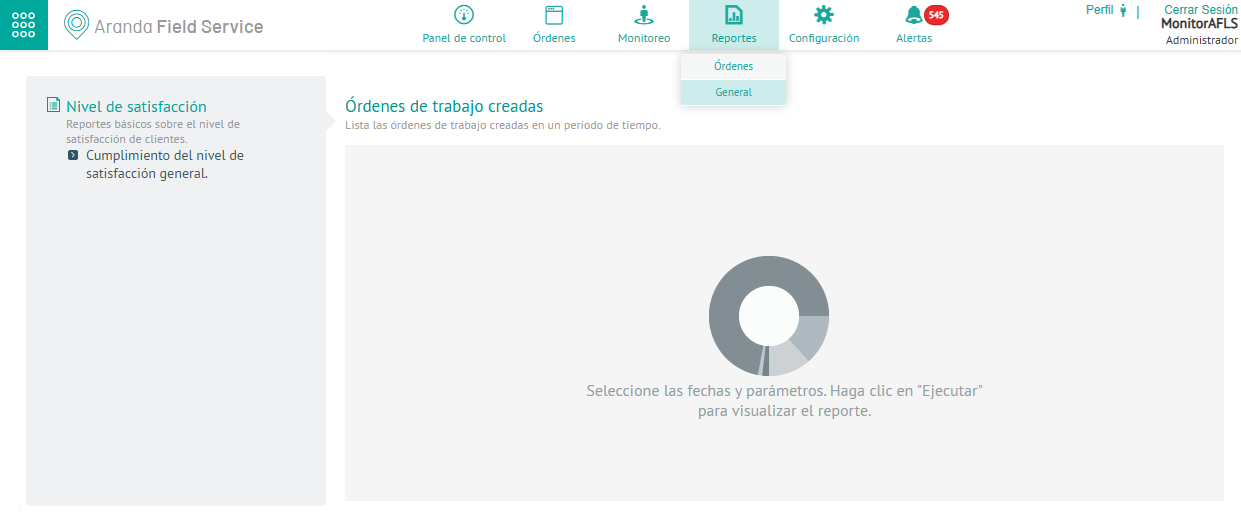
1. To view the general reports related to the level of customer satisfaction from a survey, with the Monitor role enter the AFLS web console, in the Reports section of the main menu, select the option General.
This section contains reports that are not associated with work orders or inventory.
2. In the Satisfaction Level detail view, in the side panel of the Report Designer Define the preview parameters (Start date, end date, survey) enabled according to the filter activated in the previous step. When finished, click on the SUBMIT to generate the report.
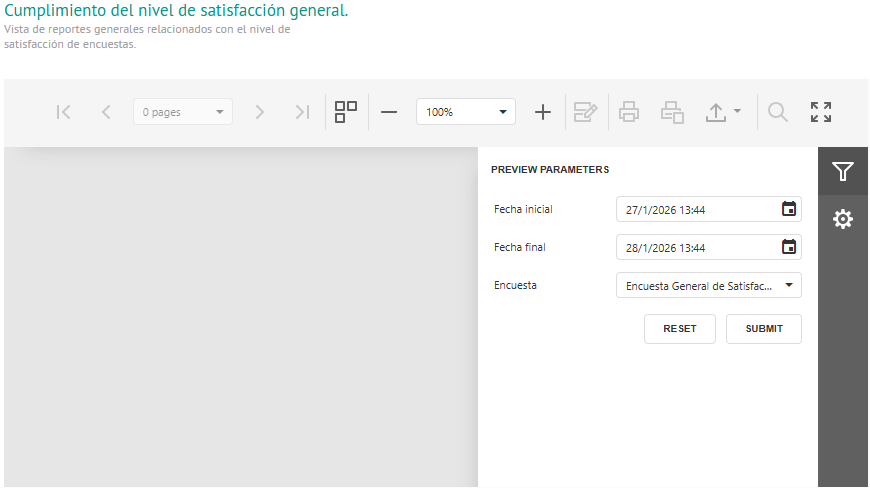
⚐ Note: If no surveys have been generated within the selected date range, the system will indicate that there is no data.
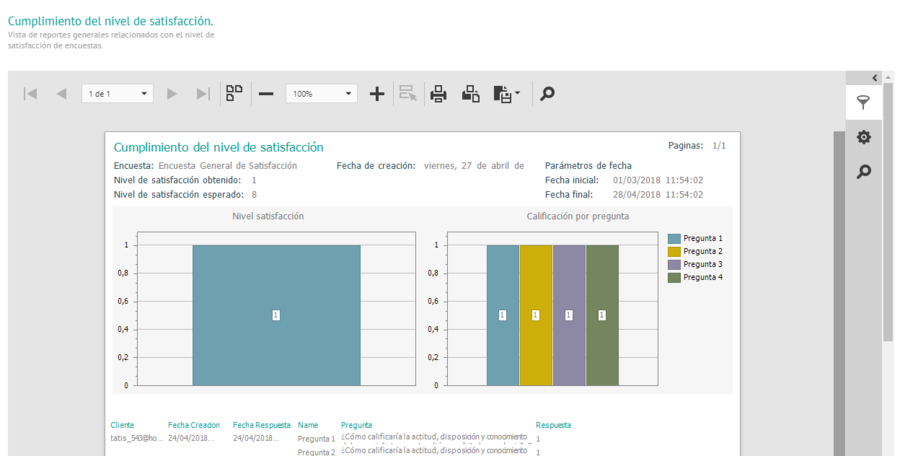
3. The generated satisfaction level compliance report shows detailed information of each of the general surveys answered by customers and presents the data in two sections: Satisfaction level and Rating by question.
| General Report Sections | Description |
|---|---|
| Level of satisfaction | A graph is displayed that represents the level of satisfaction obtained from the survey within the range of selected dates. |
| Rating by Question | A graph is displayed that represents the questions that are grade type with their respective average. |
⚐ Note: Some of the questions may be of the grade type, but if they are not marked to count within the statistics, they will not be taken into account in the level of satisfaction obtained.