


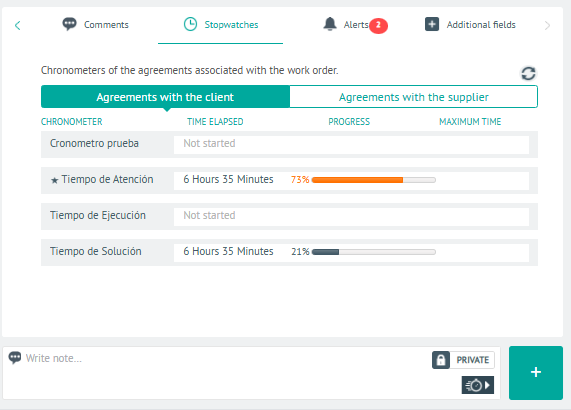
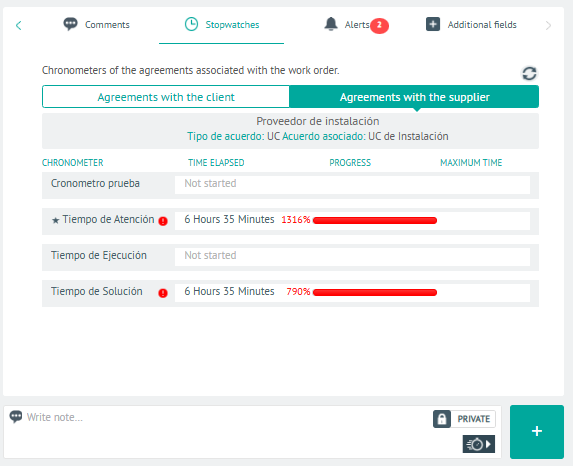
1. In the Detail View of the created work order, select the Timers, where you can view the timers of the agreements associated with a work order.
In the Customer Agreement You will be able to visualize the progress and fulfillment of each stage of the service for this instance.
In the Supplier Agreement You will be able to visualize the progress and fulfillment of each stage of the service for this instance.
⚐ Note: The timers available in this instance are defined during AFLS Stopwatch Settings
2 In the stopwatch detail view, you will have the field for add Private or Public Notes.
3. When you finish querying the order timers, click Save, to confirm the changes made.