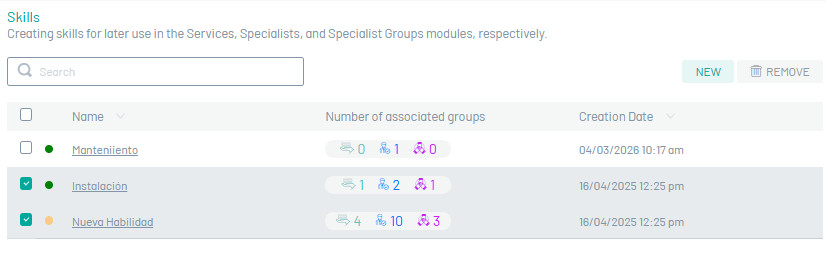
Skills are created and configured within the life cycle of AFLS work orders, for subsequent management in the Services, Specialist Users and Specialist Groups modules respectively.
Build Skills
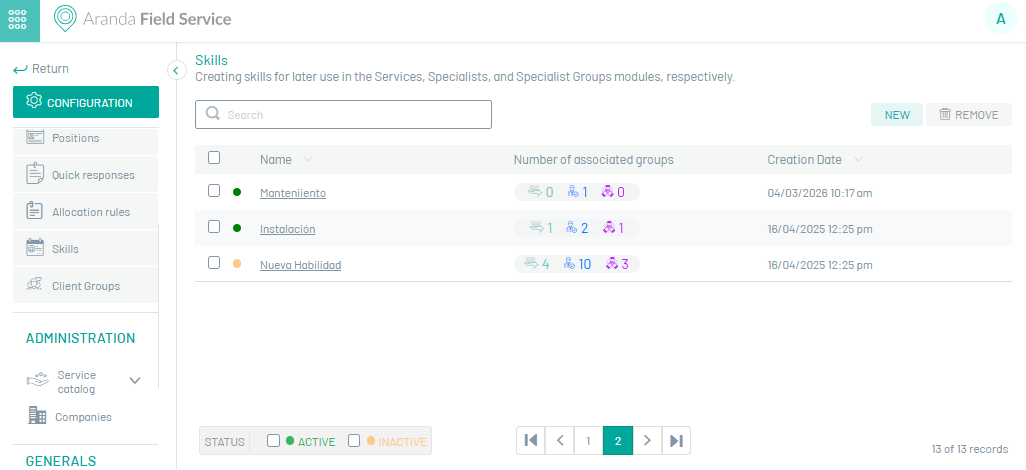
1. To Create Skills, go to the AFLS configuration console, in the Administration from the main menu, select the Skills. In the information view, select the New
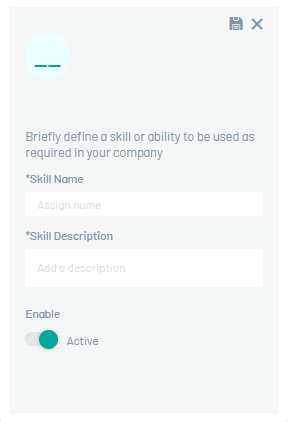
2. In the Detail View, you can enter basic skill information in fields such as Name, Description, and Current Status (Active or Inactive). The default status will be Active.
⚐ Note: Configured skills can be added in the Skills for modules Services, Mobile User and Mobile Group. Active and inactive skills can be associated, the latter will have a specific mark.
3. When you finish setting up the skill, click Save  to confirm the changes made.
Edit Abilities
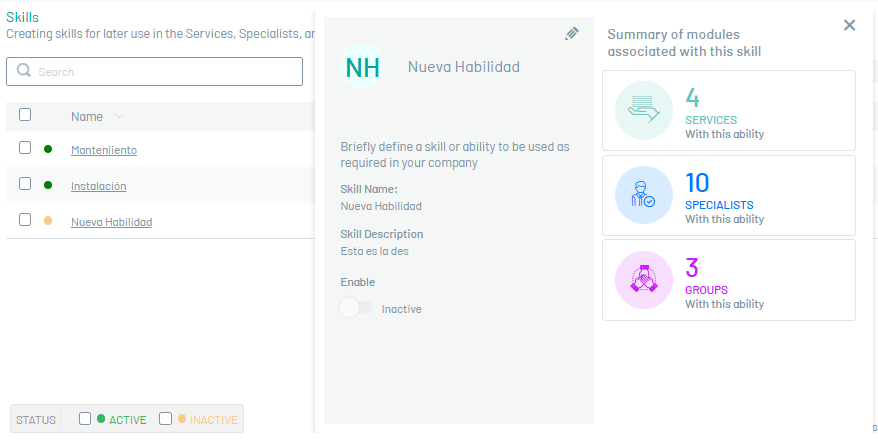
4. To edit a skill, in the skill configuration list, select the name of the record you want to edit, the detail view is enabled, and selecting the edit button  You may modify the required information.
Delete Skills
5. To delete a skill in the skill configuration list, select the check of one or more records and select the button to delete the associated information or in the detail view it is also possible to select the delete button.