View Reports
1. To view the reports of the consumption of map provider services by functionality, with the Administrator role enter the AFLS web console, in the Reports section of the main menu, select the option Administration.
This section contains reports that are not associated with work orders or inventory.
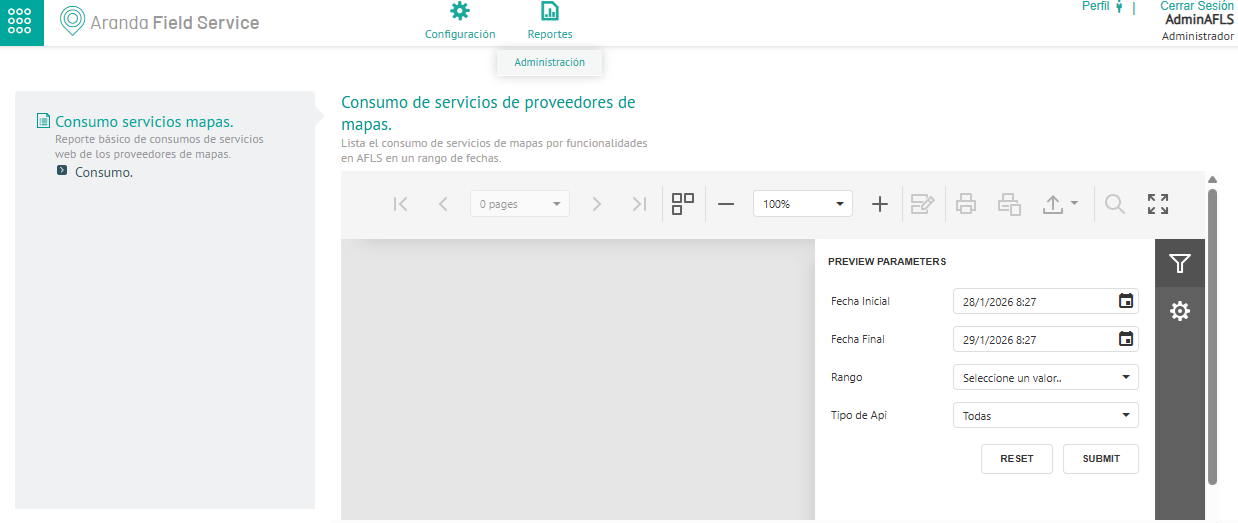
2. In the Map Service Consumption Detail view, in the side pane of the Report Designer define the preview parameters (Start Date, End Date, Range, and API Type) enabled according to the filter enabled in the previous step. When finished, click on the SUBMIT to generate the report.
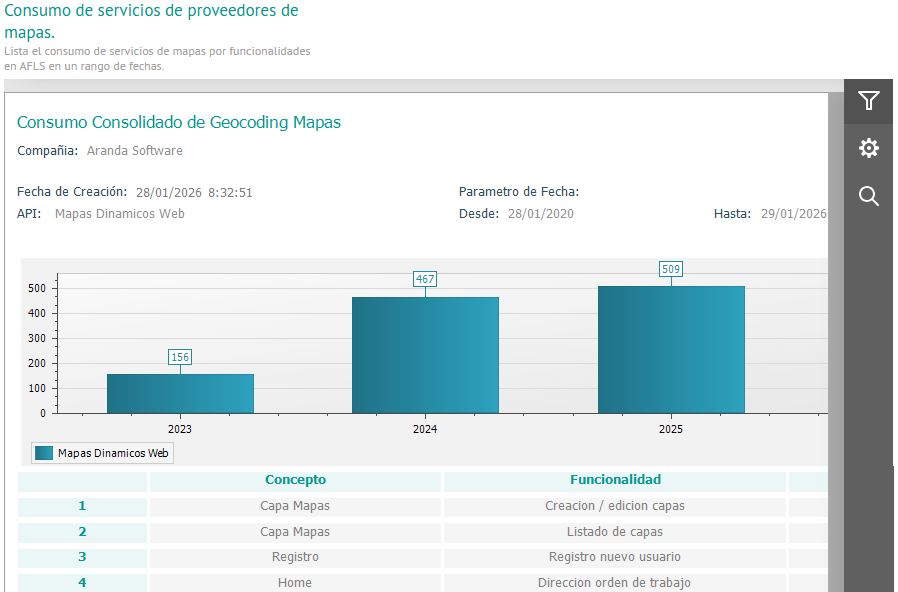
3. The generated report of consolidated map consumption shows detailed information on each of the concepts and functionalities: