


1. In the Detail View of the created work order, select the Address, where you can edit the Appointment Address field and select the new location graphically on the map.
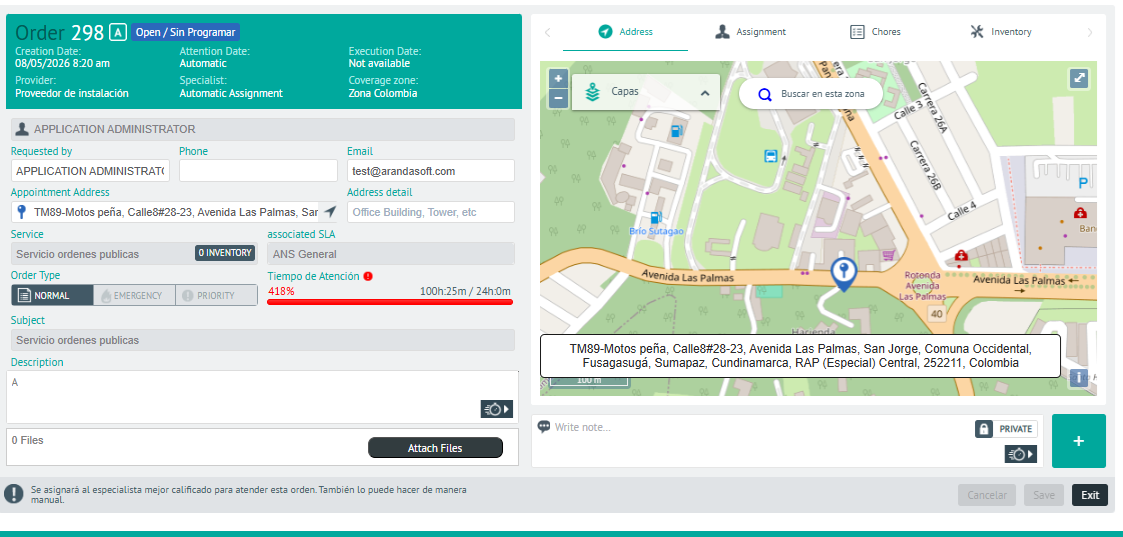
⚐ Note: If you have a map provider other than Google, specify the addresses in greater detail, including neighborhood, town, and municipality for more accurate calibration.
⚐ Note: To define the configuration parameters for the map provider, see the AFLS Global Configurations..
2 In the address detail view, you will have the field for add Private or Public Notes.
3. When you finish setting up the order address, click Save, to confirm the changes made.