


The workflow determines the lifecycle of work orders. Each activity designed in the workflow will be a step that the field specialist must carry out until a job is completed.
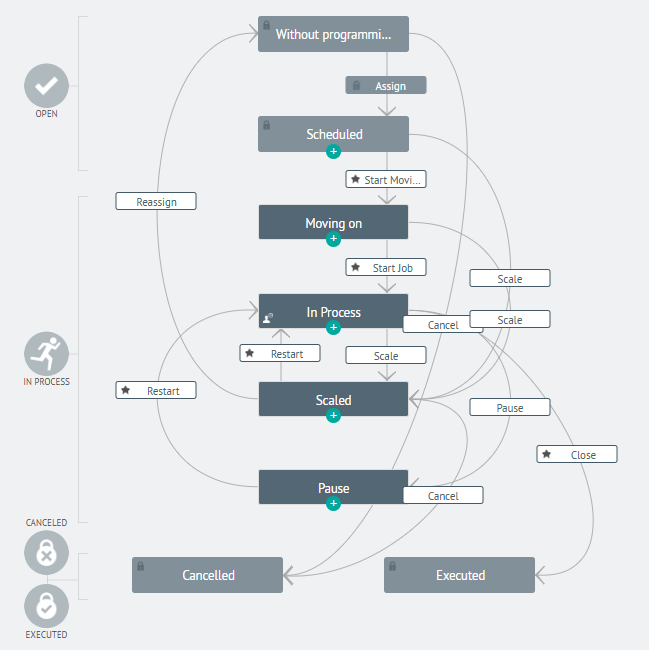
A workflow is made up of states, sub-states, activities, transitions and reasons that determine the correct functioning of the process structured by the organization. The following is an expansion of the most representative components of the workflow in AFLS:
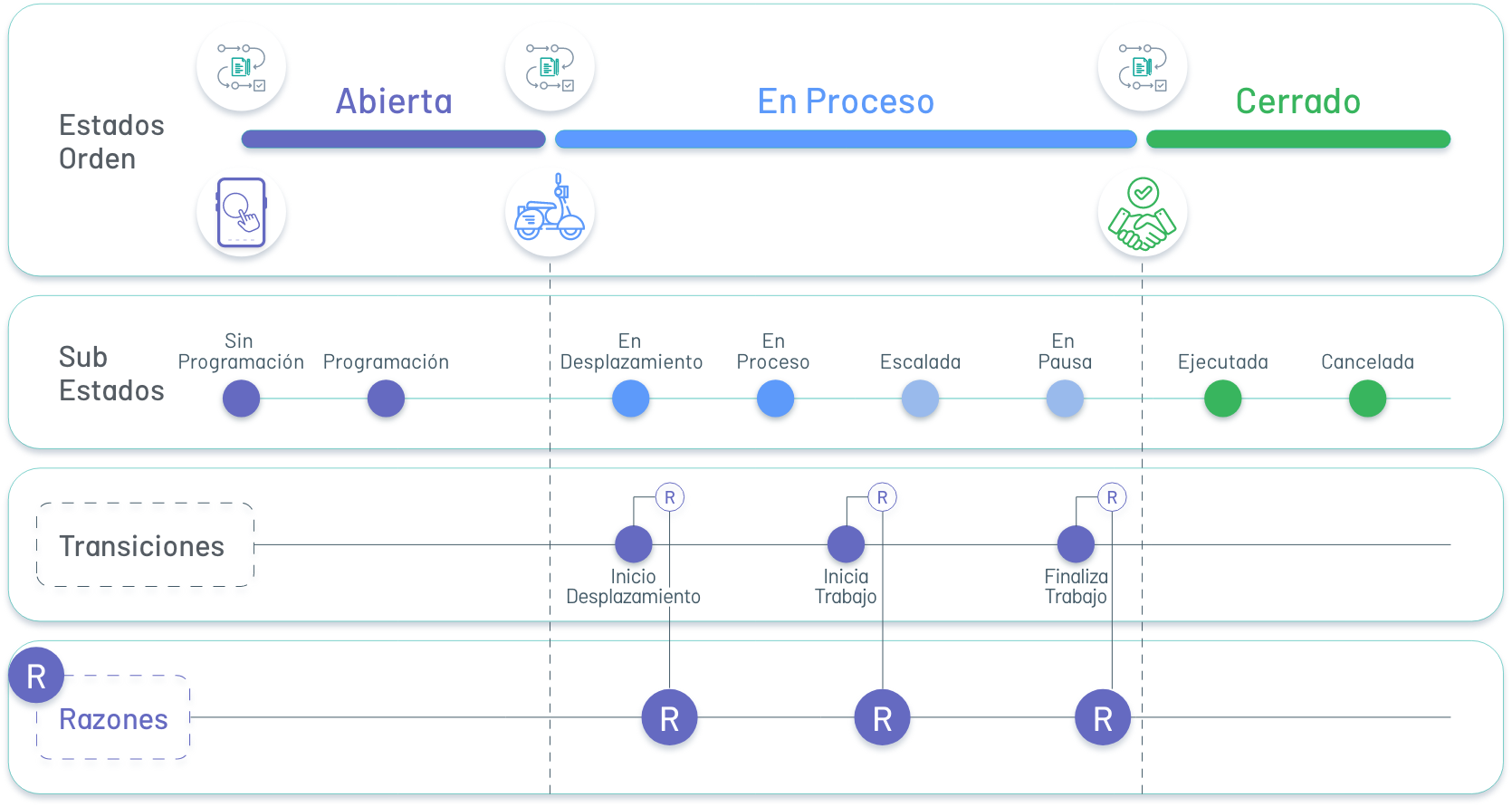
⚐ Note: Configuring workflows will allow you to customize the process according to the needs of executing the services and reuse automatically generated diagram elements (sub-states, transitions).
States
In the configuration of the Aranda FIELD SERVICE workflow there are three main phases or states that group the order execution process:
| State | Description |
|---|---|
| Open | This status corresponds to orders that have not yet been assigned to a specialist, they are newly created orders or that must be rescheduled for execution. |
| In process | This status includes all the steps that the field specialist must execute to perform a task. The sub-states defined within this state will guide the specialist step by step. Within this state you can create any sub-states you want, however, it is important to keep the process simple. |
| Executed | The work order ends in this state, with two possible sub-statuses: executed or canceled. |
Sub-states
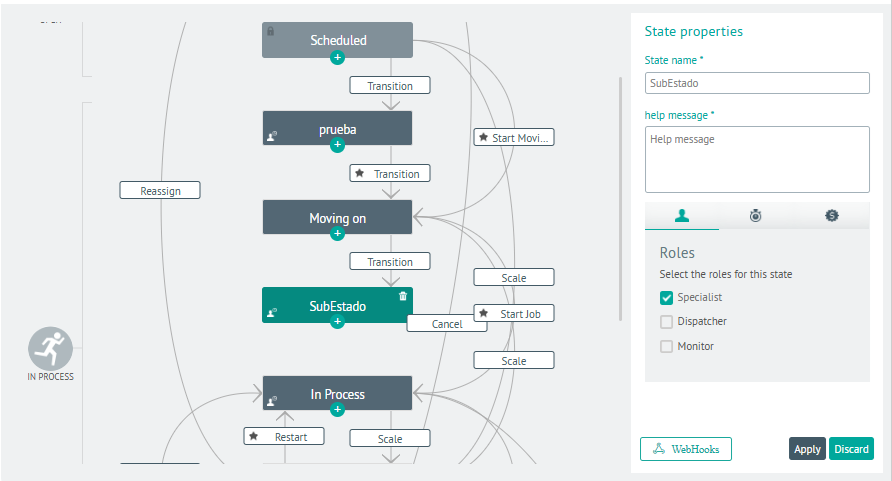
The field specialist receives orders in the “In Process” status and at this point the sub-statuses serve as a guide for the execution of an order. The order lifecycle is governed by sub-statuses and their transitions. When creating a sub-state, the administrator can configure different options that allow the model to be adapted to the business process:
| Sub State | Description |
|---|---|
| Unscheduled | This sub-state is typical of the system. Any transition that comes to this sub-state will cause the engine to automatically take care of selecting a new date and time, as well as a new specialist who can handle the order. |
| Scheduled | This sub-state is typical of the system. An order can go from “unscheduled” to “scheduled” status through two events: through the assignment engine, where the tool schedules the order, or through manual scheduling. |
| Canceled | This sub-state is specific to the system. It corresponds to a terminal state. When the order reaches this status, it indicates that the work was not performed. |
| Executed | This sub-state is specific to the system. It is a terminal status that indicates that the order was successfully completed. |
Transitions
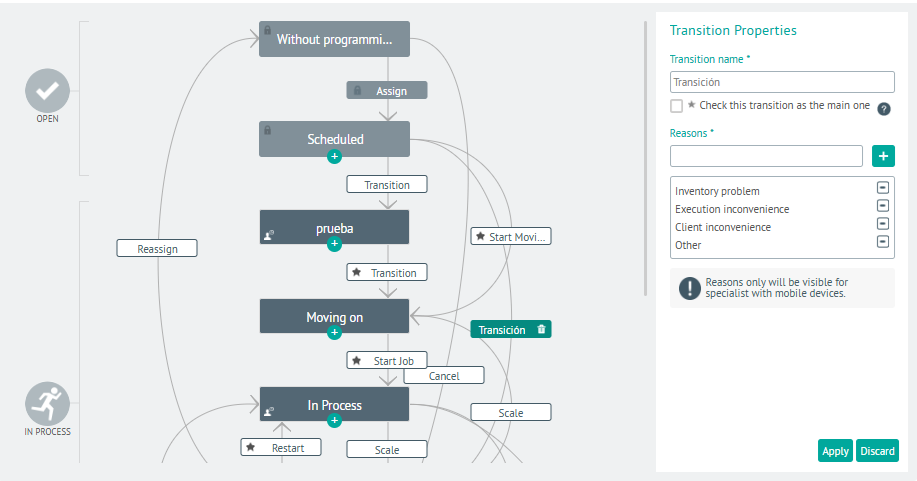
Transitions are waypoints or actions between two Sub-states and are represented by arrows or paths. Mobile transitions become “buttons” that can be used by field specialists or web agents to move a work order from one state to another.
⚐ Note: Properly naming the transition determines the action that field specialists should take from their mobile device during the handling of a work order
⚐ Example: The nouns of transitions must be infinitive verbs; for example, to move from an “In Process” to a “Scaled” state, the transition should be called “Scale” and represents the action that field specialists can take to modify the order.
Transitions by Default
The default transitions, when activated in the transition properties, will be a priority within the workflow during the service service and can be viewed as a button in the specialist console.
If there are two transitions (Approve/Disapprove) for a sub-status (Approval) a transition must be marked by default. Consequently, the other transitions will appear in the Actions menu. Default transitions are marked with a star.
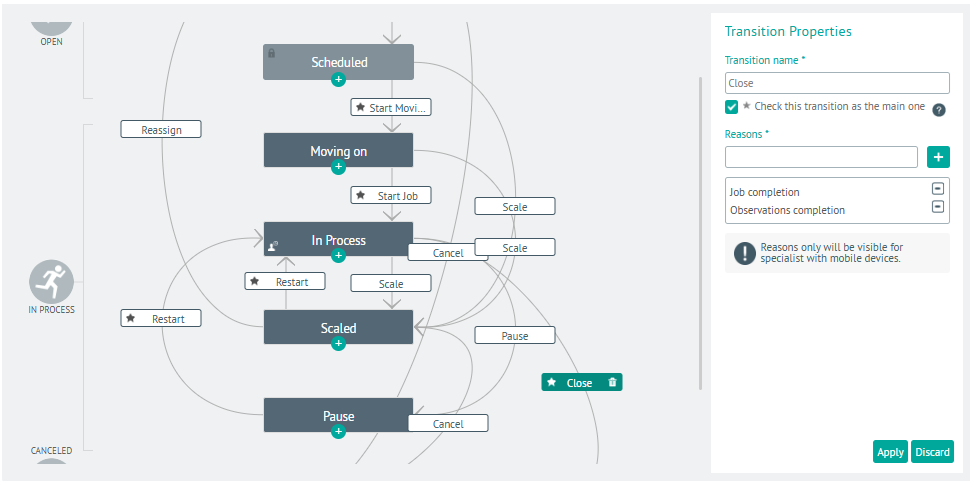
Reasons
The reasons will be requested from the field specialist when the status of a work order changes.